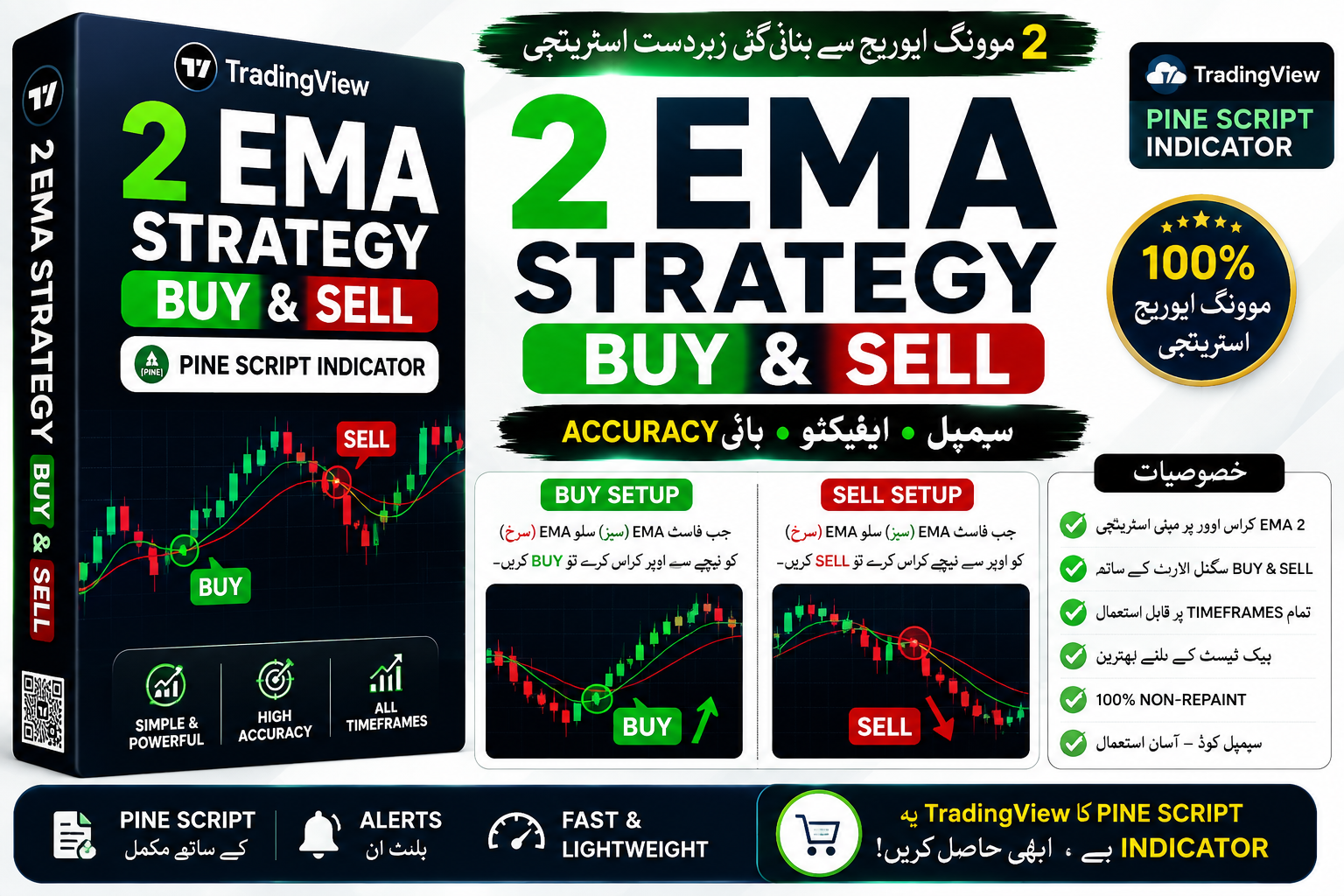
2 EMA Strategy BUY & Sell Signals
2 EMA Strategy BUY & Sell Signals Non-Repaint Free Download For Mobile Script || 2025 ||
🎥 Installation Video
📖 Installation Instructions
What is 2 EMA Strategy BUY & Sell Signals?
The 2 EMA Strategy BUY & Sell Signals is a powerful TradingView indicator designed for Pakistani and Gulf traders who want clear, visual trading signals based on the proven Exponential Moving Average (EMA) crossover strategy. This indicator uses two EMAs of different periods to identify potential entry and exit points in the forex market, generating easy-to-understand BUY and SELL signals directly on your chart. Whether you're trading EUR/USD, GBP/USD, or any other currency pair, this indicator simplifies trend-following decisions with visual arrows and optional alerts.
Built specifically for TradingView's Pine Script platform, this indicator is accessible to traders of all experience levels and works seamlessly across desktop, mobile, and tablet devices without requiring expensive software or VPS hosting.
Key Features
- Dual EMA Crossover System: Uses fast and slow EMAs to detect momentum shifts and trend changes with high accuracy, providing reliable entry and exit signals.
- Visual BUY & SELL Arrows: Clear, color-coded arrows appear directly on your chart when the fast EMA crosses above (BUY) or below (SELL) the slow EMA, eliminating guesswork.
- Customizable EMA Periods: Adjust both fast and slow EMA periods to match your trading style, whether you prefer scalping on M5 or swing trading on H4 and Daily timeframes.
- Multi-Timeframe Compatibility: Works effectively on all timeframes from M1 to Monthly, giving you flexibility to trade according to your schedule and risk appetite.
- Built-in Alert System: Set up custom TradingView alerts to receive notifications via email, SMS, or mobile app whenever a new BUY or SELL signal appears.
- No Repaint Guarantee: Signals are confirmed and do not disappear or change after they appear, ensuring you can trust the indicator's output for manual trading or backtesting.
- Universal Currency Pair Support: Optimized for all major, minor, and exotic forex pairs including popular pairs among Pakistani traders like EUR/USD, GBP/USD, USD/JPY, and XAU/USD (Gold).
- Clean Chart Interface: Minimalist design that doesn't clutter your chart, displaying only essential EMA lines and signal arrows for easy interpretation.
- Browser-Based Convenience: No downloads, installations, or compatibility issues—works directly in your TradingView browser on any device with internet access.
- Suitable for All Trader Levels: Simple enough for beginners to understand while powerful enough for experienced traders to incorporate into complex trading systems.
System Requirements
- Active TradingView account (Free plan works, but Pro/Pro+ recommended for using multiple indicators simultaneously)
- Any modern web browser (Google Chrome, Firefox, Safari, Edge)
- Stable internet connection for real-time data and alerts
- Compatible with desktop computers, laptops, tablets, and smartphones
- No VPS or special hosting required
- Works with all TradingView-supported brokers and data feeds
Installation Steps
- Log in to your TradingView account at tradingview.com using your credentials
- Open any chart for the currency pair you wish to trade and click the "Pine Editor" tab at the bottom of the screen
- Copy the Pine Script code that will be provided to you after purchase and paste it into the Pine Editor workspace
- Click the "Save" button in the Pine Editor and give the script a memorable name like "2 EMA Strategy Signals"
- Click "Add to Chart" button—the indicator will immediately appear on your chart with default settings
- Access indicator settings by hovering your mouse over the indicator name in the top-left corner of the chart and clicking the settings icon (gear symbol)
- Configure input parameters such as fast EMA period, slow EMA period, signal colors, and display preferences according to your trading strategy
- To enable price alerts: right-click anywhere on the chart, select "Add Alert," choose the indicator from the condition dropdown, and configure your notification preferences (email, SMS, or app notification)
Recommended Settings
- For Scalping (M5-M15): Fast EMA = 8, Slow EMA = 21, confirm signals with volume or support/resistance levels
- For Day Trading (M30-H1): Fast EMA = 12, Slow EMA = 26, ideal for capturing intraday trends during London and New York sessions
- For Swing Trading (H4-D1): Fast EMA = 20, Slow EMA = 50, provides reliable trend-following signals with fewer false entries
- Alert Settings: Enable "Once Per Bar Close" to avoid premature alerts during bar formation
- Chart Timeframe: Always use one timeframe higher than your trading timeframe for confirmation (e.g., check H1 signals if trading M15)
- Color Customization: Set BUY signals to green and SELL signals to red for easy visual identification
- Best Currency Pairs: EUR/USD, GBP/USD, USD/JPY, XAU/USD, and AUD/USD show most reliable signals due to higher liquidity
- Trading Sessions: Highest accuracy during London (3:00 PM to 12:00 AM PKT) and New York (5:30 PM to 2:00 AM PKT) sessions
Frequently Asked Questions
Do the signals repaint or disappear after they appear on the chart?
No, the 2 EMA Strategy BUY & Sell Signals indicator does not repaint. Once a signal arrow appears at the close of a candle, it remains fixed and will not change or disappear. This makes the indicator reliable for both live trading and historical backtesting, giving you confidence in your trading decisions.
Can I use this indicator on multiple currency pairs simultaneously?
Yes, absolutely. You can add the indicator to as many charts as you like within your TradingView account. However, free TradingView accounts have a limit of 3 indicators per chart. If you plan to use multiple indicators together, consider upgrading to TradingView Pro or Pro+ plans which allow more indicators per chart and access to multiple chart layouts.
What is the typical accuracy rate for this EMA crossover strategy?
When used with proper risk management and additional confirmation (such as support/resistance or volume analysis), traders typically experience 60-70% accuracy on trending markets. The indicator performs best during strong trending conditions and may generate false signals during choppy, sideways markets. Always combine with price action analysis and use appropriate stop-loss levels.
Do I need to keep my browser open for alerts to work?
No, TradingView alerts work on their server side, so you don't need to keep your browser or chart open. Once you've set up an alert, TradingView will send notifications to your email, phone (SMS if configured), or TradingView mobile app whenever the alert condition is triggered, even if you're offline.
Can I connect this indicator to an automated trading bot or Expert Advisor?
TradingView Pine Script indicators cannot directly connect to MetaTrader EAs, but you can use the signals for manual trading or integrate them with TradingView's native Strategy Alerts and third-party automation services like 3Commas or TradingView's broker integrations for semi-automated order execution. The indicator provides clear visual signals perfect for manual discretionary trading.
📋 Specifications
| Accuracy (%) | 60-70% |
| Alert Sound | Yes |
| Alerts | Yes (TradingView Native Alerts) |
| Best Session | London |
| Buffer Values (for EAs) | No |
| Currency Pairs | All Forex Pairs (EUR/USD, GBP/USD, USD/JPY, XAU/USD, etc.) |
| Dashboard (on chart) | No |
| Demo Available | Yes |
| Divergence Detection | No |
| File Format | Pine Script (.pine) |
| File Size | 15 KB |
| Free Updates | Lifetime |
| Indicator Type | Trend Following / Crossover |
| License Type | Single User License |
| Multi-Timeframe (MTF) | No |
| Recommended Broker | Any TradingView-supported broker |
| Repaint | No Repaint |
| Screener/Scanner (multi-pair) | No |
| Setup Difficulty | Beginner |
| Signal Delay | End of Bar |
| Signal Type | BUY/SELL Arrows |
| Source Code Included | Yes |
| Support | Email & WhatsApp Support |
| Timeframe | M1, M5, M15, M30, H1, H4, D1, W1 |
| Version | 2.1 |