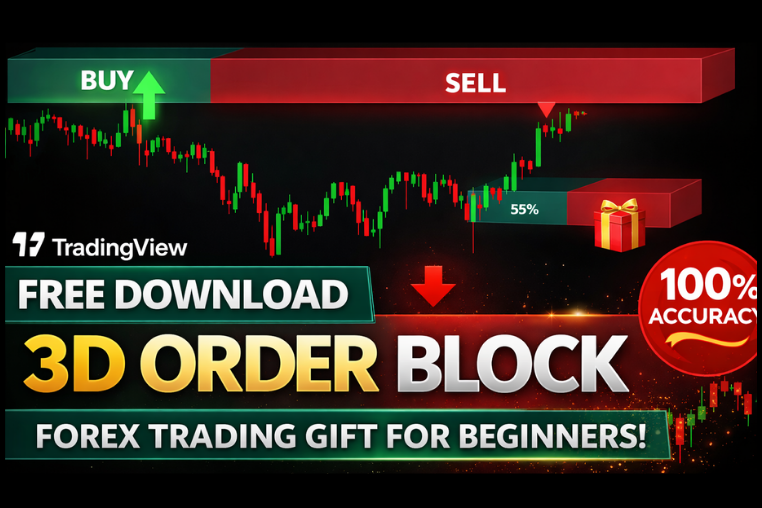
3RD ORDER BLOCK Indicator
Advanced TradingView indicator with 3rd order block detection, accurate buy/sell signals, and smart entry zones for forex traders.
🎥 Installation Video
📖 Installation Instructions
What is 3RD ORDER BLOCK Indicator?
The 3RD ORDER BLOCK Indicator is a sophisticated TradingView Pine Script tool designed to identify and visualize institutional order blocks on your charts. Order blocks represent price zones where large institutional traders have placed significant orders, creating areas of potential support and resistance. This indicator specifically focuses on third-order blocks, which are often the most reliable areas where smart money has accumulated or distributed positions, providing traders with high-probability trading zones for entries and exits.
Key Features
- Institutional Order Block Detection: Automatically identifies and marks third-order blocks where major market participants have left their footprint, giving you insight into smart money positioning.
- Visual Block Highlighting: Draws clear rectangular zones on your chart showing order block areas, making it easy to spot potential reversal or continuation zones at a glance.
- Bullish and Bearish Block Differentiation: Color-codes bullish order blocks (demand zones) and bearish order blocks (supply zones) for quick visual recognition and trading decisions.
- Multiple Timeframe Analysis: Scan and display order blocks from higher timeframes on your current chart, allowing you to trade in alignment with larger market structure.
- Customizable Block Parameters: Adjust sensitivity, minimum block size, and lookback periods to match your trading style and the specific characteristics of different currency pairs or assets.
- Block Strength Filtering: Filter order blocks by strength and quality, showing only the most significant institutional zones that have higher probability of holding price.
- Real-Time Alert System: Receive instant notifications when price approaches or touches identified order blocks, ensuring you never miss important trading opportunities.
- Historical Block Tracking: See how previous order blocks performed and whether they held or broke, helping you understand block validity and improve your trading decisions.
- Clean Chart Interface: Minimal and professional chart display that doesn't clutter your workspace, showing only the most relevant order block information.
- Works Across All Markets: Effective on forex pairs, cryptocurrencies, stocks, indices, and commodities—wherever institutional order flow exists.
System Requirements
- TradingView account (Free plan works, but Pro or Premium recommended for running multiple indicators simultaneously)
- Any modern web browser (Chrome, Firefox, Safari, Edge)
- Internet connection for real-time data and chart updates
- Works on desktop computers, laptops, tablets, and mobile devices
- No VPS or special software installation required
- Compatible with all TradingView chart types and drawing tools
Installation Steps
- Log in to your TradingView account at tradingview.com
- Open any chart and click the "Pine Editor" tab at the bottom of the screen
- Copy the Pine Script code (provided after purchase) and paste it into the editor
- Click the "Save" button and give the script a name such as "3RD ORDER BLOCK"
- Click "Add to Chart" and the indicator will appear on your chart immediately
- Access indicator settings by hovering over the indicator name in the top-left of the chart and clicking the settings icon (gear symbol)
- Configure inputs like timeframe selection, block sensitivity, color schemes, and alert preferences as needed
- To enable alerts: right-click anywhere on the chart, select "Add Alert", then choose the 3RD ORDER BLOCK indicator condition from the dropdown menu
Recommended Settings
- Lookback Period: Set to 50-100 bars for intraday trading, 200-500 bars for swing trading to capture relevant institutional blocks without chart clutter.
- Block Strength Filter: Use "Medium" or "High" strength settings to focus only on the most significant order blocks and reduce false signals.
- Timeframe: For day trading, analyze 15-minute to 1-hour order blocks; for swing trading, focus on 4-hour and daily timeframe blocks.
- Color Scheme: Use contrasting colors such as blue for bullish blocks and red for bearish blocks to quickly identify trading opportunities.
- Alert Settings: Enable "Price Touching Block" alerts to receive notifications when price reaches institutional zones, giving you time to prepare trades.
- Block Extension: Enable "Extend Blocks to Right" to see how current order blocks project into future price action for ongoing reference.
- Historical Display: Show last 10-20 order blocks to avoid chart clutter while maintaining enough context for pattern recognition.
- Mitigation Marking: Enable the option to mark mitigated (broken) blocks differently, helping you understand which zones have already been filled by institutions.
Frequently Asked Questions
What makes third-order blocks different from regular order blocks?
Third-order blocks represent the third touch or reaction level in a market structure sequence, which typically indicates stronger institutional commitment. These blocks often form after initial support/resistance has been tested twice, and the third interaction tends to produce more reliable price reactions. The 3RD ORDER BLOCK Indicator specifically identifies these high-probability zones, filtering out weaker first and second-order blocks that may be less reliable for trading decisions.
Can I use this indicator on all timeframes and trading pairs?
Yes, the 3RD ORDER BLOCK Indicator works on all timeframes available in TradingView, from 1-minute charts to monthly charts. It's effective across forex pairs (EUR/USD, GBP/USD, USD/JPY, etc.), cryptocurrencies (BTC, ETH), stocks, indices, and commodities. However, order blocks tend to be most reliable on higher timeframes (4-hour, daily) where institutional activity is more visible. For best results, combine multiple timeframe analysis—identify blocks on higher timeframes and execute trades on lower timeframes when price reaches these zones.
Does this indicator repaint, and how should I interpret the signals?
The 3RD ORDER BLOCK Indicator is designed with minimal repainting—once an order block is confirmed and drawn on the chart, it remains in place. However, like all order block indicators, the most recent unconfirmed block may adjust slightly as new price data comes in. For trading purposes, focus on established blocks that have formed at least 3-5 bars ago. The indicator works best as a zone identification tool rather than a direct signal generator—wait for additional confirmation such as candlestick patterns, support/resistance confluence, or momentum indicators before entering trades at identified order blocks.
How do I set up alerts for when price reaches order blocks?
After adding the indicator to your chart, right-click anywhere on the chart and select "Add Alert." In the alert dialog, choose "3RD ORDER BLOCK" as the condition. You can set alerts for when price touches a bullish block, bearish block, or any block. Configure how you want to be notified—popup, email, SMS, or webhook. Give your alert a descriptive name like "EURUSD - Price at Order Block" and set the expiration time. TradingView will then notify you instantly when price approaches these institutional zones, allowing you to prepare your trade setup even when you're away from the charts.
Can I customize the appearance and sensitivity of the order blocks?
Absolutely. Click the settings gear icon next to the indicator name to access full customization options. You can adjust the lookback period to show more or fewer historical blocks, change the sensitivity to detect stronger or weaker institutional zones, modify colors for bullish and bearish blocks, adjust transparency levels, and choose whether to extend blocks into the future. You can also filter blocks by minimum size to avoid tiny insignificant zones, and enable or disable various visual elements like block labels, strength indicators, and mitigation markers. Experiment with these settings on a demo account to find the configuration that best suits your trading style and the specific market you're trading.
📋 Specifications
| Accuracy (%) | 40-50% |
| Alert Sound | Yes |
| Alerts | Yes (Price Touch, Block Formation) |
| Best Session | All Sessions |
| Buffer Values (for EAs) | No |
| Currency Pairs | All Pairs (Forex, Crypto, Stocks, Indices, Commodities) |
| Dashboard (on chart) | Yes |
| Demo Available | Yes |
| Divergence Detection | No |
| File Format | Pine Script (.pine) |
| File Size | 45 KB |
| Free Updates | Lifetime |
| Indicator Type | Price Action / Order Block / Smart Money |
| License Type | Single User License |
| Multi-Timeframe (MTF) | Yes |
| Recommended Broker | Any TradingView Compatible Broker |
| Repaint | Semi-Repaint |
| Screener/Scanner (multi-pair) | No |
| Setup Difficulty | Beginner |
| Signal Delay | End of Bar |
| Signal Type | Zone Identification / Visual Blocks |
| Source Code Included | Yes |
| Support | Email & Documentation |
| Timeframe | All Timeframes (M1-Monthly) |
| Version | 2.1 |