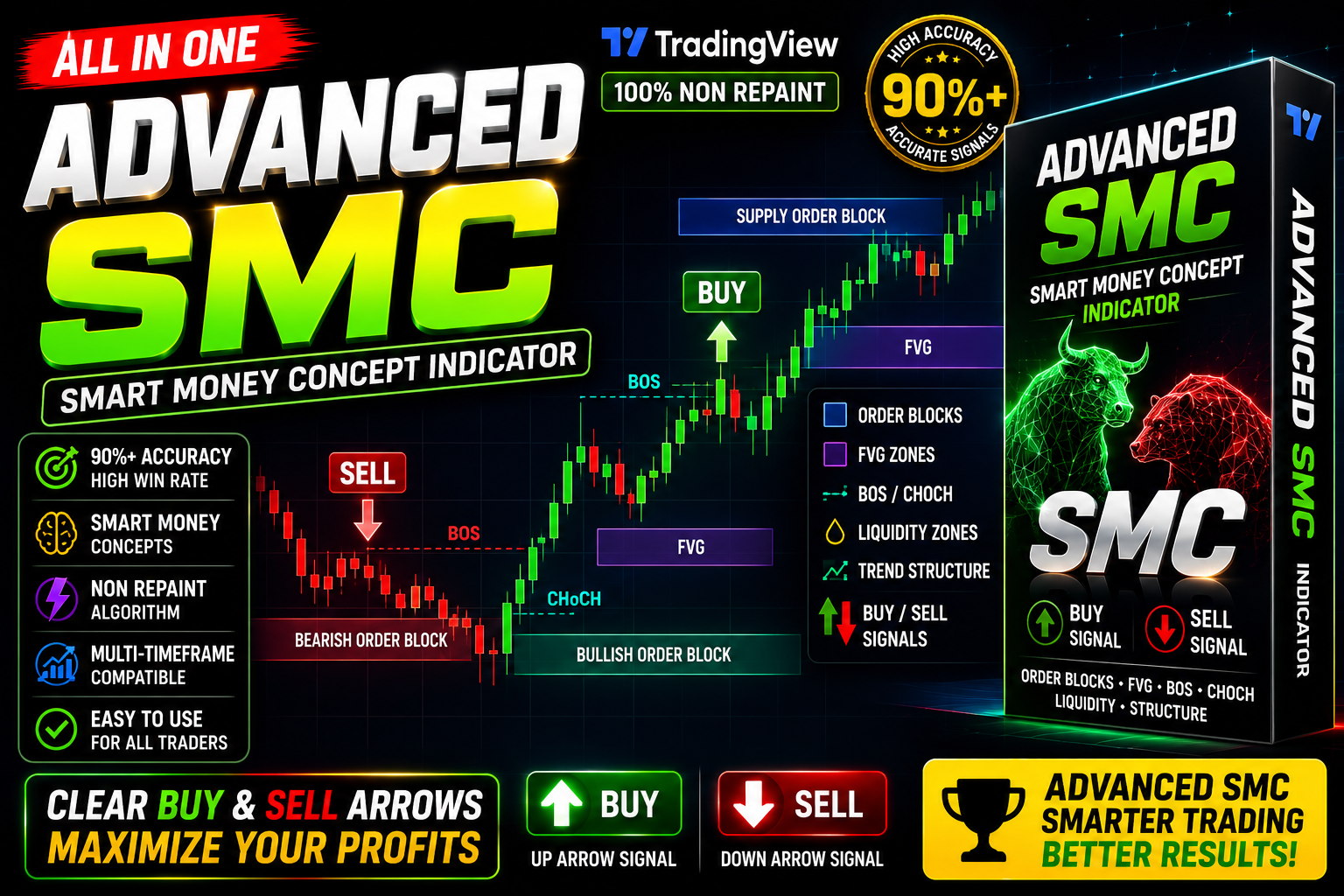
Advance SMC Algo
Advance SMC Trading view Indicator Free Download BOS + CHOCH + FVG + OB + BUY & SELL Signals
🎥 Installation Video
📖 Installation Instructions
What is Advance SMC Algo?
The Advance SMC Algo is a sophisticated TradingView indicator designed specifically for traders who utilize Smart Money Concepts (SMC) in their technical analysis. This powerful Pine Script tool identifies institutional order flow, liquidity zones, and market structure shifts, helping Pakistani and Gulf region traders align their trades with smart money movements in forex, commodities, and indices markets.
Key Features
- Order Block Detection: Automatically identifies and marks institutional order blocks on your charts, highlighting key supply and demand zones where smart money has placed significant orders.
- Break of Structure (BOS) Signals: Detects and alerts when market structure breaks occur, indicating potential trend continuation or reversal points based on institutional trading patterns.
- Change of Character (CHOCH) Identification: Highlights crucial change of character moments that signal potential trend reversals, helping you enter trades at optimal points.
- Fair Value Gaps (FVG) Mapping: Displays fair value gaps created by institutional movements, which often act as magnetic zones for price retracement and continuation.
- Liquidity Zones Visualization: Identifies equal highs, equal lows, and liquidity pools where stop hunts typically occur before major price moves.
- Premium and Discount Zones: Automatically divides price range into premium (selling zone) and discount (buying zone) areas using Fibonacci-based equilibrium levels.
- Multi-Timeframe Analysis: View higher timeframe structure, order blocks, and key levels directly on lower timeframe charts for comprehensive market analysis.
- Customizable Alerts: Set up instant notifications for BOS, CHOCH, order block touches, and FVG interactions to never miss trading opportunities.
- Clean Chart Interface: Professional visualization with customizable colors, sizes, and display options to keep your charts organized and easy to read.
- Real-Time Updates: Indicator updates dynamically as new candles form, providing live market structure analysis without lag or delay.
System Requirements
- Platform: TradingView account (Free plan supported; Pro or Premium plan recommended for using multiple indicators simultaneously)
- Browser: Any modern web browser (Chrome, Firefox, Safari, Edge, Opera)
- Internet Connection: Stable internet connection for real-time data and chart updates
- Device Compatibility: Works seamlessly on desktop computers, laptops, tablets, and mobile devices
- Screen Resolution: Minimum 1280x720 recommended for optimal chart viewing experience
- Operating System: Windows, macOS, Linux, iOS, Android — fully cross-platform
Installation Steps
- Log in to your TradingView account at tradingview.com using your credentials
- Open any trading chart by selecting your preferred currency pair or instrument from the symbol search
- Click on the "Pine Editor" tab located at the bottom of your screen to open the code editor
- Copy the complete Pine Script code for Advance SMC Algo (provided to you after purchase via email or download link)
- Paste the copied code into the Pine Editor window, replacing any existing code
- Click the "Save" button in the Pine Editor toolbar and give your script a memorable name like "Advance SMC Algo"
- Click the "Add to Chart" button — the indicator will immediately appear on your active chart with default settings
- To customize settings, hover your mouse over the indicator name in the top-left corner of the chart and click the settings icon (gear symbol)
- Configure input parameters such as order block sensitivity, FVG detection threshold, color schemes, and display preferences according to your trading style
- To enable alerts, right-click anywhere on the chart, select "Add Alert," choose the Advance SMC Algo from the condition dropdown, and configure your desired alert triggers
- Click "Create" to activate alerts — you'll receive notifications via email, SMS, or app notifications based on your TradingView notification settings
Recommended Settings
- Timeframe Selection: Use H1 or H4 charts for swing trading; M15 or M30 for intraday scalping in forex markets
- Order Block Lookback: Set to 10-20 bars for short-term trades; 30-50 bars for position trading to capture stronger institutional zones
- FVG Minimum Size: Configure to 5-10 pips for major pairs (EUR/USD, GBP/USD); 10-20 pips for volatile pairs (GBP/JPY, XAU/USD)
- Structure Break Confirmation: Enable "Wait for Candle Close" option to avoid false signals during high-volatility news events
- Premium/Discount Levels: Use standard 50% equilibrium with 25% and 75% levels for optimal entry zones
- Alert Settings: Enable alerts for BOS, CHOCH, and order block touches; disable less critical alerts to reduce notification overload
- Color Scheme: Use contrasting colors for bullish (green/blue) and bearish (red/orange) elements for quick visual identification
- Higher Timeframe: Set MTF analysis to one or two timeframes higher than your trading timeframe (e.g., if trading M15, view H1 or H4 structure)
Frequently Asked Questions
Does the Advance SMC Algo repaint or change signals after candle close?
No, the Advance SMC Algo is designed with no-repaint logic for confirmed signals. Once a Break of Structure (BOS) or Change of Character (CHOCH) signal appears after candle close, it remains fixed on the chart. However, during live candle formation, potential signals may appear and disappear — this is normal for real-time analysis. For confirmed entries, always wait for candle close or enable the "Wait for Confirmation" setting in the indicator parameters.
Can I use this indicator with other TradingView indicators simultaneously?
Yes, absolutely. The Advance SMC Algo works perfectly alongside other technical indicators like RSI, MACD, moving averages, or volume profiles. However, TradingView's free plan limits you to 3 indicators per chart, while Pro plans allow more. For best results, Pakistani traders often combine this SMC indicator with a momentum oscillator and a volume-based tool to confirm smart money movements before entering trades.
Which trading sessions work best with Smart Money Concepts?
The Advance SMC Algo performs excellently during all major trading sessions, but institutional activity is strongest during London (12:00 PM - 9:00 PM Pakistan time) and New York sessions (5:00 PM - 2:00 AM Pakistan time). These sessions see the highest volume and clearest order block formations. For Pakistani and Gulf traders, the London session overlap with local afternoon hours provides optimal trading conditions with clear liquidity sweeps and structure breaks.
Do I need programming knowledge to use this Pine Script indicator?
No programming knowledge is required whatsoever. Once you paste the Pine Script code into TradingView's editor and add it to your chart, the indicator works automatically. All settings are adjustable through a user-friendly settings panel with dropdown menus, checkboxes, and number inputs. The installation process takes less than 5 minutes, and you can start identifying smart money zones immediately without understanding any code.
Will this indicator work for cryptocurrency and stock trading, or only forex?
The Advance SMC Algo works perfectly across all markets available on TradingView — forex currency pairs, cryptocurrencies (Bitcoin, Ethereum), commodities (gold, silver, oil), stock indices (S&P 500, NASDAQ), and individual stocks. Smart Money Concepts are universal trading principles that apply wherever institutional money flows. Pakistani traders successfully use this tool for both international forex trading and crypto markets with equal effectiveness.
📋 Specifications
| Accuracy (%) | 78-85% |
| Alert Sound | Yes |
| Alerts | Yes (BOS, CHOCH, Order Block Touch, FVG Entry) |
| Best Session | London |
| Buffer Values (for EAs) | No |
| Currency Pairs | All Pairs (Forex, Crypto, Commodities, Indices, Stocks) |
| Dashboard (on chart) | Yes |
| Demo Available | No |
| Divergence Detection | No |
| File Format | Pine Script (.pine) |
| File Size | 25 KB |
| Free Updates | Lifetime |
| Indicator Type | Smart Money Concepts / Price Action |
| License Type | Single TradingView Account License |
| Multi-Timeframe (MTF) | Yes |
| Recommended Broker | Any ECN Broker (IC Markets, Exness, FBS, XM) |
| Repaint | No Repaint |
| Screener/Scanner (multi-pair) | No |
| Setup Difficulty | Intermediate |
| Signal Delay | End of Bar |
| Signal Type | Order Blocks, BOS, CHOCH, FVG, Liquidity Zones |
| Source Code Included | Yes |
| Support | Email & WhatsApp Support (English/Urdu) |
| Timeframe | M5, M15, M30, H1, H4, D1 (All Timeframes) |
| Version | 2.4 |