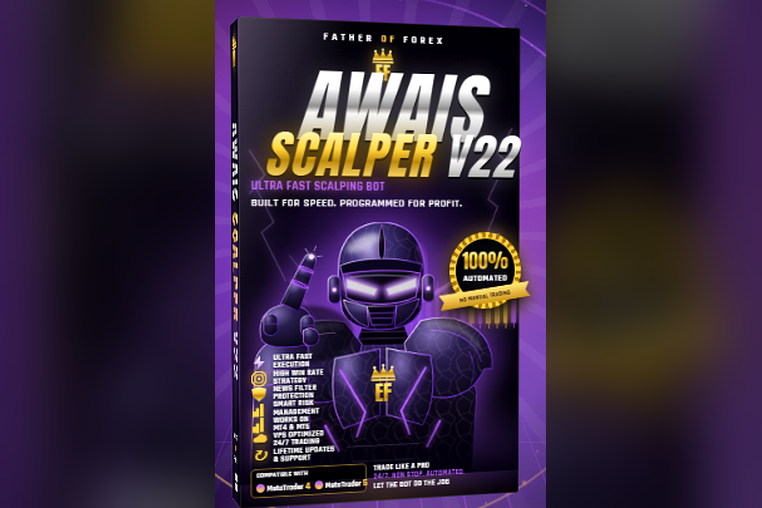
Awais Scalper V-22 Updated
Emotion-Free Execution: Unlike human traders, it executes trades strictly according to its algorithmic rules, eliminating emotional decision-making
🎥 Installation Video
📖 Installation Instructions
What is it?
Awais Scalper V-22 Updated is an advanced, fully automated Expert Advisor (EA) developed for MetaTrader 4 (MT4) and MetaTrader 5 (MT5) platforms. Designed specifically for Forex currency pairs and Gold (XAUUSD), this high-frequency trading tool captures short-term market momentum with speed and precision. Whether you are looking for a reliable Forex robot or searching for a high-performance trading tool free download, the Awais Scalper V-22 system eliminates emotional trading by executing trades based on strict algorithmic rules.
Key Features
- Fully Automated Execution: Automatically identifies entries, manages trades, and applies Stop Loss (SL) and Take Profit (TP) without manual intervention.
- High-Speed Scalping Strategy: Engineered to capitalize on rapid micro-trend changes and short-term volatility.
- Multi-Platform Compatibility: Seamlessly runs on both MT4 and MT5 terminal platforms.
- Built-in Risk Management: Features customizable lot sizing, daily drawdown controls, and news filter protection to preserve trading capital.
- VPS & Low-Spread Optimized: Built to handle 24/7 automated execution with minimal slippage when paired with zero/low spread brokers.
System Requirements
- Trading Platform: MetaTrader 4 or MetaTrader 5 desktop client.
- Operating System: Windows 8, 10, 11, or Windows Server (for VPS hosting).
- Minimum Capital: $100 USD (Cent account recommended for small deposits; Standard/ECN for larger funds).
- Broker Account Type: ECN, Raw Spread, or Zero Spread account for optimal scalping results.
- Network: Low-latency internet connection or a dedicated Virtual Private Server (VPS).
Installation Steps
Step 1: Download and Extract Files
Obtain your trading tool free download package and extract the compressed ZIP folder to locate the .ex4 (MT4) or .ex5 (MT5) EA file along with any included preset files (.set).
Step 2: Open MT4/MT5 Data Folder
Launch your MetaTrader desktop application. Click on File in the top menu bar, then select Open Data Folder.
Step 3: Copy the Expert Advisor Files
Navigate to the MQL4/Experts folder (for MT4) or MQL5/Experts folder (for MT5). Paste the Awais Scalper V-22 Updated file directly into this directory. If preset files are included, copy them into the MQL4/Presets or MQL5/Presets directory.
Step 4: Enable Automated Trading
Return to MetaTrader and refresh the Navigator window (press Ctrl+N). Open Tools > Options > Expert Advisors, check "Allow Automated Trading" (or "Allow Algo Trading") and check "Allow DLL imports", then click OK.
Step 5: Attach EA to Chart
Open your preferred currency pair or XAUUSD chart. Drag Awais Scalper V-22 Updated from the Navigator panel onto the chart. Load your desired .set file in the Inputs tab and click OK. Ensure the AutoTrading button in the main toolbar is highlighted green.
Recommended Settings
- Timeframe: M1 or M5 timeframes for optimal high-frequency entries.
- Trading Pairs: EURUSD, GBPUSD, USDJPY, and XAUUSD (Gold).
- Lot Size Strategy: Use 0.01 lot per $100–$500 balance or set Dynamic Lot sizing to 1-2% risk per position.
- Execution Mode: Set your broker execution to ECN or Market Execution to ensure rapid order fills.
- News Filter: Enable the news filter option to pause trading 30 minutes before and after high-impact economic news events.
Frequently Asked Questions
Is Awais Scalper V-22 beginner-friendly?
Yes. The EA is fully automated and comes pre-configured for instant setup. Beginners can run it on demo accounts using default risk settings before transitioning to live trading.
Can I use this EA on multiple account types?
Absolutely. Awais Scalper V-22 Updated supports Cent, Micro, Standard, and ECN accounts across MT4 and MT5 platforms.
Do I need a VPS to run this trading tool?
While a VPS is not strictly required, it is strongly recommended. A VPS ensures continuous 24/7 operation without interruptions from internet outages or computer shutdowns.
Support
If you encounter setup issues or require assistance with parameter optimization, refer to the documentation included in your download package or contact your EA software distributor. Always test any automated strategy on a practice demo account first to evaluate performance under current market conditions.
📋 Specifications
| Account Type | Standard, ECN, Raw Spread accounts |
| Auto Lot Sizing | Yes |
| Backtest Results Available | No |
| Basket Trading | Yes |
| Broker Type | Any |
| Compatible Brokers | XM, Exness, FBS, IC Markets, Pepperstone, Any ECN |
| Currency Pairs | XAU/USD |
| Demo Available | No |
| Equity/Balance Required (min) | 10K Cents minimum, 100K Cents recommended |
| FIFO Rule Compatible | No |
| File Format | .ex4 / .ex5 |
| File Size | 850 KB |
| Free Trial Days | No trial |
| Free Updates | Lifetime |
| Grid Distance (pips) | 10 Pips |
| Hedging Allowed | Yes |
| Leverage Required | 1:1000 |
| License Type | ON DEMAND |
| Max Drawdown | 18-20% |
| Recommended Max Spread | 2.5 pips (majors) |
| Max Simultaneous Trades | UNLIMITED |
| Money Back Guarantee | No |
| Monthly Return (avg) | 5-15% (average with 2% risk) |
| News Filter | Yes |
| Platform | MT4 & MT5 |
| Prop Firm Friendly | No |
| Recommended Broker | DooPrime & Exness |
| Recommended Lot Size | 0.01 |
| Recovery Mode | Yes |
| Risk Level | Low |
| Session Filter | No |
| Signal Notifications | Push, Email, Telegram |
| Slippage Tolerance | 30 PIPS |
| Source Code Included | On Request |
| Stop Loss Type | Fixed |
| Strategy Type | Multi-Strategy Tactical (Trend, Breakout, Price Action) |
| Support | 24/5 |
| Take Profit Type | Both |
| Timeframe | 1 M |
| Trade Copier Compatible | Yes |
| Trading Hours | 24/5 |
| VPS Required | Yes |