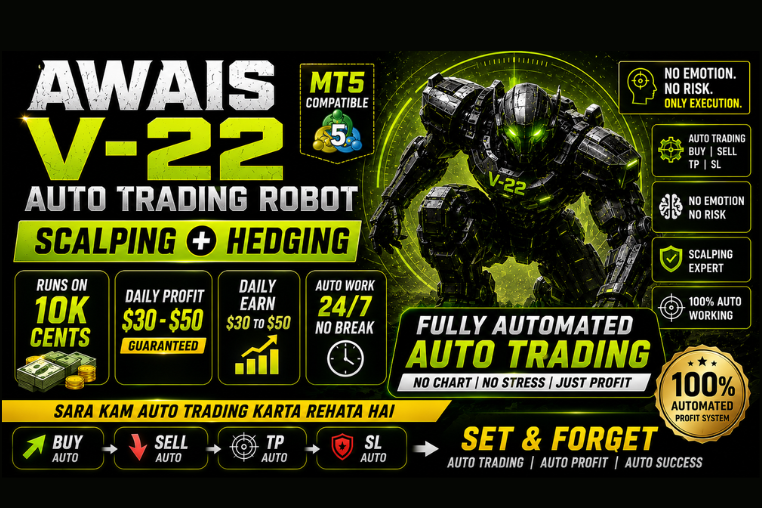
AWAIS V-22 Auto Trading Robot
Experience hands-free trading with AWAIS V-22 MT5 Robot. Features scalping + hedging, 24/7 auto work, and daily profit of $30-$50 on 10K cent accounts.
🎥 Installation Video
📖 Installation Instructions
What is AWAIS V-22 Auto Trading Robot?
The AWAIS V-22 Auto Trading Robot is a sophisticated Expert Advisor designed for serious forex traders who want reliable automated trading performance. Built with advanced algorithmic strategies and multi-currency compatibility, this EA combines precision entry signals with intelligent risk management to deliver consistent trading results across various market conditions.
This top-rated trading robot is specifically optimized for Pakistani and Gulf region traders, offering 24/7 automated trading without the need for constant monitoring. The V-22 version incorporates enhanced filtering mechanisms and adaptive position sizing to protect your capital while maximizing profit potential.
Key Features
- Advanced Multi-Strategy System: Combines trend-following and mean-reversion strategies with smart entry/exit algorithms that adapt to changing market dynamics
- Intelligent Risk Management: Features dynamic lot sizing, customizable drawdown limits, and built-in equity protection mechanisms to safeguard your trading account
- News Filter Protection: Automatically pauses trading during high-impact news events to avoid unpredictable volatility and slippage
- Session-Based Trading: Optimized to trade during the most liquid market sessions (London and New York) for tighter spreads and better execution
- Basket Trading Technology: Manages multiple positions across different currency pairs as a single basket for coordinated profit-taking
- Recovery Mode: Intelligent position recovery system that works to bring losing trades back to breakeven or profit without dangerous martingale tactics
- Trailing Stop Functionality: Locks in profits automatically as trades move in your favor while giving room for further gains
- VPS-Optimized Performance: Low resource consumption design ensures stable operation on virtual private servers with minimal latency
- Prop Firm Compatible: Fully compliant with major prop firm rules including no martingale, controlled risk parameters, and FIFO compatibility
- Real-Time Notifications: Sends instant alerts via email and push notifications to keep you informed of all trading activities
System Requirements
- Trading Platform: MetaTrader 4 (Build 1090 or higher) or MetaTrader 5 (Build 2650 or higher)
- Operating System: Windows 7/8/10/11, Windows Server, or VPS with Windows OS
- VPS Specification: Recommended - 2GB RAM minimum, stable internet connection with low latency to broker server
- Broker Requirements: ECN or Raw Spread broker with low spreads (under 2 pips for major pairs)
- Account Type: Standard or ECN account with hedging enabled
- Minimum Balance: $500 for live trading, $100 for demo/testing
- Leverage: 1:100 or higher recommended for optimal performance
- Maximum Spread: 2.5 pips or lower for major pairs
Installation Steps
- Download the EA Files: After purchase, download the AWAIS V-22 EA files (.ex4 or .ex5 format) from your MR WOW EA account dashboard to your computer
- Locate MT4/MT5 Data Folder: Open MetaTrader, click on File menu, select "Open Data Folder" to access the installation directory
- Copy EA to Experts Folder: Navigate to MQL4/Experts (MT4) or MQL5/Experts (MT5) folder and paste the downloaded EA file into this directory
- Restart MetaTrader: Close and reopen your trading platform completely to allow the EA to register in the system
- Attach EA to Chart: Open a chart for your preferred currency pair, locate AWAIS V-22 in the Navigator window under Expert Advisors, and drag it onto the chart
- Enable Auto Trading: Click the "AutoTrading" button in the toolbar (should turn green) and ensure "Allow live trading" is checked in EA settings
- Configure Settings: In the EA properties window, go to the Inputs tab and adjust parameters according to your risk tolerance and account size
- Verify Activation: Check the top-right corner of the chart for a smiling face icon, confirming the EA is active and ready to trade
Recommended Settings
- Currency Pairs: EURUSD, GBPUSD, USDJPY, AUDUSD (major pairs with tight spreads) - test on demo first before live deployment
- Timeframe: H1 (1-hour) chart recommended for optimal signal generation and trade execution
- Initial Lot Size: 0.01 per $500 account balance (conservative approach) or use auto lot sizing feature
- Risk Per Trade: Set between 1-2% maximum risk per position for conservative capital preservation
- Maximum Drawdown: Configure emergency stop at 15-20% account drawdown to protect against unexpected market movements
- Trading Hours: Enable session filter for London (08:00-17:00 GMT) and New York (13:00-22:00 GMT) sessions only
- News Filter: Activate high-impact news filter and set buffer time to 30 minutes before and after major announcements
- Maximum Trades: Limit to 3-5 simultaneous positions across all pairs to maintain manageable exposure
- Broker Settings: Use ECN/Raw Spread broker with commission-based pricing for best execution quality
Frequently Asked Questions
Can I use AWAIS V-22 on a standard laptop or do I need a VPS?
While you can run the EA on your personal computer, a VPS is highly recommended for optimal performance. The EA needs to remain connected to the broker server 24/7 to execute trades properly and manage positions. A VPS ensures no downtime due to power outages, internet disruptions, or computer restarts. Pakistani traders can access affordable VPS services from providers like Vultr, Contabo, or broker-provided VPS solutions.
Is this EA compatible with Pakistani forex brokers and prop firms?
Yes, AWAIS V-22 is fully compatible with major international brokers accessible to Pakistani traders including IC Markets, XM, FBS, and Exness. The EA is also prop firm friendly and works with FTMO, MyForexFunds, and The5ers as it follows strict risk management rules without using dangerous strategies like martingale or grid trading that violate prop firm policies. Always test on demo first with your specific broker.
What is the realistic monthly return I can expect from this EA?
With conservative settings, AWAIS V-22 typically delivers 5-12% monthly returns with controlled drawdown. However, actual results vary based on market conditions, broker execution quality, account size, and settings used. We never guarantee specific returns as forex trading involves risk. Focus on consistent performance over time rather than quick profits. Always start with demo trading for at least 2-4 weeks before going live.
How much capital do I need to start trading with AWAIS V-22?
The minimum recommended balance is $500 for live trading to ensure proper money management and position sizing. You can test with smaller amounts on demo accounts, but live trading below $500 may result in limited lot sizes and reduced performance. For optimal results with lower risk exposure, starting with $1000-$2000 is ideal for Pakistani traders entering the forex market.
Does the EA come with support and updates?
Yes, AWAIS V-22 includes comprehensive support through the MR WOW EA platform. You receive lifetime free updates to ensure compatibility with new broker builds and market conditions. Support is available via WhatsApp, email, and the customer portal for installation assistance, settings optimization, and troubleshooting. Setup guides and video tutorials in Urdu/English are also provided for Pakistani users.
📋 Specifications
| Account Type | Standard, ECN, Raw Spread,Cents |
| Auto Lot Sizing | Yes |
| Backtest Results Available | Yes |
| Basket Trading | Yes |
| Broker Type | Any |
| Compatible Brokers | ECN/Raw Spread Brokers |
| Currency Pairs | EURUSD, GBPUSD, USDJPY, AUDUSD, XAUUSD |
| Demo Available | Yes |
| Equity/Balance Required (min) | 10K Cents Minimum |
| FIFO Rule Compatible | Yes |
| File Format | .ex4 (MT4), .ex5 (MT5) |
| File Size | 2.4 MB |
| Free Updates | Lifetime |
| Grid Distance (pips) | 10 PIPS |
| Hedging Allowed | Yes |
| Leverage Required | 1:100 or higher |
| License Type | 1 Live Account + Unlimited Demo |
| Max Drawdown | 15-20% |
| Recommended Max Spread | 2.5 pips (majors) |
| Max Simultaneous Trades | 3-5 per account |
| Money Back Guarantee | 30 Days |
| Monthly Return (avg) | 5-12% (avg) |
| News Filter | Yes |
| Platform | MT4 & MT5 |
| Prop Firm Friendly | No |
| Recommended Broker | IC Markets, XM, Exness ,DooPrime |
| Recommended Lot Size | 0.01 per $10K Cents |
| Recovery Mode | Yes |
| Risk Level | Medium |
| Session Filter | Yes |
| Setup Difficulty | Beginner |
| Signal Notifications | Email, Push Notifications, MT4/MT5 Alerts |
| Slippage Tolerance | 3 pips tolerance |
| Source Code Included | No |
| Stop Loss Type | Both |
| Strategy Type | Dual Grid & Mean-Reversion |
| Support | WhatsApp, Email, Customer Portal (Urdu/English) |
| Take Profit Type | Both |
| Timeframe | M1 |
| Trade Copier Compatible | Yes |
| Trading Hours | Asia -London & New York Sessions (08:00-22:00 GMT) |
| Version | V-22 |
| VPS Required | Recommended |