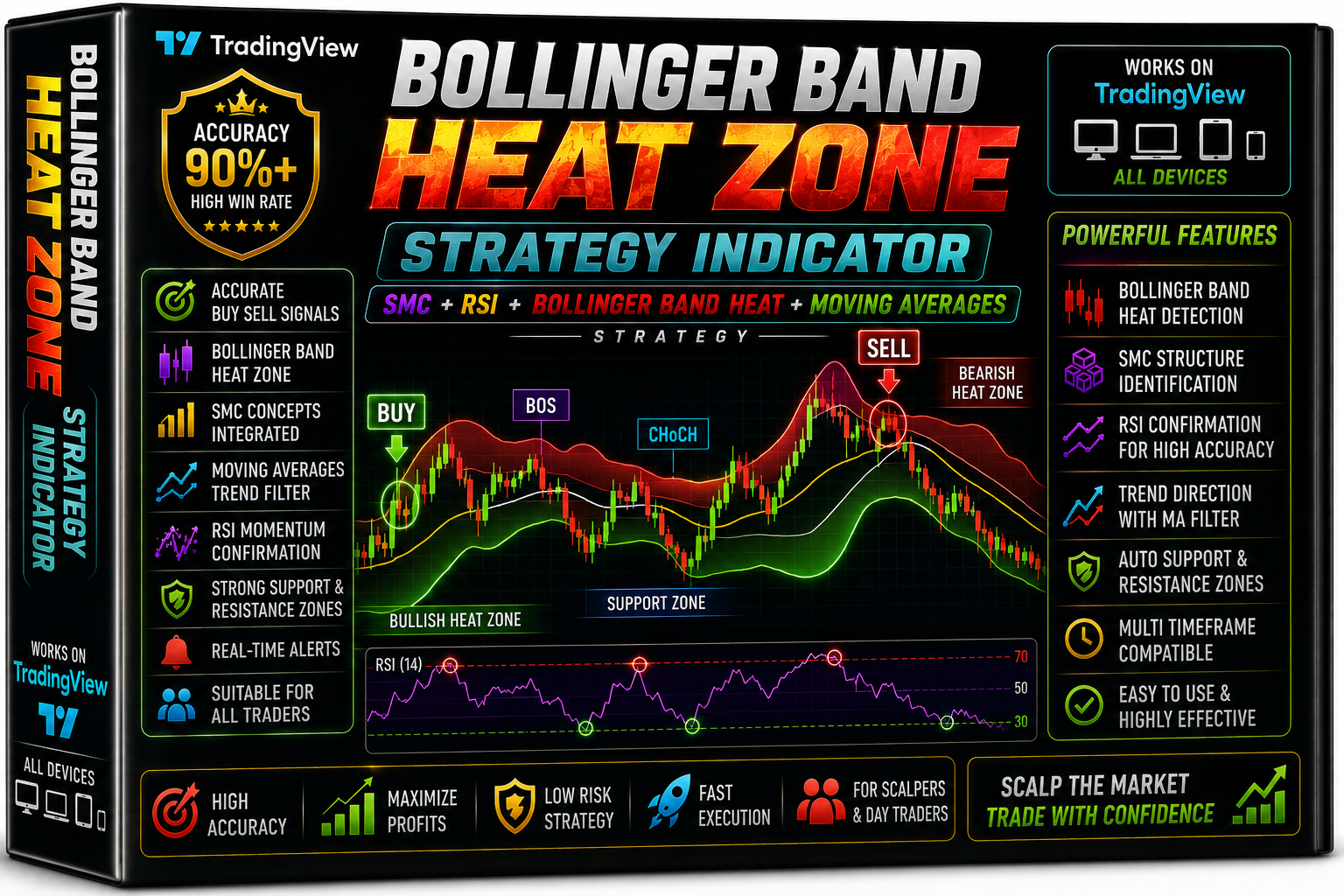
Bollinger Band Heat Zone Strategy
Bollinger Band Heat Zone Strategy Over Sold & Over Bought Indicator Trading View Free Download
🎥 Installation Video
📖 Installation Instructions
What is Bollinger Band Heat Zone Strategy?
The Bollinger Band Heat Zone Strategy is an advanced volatility-based indicator that combines traditional Bollinger Bands with dynamic heat mapping technology to identify high-probability trading zones. This indicator visually displays market volatility intensity through color-coded zones, helping Pakistani and Gulf traders identify optimal entry and exit points based on price deviation from the mean. By analyzing standard deviation levels and momentum shifts, it provides clear signals when the market enters oversold or overbought conditions, making it ideal for both scalping and swing trading approaches.
Key Features
- Color-Coded Heat Zones: Visual representation of market volatility with distinct color gradients showing extreme, moderate, and normal trading zones for quick decision-making.
- Multi-Layer Bollinger Bands: Displays multiple standard deviation levels (1.5σ, 2.0σ, 2.5σ) to identify various support and resistance zones with precision.
- Dynamic Volatility Filter: Automatically adjusts to changing market conditions, filtering out false signals during low volatility periods common in Asian and weekend sessions.
- Reversal Signal Alerts: Generates push notifications, email alerts, and sound alerts when price enters extreme heat zones, indicating potential reversal opportunities.
- Trend Strength Meter: Built-in dashboard displays current trend strength and volatility level, helping traders assess market conditions at a glance.
- Non-Repainting Signals: All signals are confirmed at bar close, ensuring reliable backtesting results and eliminating the frustration of disappearing arrows.
- Squeeze Detection: Identifies Bollinger Band squeeze patterns that often precede major breakouts, giving traders advance warning of potential explosive moves.
- Customizable Parameters: Fully adjustable period settings, deviation levels, and color schemes to match your trading style and chart preferences.
- Works on All Currency Pairs: Optimized for major pairs like EUR/USD, GBP/USD, and also performs well on gold (XAU/USD) and popular exotic pairs traded in Pakistan.
- Low Resource Usage: Lightweight code ensures smooth performance even on basic VPS setups or older computers without causing platform lag.
System Requirements
- Trading Platform: MetaTrader 4 (Build 1360 or higher) and MetaTrader 5 (Build 3800 or higher)
- Operating System: Windows 7/8/10/11, Windows Server 2012 or later, compatible with Wine on Linux/Mac
- RAM Memory: Minimum 2GB RAM, 4GB recommended for multiple chart monitoring
- VPS Hosting: Optional but recommended for 24/7 alert monitoring; any standard Forex VPS with 1GB RAM sufficient
- Broker Requirements: Any ECN or standard broker with MT4/MT5 support; works with popular Pakistani-accessible brokers
- Internet Connection: Stable broadband connection for real-time alerts and data feed
Installation Steps
- Download the Indicator Files: After purchase, download the .ex4 (MT4) or .ex5 (MT5) file along with any included template or preset files to your computer.
- Open MetaTrader Data Folder: Launch your MT4/MT5 platform, click File menu, select "Open Data Folder" to access the installation directory.
- Copy to Indicators Folder: Navigate to MQL4\Indicators (MT4) or MQL5\Indicators (MT5) folder and paste the downloaded .ex4/.ex5 file there.
- Restart Platform: Close your MetaTrader platform completely and reopen it to load the new indicator into the system.
- Apply to Chart: Open your desired currency pair chart, go to Navigator panel (Ctrl+N), expand Indicators section, find "Bollinger Band Heat Zone Strategy" and double-click or drag onto the chart.
- Configure Settings: In the pop-up window, adjust BB Period (default 20), Standard Deviation (default 2.0), and color preferences according to your trading strategy.
- Enable Alerts: Go to the Alerts tab in settings, check boxes for sound alerts, push notifications, and email alerts if you want to receive signals on your mobile.
- Save Template: Once configured, right-click the chart, select Template > Save Template to preserve your settings for quick application on other charts.
Recommended Settings
- Best Currency Pairs: EUR/USD, GBP/USD, USD/JPY, XAU/USD (Gold), GBP/JPY for volatility trading
- Optimal Timeframes: M15 and H1 for scalping, H4 and Daily for swing trading; avoid M1/M5 due to market noise
- BB Period Setting: 20 periods for standard trading, 14 for faster signals, 25-30 for smoother long-term analysis
- Standard Deviation: 2.0 for normal conditions, 2.5 for conservative entries, 1.5 for aggressive scalping during London/New York sessions
- Risk Management: Risk 1-2% per trade, use heat zone signals with proper stop loss placement just beyond outer bands
- Trading Sessions: Most effective during London (3:00 PM - 12:00 AM PKT) and New York (6:00 PM - 3:00 AM PKT) sessions when volatility is highest
- Confirmation Strategy: Combine with RSI or MACD for additional confirmation before entering trades at extreme heat zones
Frequently Asked Questions
Does this indicator repaint or change signals after they appear?
No, the Bollinger Band Heat Zone Strategy uses end-of-bar confirmation for all signals, meaning once a heat zone signal appears after the candle closes, it remains permanent. This makes it reliable for backtesting and ensures you can trust the historical signals when developing your trading strategy. However, the color zones may slightly adjust as new price data comes in, which is normal for volatility-based indicators.
Can I use this indicator with Expert Advisors (EAs) for automated trading?
Yes, the indicator exposes buffer values that can be accessed by Expert Advisors through iCustom function calls. This allows you to build automated trading systems that trigger buy/sell orders when price enters specific heat zones. The indicator includes documentation with buffer index numbers and sample EA code snippets to help you integrate it into your automated strategies.
Which broker works best with this indicator for Pakistani traders?
The Bollinger Band Heat Zone Strategy works with any MetaTrader broker, but performs best with ECN brokers offering tight spreads and fast execution. Pakistani traders commonly use internationally regulated brokers like HotForex, XM, Exness, or OctaFX which all support this indicator. Choose a broker with spreads under 2 pips on major pairs for optimal results, especially if you're scalping on lower timeframes.
How do I know when to enter a trade based on the heat zones?
Enter long positions when price touches the lower extreme heat zone (typically red/orange colored) and shows signs of reversal with a bullish candle pattern. Enter short positions when price reaches the upper extreme heat zone with bearish confirmation. Always wait for the candle to close before entering, and place stop loss 10-20 pips beyond the outer Bollinger Band. The indicator works best when combined with support/resistance levels or trend analysis.
Is this indicator suitable for beginners or do I need trading experience?
While the visual heat zones make the indicator beginner-friendly, you should have basic understanding of Bollinger Bands, support/resistance, and risk management before trading with real money. New traders should practice on a demo account for at least 2-3 weeks to understand how the heat zones behave in different market conditions. The indicator includes a user guide with example trades and setup instructions to help beginners get started properly.
📋 Specifications
| Accuracy (%) | 72-78% |
| Alert Sound | Yes |
| Alerts | Push Notifications, Email, Sound |
| Best Session | London |
| Buffer Values (for EAs) | Yes |
| Currency Pairs | All Pairs (Optimized for EUR/USD, GBP/USD, XAU/USD, GBP/JPY) |
| Dashboard (on chart) | Yes |
| Demo Available | Yes |
| Divergence Detection | No |
| File Format | .ex4 (MT4), .ex5 (MT5) |
| File Size | 145 KB |
| Free Updates | Lifetime |
| Indicator Type | Volatility & Reversal |
| License Type | 1 Live Account + 2 Demo Accounts |
| Multi-Timeframe (MTF) | Yes |
| Platform | MT4 & MT5 |
| Recommended Broker | ECN Brokers (HotForex, XM, Exness, OctaFX) |
| Repaint | No Repaint |
| Screener/Scanner (multi-pair) | No |
| Setup Difficulty | Beginner |
| Signal Delay | End of Bar |
| Signal Type | Visual Heat Zones, Arrows, Dashboard |
| Source Code Included | No |
| Support | Email & WhatsApp Support |
| Timeframe | M15, M30, H1, H4, Daily |
| Version | 3.2 |