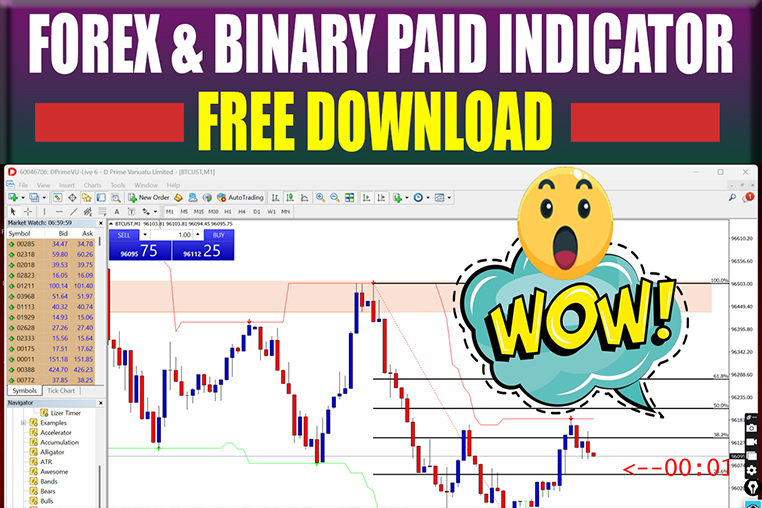
EMA LIZER PRO V-3 BINARY
EMA LIZER PRO V-3 BINARY & FOREX INDICATOR HIGHLY ACCURACY IN QUOTEX AND POCKET OPTION & OTHER BINARY TRADING
🎥 Installation Video
📖 Installation Instructions
What is EMA LIZER PRO V-3 BINARY?
EMA LIZER PRO V-3 BINARY is a specialized binary options trading indicator designed for MetaTrader platforms that uses advanced Exponential Moving Average (EMA) algorithms combined with trend analysis to generate high-probability entry signals for binary options traders. This indicator is specifically optimized for short-term binary trading on timeframes ranging from 1-minute to 15-minute charts, providing clear visual signals with customizable alert systems. Built for both novice and experienced traders in Pakistan and the Gulf region, EMA LIZER PRO V-3 BINARY delivers real-time trade opportunities with minimal lag and repainting issues.
Key Features
- Multi-EMA Analysis: Uses multiple EMA periods simultaneously to identify strong trend reversals and continuation patterns specifically calibrated for binary options expiry times.
- Visual Arrow Signals: Displays clear UP and DOWN arrows directly on the chart when favorable binary trading conditions are detected, eliminating guesswork from trade entries.
- Built-in Expiry Timer: Shows recommended expiry times (3-5 candles) for each signal based on current market conditions and timeframe being traded.
- Trend Strength Indicator: Color-coded background or histogram that shows current trend strength, helping you avoid weak signals during choppy market conditions.
- Multi-Timeframe Confirmation: Analyzes higher timeframes automatically to confirm signals, reducing false entries and improving win rates significantly.
- Customizable Alert System: Provides push notifications, email alerts, and sound alerts the moment a new signal appears, so you never miss trading opportunities.
- No-Repaint Technology: Signals remain fixed once formed at candle close, ensuring you can trust the indicator's historical performance and backtest results accurately.
- On-Chart Dashboard: Displays current market conditions, signal strength, recommended pairs, and win/loss statistics directly on your chart for quick decision making.
- Session Filter: Automatically identifies and highlights the best trading sessions (London, New York) when volatility and accuracy rates are highest for binary options.
- Money Management Calculator: Built-in risk calculator that suggests optimal trade sizes based on your account balance and risk tolerance settings.
System Requirements
- Trading Platform: MetaTrader 4 (Build 1260+) or MetaTrader 5 (Build 3200+)
- Operating System: Windows 7, 8, 10, 11 (32-bit or 64-bit) or Windows VPS
- RAM Memory: Minimum 2GB RAM, recommended 4GB for optimal performance
- Processor: Dual-core processor 2.0 GHz or higher
- Internet Connection: Stable broadband connection with minimum 1 Mbps speed
- VPS (Optional): Recommended for traders who want 24/7 alert monitoring without keeping computer on
- Broker Requirements: Any MT4/MT5 broker with binary options support or standard forex broker for signal generation
- Chart Setup: Works on all timeframes but optimized for M1, M5, and M15 binary trading
Installation Steps
- Download the Indicator Files: After purchase, download the EMA LIZER PRO V-3 BINARY package which contains .ex4/.ex5 files and user manual PDF to your computer's Downloads folder.
- Open MetaTrader Data Folder: Launch your MT4 or MT5 platform, click on 'File' menu at top-left, then select 'Open Data Folder' to access the platform's root directory.
- Navigate to Indicators Folder: In the opened folder, go to MQL4 > Indicators (for MT4) or MQL5 > Indicators (for MT5), then copy the downloaded .ex4 or .ex5 file into this Indicators folder.
- Restart MetaTrader Platform: Completely close your MT4/MT5 platform and reopen it, or right-click on Navigator panel and select 'Refresh' to load the new indicator.
- Attach Indicator to Chart: In the Navigator panel (Ctrl+N), expand 'Indicators' section, find 'EMA LIZER PRO V-3 BINARY', and drag it onto your desired currency pair chart.
- Configure Settings: A settings window will appear - adjust parameters like EMA periods, signal sensitivity, alert preferences, and color scheme according to your trading style, then click 'OK'.
- Enable Alerts: Go to 'Tools' > 'Options' > 'Notifications' tab and enable push notifications, email alerts, or both by entering your MetaQuotes ID or email address for mobile/email alerts.
- Verify Installation: You should now see arrow signals, dashboard panel, and trend indicators on your chart. Test alerts by waiting for a new signal or adjusting settings to trigger a test alert.
Recommended Settings
- Currency Pairs: EUR/USD, GBP/USD, USD/JPY, AUD/USD, EUR/GBP (major pairs with high liquidity and low spreads work best)
- Timeframe: M5 (5-minute) for beginners, M1 for experienced scalpers, M15 for conservative traders seeking higher accuracy
- Expiry Time: 3-5 candles from signal appearance (15-25 minutes on M5, 5-15 minutes on M1, 45-75 minutes on M15)
- Trading Sessions: London session (3:00 PM - 11:00 PM PKT) and early New York session (5:00 PM - 9:00 PM PKT) for maximum volatility
- Trade Amount: Risk only 2-5% of your binary options account balance per trade to maintain sustainable growth
- Signal Filtering: Enable MTF confirmation and only take signals when trend strength indicator shows 'Strong' or 'Very Strong' readings
- Avoid Trading: Major news releases (NFP, interest rate decisions, GDP), low volatility Asian session hours, and last 30 minutes before market close
- Win Rate Target: Aim for 65-75% win rate which is realistic with proper money management and signal filtering; avoid overtrading to chase unrealistic targets
Frequently Asked Questions
Does this indicator repaint signals after they appear?
No, EMA LIZER PRO V-3 BINARY uses a no-repaint algorithm that fixes signals at candle close. Once an arrow appears on a closed candle, it will never disappear or change position. However, signals on the current forming candle may adjust until that candle closes, which is normal behavior. Always wait for candle close confirmation before entering trades for most reliable results.
What is the realistic win rate I can expect with this indicator?
With proper settings, signal filtering, and trading during recommended sessions, most traders achieve 65-75% win rate on binary options. Your actual results depend on your discipline, money management, broker execution speed, and ability to avoid overtrading. Never expect 90%+ win rates as market conditions vary daily. Focus on consistent profitability rather than unrealistic accuracy targets.
Can I use this indicator with any binary options broker?
Yes, EMA LIZER PRO V-3 BINARY works with any MT4/MT5 platform regardless of broker. For Pakistani traders, popular binary options platforms include IQ Option, Binomo, and Olymp Trade. You can also use it with standard forex brokers to generate signals, then manually place binary trades on your preferred binary platform. The indicator generates universal signals that work across all binary brokers.
Do I need to keep my computer running all day for alerts?
For mobile push notifications and email alerts to work consistently, your MT4/MT5 must be running. Many Pakistani traders use affordable Windows VPS services (₨2,000-4,000/month) to keep the platform online 24/7 without keeping home computers running. Alternatively, trade during specific sessions only and manually monitor charts during those 2-3 hours daily.
What is the best money management strategy for binary trading with this indicator?
Never risk more than 2-5% of your total binary account on a single trade. If you have $500 account, risk $10-25 per trade maximum. Use the Martingale strategy cautiously or avoid it entirely as it can quickly drain accounts during losing streaks. Instead, use fixed percentage risk and take only high-quality signals during London/New York sessions. Consistency and capital preservation are more important than aggressive profit targets.
📋 Specifications
| Accuracy (%) | 65-75% (realistic win rate with proper filtering) |
| Alert Sound | Yes |
| Alerts | Push Notifications, Email, Sound, On-Chart Visual |
| Best Session | London |
| Buffer Values (for EAs) | Yes |
| Currency Pairs | EUR/USD, GBP/USD, USD/JPY, AUD/USD, EUR/GBP, all major pairs |
| Dashboard (on chart) | Yes |
| Demo Available | No |
| Divergence Detection | No |
| File Format | .ex4 (MT4) and .ex5 (MT5) |
| File Size | 850 KB |
| Free Updates | Lifetime |
| Indicator Type | Trend + Signal Generator |
| License Type | 1 Live Account + 1 Demo Account |
| Multi-Timeframe (MTF) | Yes |
| Platform | MT4 & MT5 |
| Recommended Broker | Any MT4/MT5 broker, IQ Option, Binomo, Olymp Trade |
| Repaint | No Repaint |
| Screener/Scanner (multi-pair) | No |
| Setup Difficulty | Beginner |
| Signal Delay | End of Bar |
| Signal Type | Arrow Signals (UP/DOWN) with Dashboard |
| Source Code Included | No |
| Support | WhatsApp, Email, Installation Assistance |
| Timeframe | M1, M5, M15 (optimized for short-term binary trading) |
| Version | 3.0 |