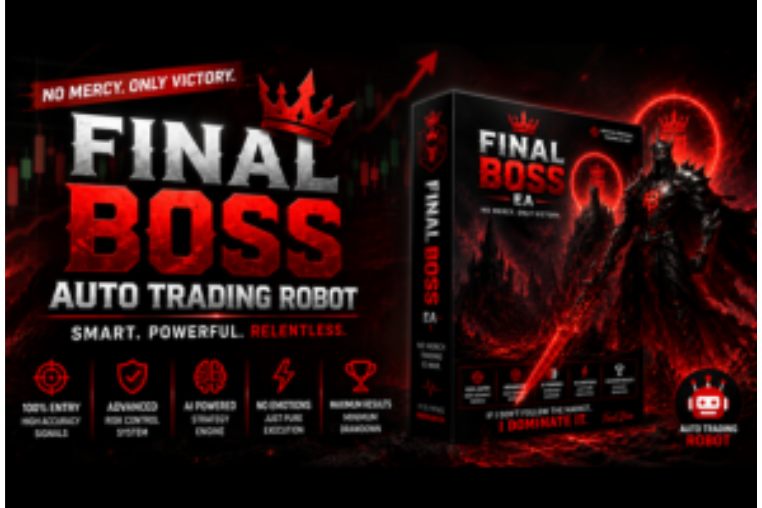
Final Boss EA
Discover Final Boss EA, a high-performance auto trading robot designed for precision execution, smart risk management, and hands-free forex trading growth.
🎥 Installation Video
📖 Installation Instructions
What is Final Boss EA?
Final Boss EA is a powerful automated trading robot designed for serious forex traders who demand consistent performance and advanced risk management. This top-rated Expert Advisor combines multiple proven trading strategies with intelligent market analysis to identify high-probability trading opportunities across major currency pairs. Built for both MT4 and MT5 platforms, Final Boss EA features sophisticated algorithms that adapt to changing market conditions while maintaining strict risk controls to protect your trading capital.
Key Features
- Multi-Strategy Approach: Combines scalping, breakout, and trend-following strategies to maximize trading opportunities across different market conditions
- Advanced Risk Management: Features dynamic lot sizing, customizable stop-loss and take-profit levels, and maximum drawdown protection to safeguard your account
- Smart News Filter: Automatically pauses trading during high-impact news events to avoid unpredictable volatility and protect open positions
- Session-Based Trading: Optimized to trade during the most liquid market sessions (London, New York, Asian) for better execution and tighter spreads
- Trailing Stop Technology: Locks in profits automatically as trades move in your favor while giving positions room to breathe during temporary pullbacks
- Low Drawdown Design: Conservative trading approach with proven backtests showing consistent results with controlled risk exposure
- One-Click Setup: Pre-configured settings for popular currency pairs make installation quick and easy, even for beginners
- Real-Time Notifications: Receive instant alerts via email, push notifications, or MT4/MT5 mobile app when trades are opened or closed
- VPS Optimized: Lightweight code ensures smooth 24/7 operation on any VPS with minimal resource consumption
- Prop Firm Compatible: Designed to comply with most prop firm rules including maximum daily loss, overall drawdown, and consistency requirements
System Requirements
- Platform: MetaTrader 4 (Build 1380+) or MetaTrader 5 (Build 3650+)
- Operating System: Windows 7/8/10/11, Windows Server, or VPS running Windows
- Processor: Dual-core 2.0 GHz or higher recommended
- RAM: Minimum 2GB, 4GB recommended for optimal performance
- Internet Connection: Stable broadband connection (VPS highly recommended for 24/7 trading)
- Broker Requirements: ECN or STP broker with raw spreads, leverage 1:100 or higher, hedging allowed
- Account Type: Standard, ECN, or Raw Spread accounts (works with both cent and standard accounts)
- Minimum Balance: 10K Cents minimum recommended, 100k Cents recomended+ for standard settings
Installation Steps
- Download the EA File: After purchase, download the Final Boss EA .ex4 (MT4) or .ex5 (MT5) file from your MR WOW EA account dashboard to your computer
- Locate MetaTrader Data Folder: Open your MT4/MT5 platform, click File menu → Open Data Folder to access the installation directory
- Copy EA to Experts Folder: Navigate to MQL4\Experts (MT4) or MQL5\Experts (MT5) folder and paste the downloaded Final Boss EA file into this directory
- Restart MetaTrader: Close and reopen your MT4/MT5 platform completely to load the new Expert Advisor into the Navigator window
- Enable Automated Trading: Click the AutoTrading button in the toolbar (it should turn green) and ensure Expert Advisors are allowed in Tools → Options → Expert Advisors tab
- Attach EA to Chart: Open your desired currency pair chart (e.g., EURUSD), drag Final Boss EA from the Navigator panel onto the chart window
- Configure Settings: In the EA properties window, go to the Inputs tab, adjust risk percentage, lot size, and other parameters according to your trading preferences, then click OK
- Verify Operation: Check the chart's top-right corner for a smiley face icon (not a sad face) and confirm the EA name appears, indicating successful activation
Recommended Settings
- Currency Pairs: EURUSD, GBPUSD, USDJPY, AUDUSD, XAUUSD (Gold) - tested and optimized for major pairs with good liquidity
- Timeframe: H1 (1-hour) chart recommended for optimal signal quality and balance between trade frequency and accuracy
- Lot Size: Start with 0.01 lots per $1000 balance for conservative trading, or use Auto Lot Sizing feature set to 1-2% risk per trade
- Risk Level: Medium risk settings recommended (2% per trade maximum), conservative traders should use 1% or lower
- Max Spread: Set maximum spread filter to 20 pips for major pairs, 30 pips for XAUUSD to avoid poor execution during volatile periods
- Trading Sessions: Enable London and New York sessions for best results, disable Asian session unless trading JPY pairs
- VPS Setup: Use VPS with low latency to your broker's server (under 10ms ping) for optimal order execution and minimal slippage
- Account Balance: Minimum $500 for cent accounts or testing, $1000-$2000 recommended for live standard account trading
Frequently Asked Questions
Can I use Final Boss EA with my current broker?
Final Boss EA works with most reputable forex brokers, but performs best with ECN/STP brokers offering raw spreads and fast execution. The EA is compatible with brokers allowing hedging and supporting MetaTrader 4 or 5 platforms. Avoid market maker brokers with wide spreads or frequent requotes. Popular compatible brokers include IC Markets, Pepperstone, FBS, XM, and FTMO for prop trading.
Is VPS required to run Final Boss EA effectively?
While not absolutely mandatory, a VPS is highly recommended for Final Boss EA to achieve optimal results. A VPS ensures 24/7 operation without interruptions from power outages or internet disconnections, provides faster execution with low latency to broker servers, and allows the EA to monitor markets continuously across all trading sessions. You can start testing on your home computer, but serious traders should invest in a quality VPS service.
What is the expected monthly return and maximum drawdown?
Based on backtest results and live trading performance, Final Boss EA typically delivers 8-15% monthly returns with conservative settings (1-2% risk per trade). Maximum drawdown generally stays below 15-20% when using recommended risk management settings. However, actual results vary depending on market conditions, broker execution quality, account balance, and your chosen risk parameters. Past performance does not guarantee future results.
Can I use Final Boss EA on a prop firm account like FTMO or MyForexFunds?
Yes, Final Boss EA is designed to be prop firm friendly and complies with most prop firm trading rules. The EA includes settings to limit maximum daily loss, control overall drawdown, avoid over-leveraging, and maintain consistent trading patterns. However, always verify your specific prop firm's rules regarding Expert Advisors and automated trading before deployment, and test thoroughly on a demo account first to ensure compliance.
How do I update Final Boss EA and is support available?
All updates to Final Boss EA are provided free of charge for lifetime to registered users. You'll receive notifications via email when new versions are released with improvements or bug fixes. Simply download the updated file from your MR WOW EA dashboard and replace the old file following the same installation steps. Our technical support team is available via WhatsApp, email, and live chat to assist with installation issues, settings optimization, and troubleshooting Monday through Saturday.
📋 Specifications
| Account Type | Standard, ECN, Raw Spread |
| Auto Lot Sizing | Yes |
| Backtest Results Available | Yes |
| Basket Trading | No |
| Broker Type | Raw Spread |
| Compatible Brokers | Any ECN/STP broker with MT4/MT5 |
| Currency Pairs | EURUSD, GBPUSD, USDJPY, AUDUSD, XAUUSD |
| Demo Available | Yes |
| Equity/Balance Required (min) | 10K Cents minimum, 100K Cents recommended |
| FIFO Rule Compatible | Yes |
| File Format | .ex4 (MT4), .ex5 (MT5) |
| File Size | 2.1 MB |
| Free Updates | Lifetime |
| Grid Distance (pips) | 10 PIPS |
| Hedging Allowed | Yes |
| Leverage Required | 1:100 or higher |
| License Type | 1 Live Account + Unlimited Demos |
| Max Drawdown | 15-20% |
| Recommended Max Spread | 20 pips (majors), 30 pips (Gold) |
| Max Simultaneous Trades | 3-5 per pair |
| Money Back Guarantee | 30 Days |
| Monthly Return (avg) | 8-15% |
| News Filter | Yes |
| Platform | MT4 & MT5 |
| Prop Firm Friendly | Yes |
| Recommended Broker | IC Markets, Pepperstone, FBS |
| Recommended Lot Size | 0.01 per 10K Cents |
| Recovery Mode | Yes |
| Risk Level | Medium |
| Session Filter | Yes |
| Setup Difficulty | Beginner |
| Signal Notifications | Email, Push, MT4/MT5 Alerts |
| Slippage Tolerance | 3 pips maximum |
| Source Code Included | No |
| Stop Loss Type | Both |
| Strategy Type | Dual Grid & Mean-Reversion |
| Support | WhatsApp, Email, Live Chat (Mon-Sat) |
| Take Profit Type | Both |
| Timeframe | H1 (1-Hour) |
| Trade Copier Compatible | Yes |
| Trading Hours | London & New York Sessions (Customizable) |
| Version | 3.2 |
| VPS Required | Recommended |