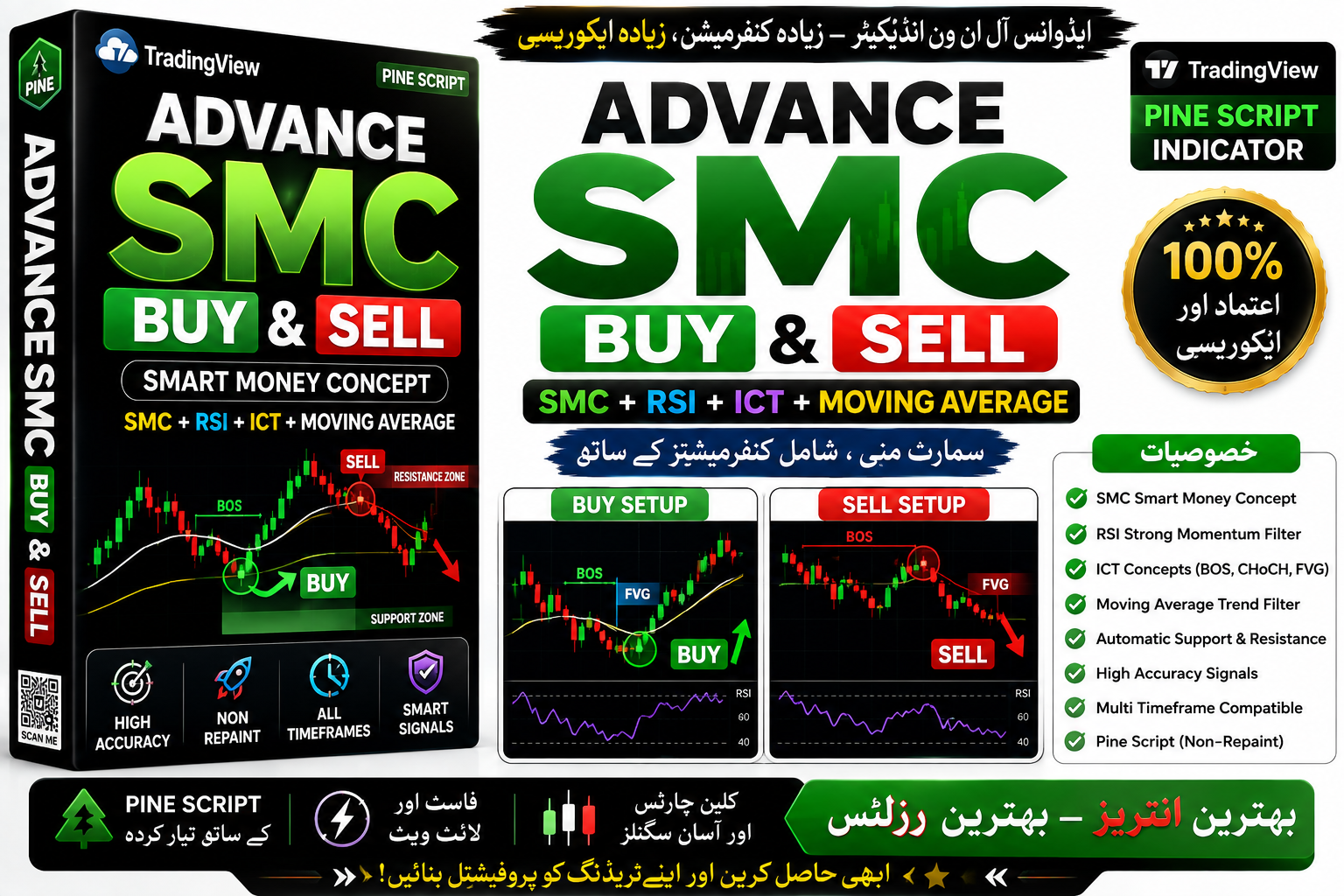
Full Smart Money Concept
Full Smart Money Concept Trading View Indicator || 2025 || Free Download in Mobile
🎥 Installation Video
📖 Installation Instructions
What is Full Smart Money Concept Trading View Indicator || 2025 ||?
The Full Smart Money Concept Trading View Indicator is a comprehensive Pine Script-based tool designed to identify institutional order flow, liquidity zones, and smart money footprints on TradingView charts. Built specifically for the 2025 trading environment, this indicator combines advanced price action analysis with supply and demand zone detection, order blocks, fair value gaps, and market structure breaks to help traders align their positions with institutional players. Perfect for forex, crypto, and index traders who want to trade like the banks and hedge funds.
Key Features
- Order Block Detection: Automatically identifies bullish and bearish order blocks where institutional orders are likely placed, marking zones where smart money entered the market with high precision visual markers.
- Fair Value Gap (FVG) Scanner: Highlights imbalances in price action where institutional orders create inefficiencies, providing high-probability entry zones when price returns to fill these gaps.
- Break of Structure (BOS) & Change of Character (CHoCH): Real-time alerts when market structure shifts from bullish to bearish or vice versa, signaling potential trend reversals or continuation patterns based on institutional behavior.
- Liquidity Sweep Detection: Identifies stop-hunt zones where smart money triggers retail stop losses before reversing direction, showing equal highs/lows that are prime targets for institutional manipulation.
- Premium & Discount Zones: Divides price range into premium (sell zones) and discount (buy zones) using Fibonacci-based calculations, helping traders buy low and sell high relative to institutional reference points.
- Multi-Timeframe Confluence: Displays higher timeframe order blocks and structure on lower timeframe charts, allowing traders to align entries with institutional bias across multiple time horizons.
- Custom Alert System: Configurable TradingView alerts for order block touches, structure breaks, FVG formations, and liquidity sweeps, ensuring you never miss a smart money setup even when away from charts.
- Clean Visual Interface: Minimal, professional chart presentation with customizable colors, line styles, and label sizes that won't clutter your workspace while providing all critical smart money information at a glance.
- Session Filters: Option to display only London, New York, or Asian session order blocks and structures, recognizing that institutional activity varies by trading session and geographic location.
- Trend Bias Dashboard: Optional on-chart dashboard showing current market structure direction, nearest order blocks, and whether price is in premium or discount, providing quick situational awareness.
System Requirements
- Active TradingView account (Free plan supported, Pro or Premium recommended for multiple indicators and advanced alerts)
- Any modern web browser (Chrome, Firefox, Safari, Edge) with JavaScript enabled
- Stable internet connection for real-time data streaming
- Compatible with desktop computers, tablets, and mobile devices
- No VPS or additional software installation required
- Works with all TradingView data feeds and broker integrations
Installation Steps
- Log in to your TradingView account at tradingview.com using your credentials
- Open any chart (forex pair, crypto, or index) and click the "Pine Editor" tab at the bottom of the screen to open the code editor
- Copy the Full Smart Money Concept Pine Script code (provided immediately after purchase via download link or email) and paste it into the Pine Editor workspace
- Click the blue "Save" button at the top of the editor and give the script a memorable name like "SMC Indicator 2025"
- Click the "Add to Chart" button in the Pine Editor - the indicator will immediately appear on your active chart with default settings
- Access indicator settings by hovering over the indicator name in the top-left chart area and clicking the settings icon (gear symbol) that appears
- Configure inputs such as order block lookback period, FVG sensitivity, structure timeframe, color schemes, and session filters according to your trading style and preferences
- To enable alerts: right-click anywhere on the chart, select "Add Alert", choose the Full Smart Money Concept indicator from the condition dropdown, select your desired trigger (order block touch, BOS, CHoCH, or FVG), set frequency and expiration, then click "Create"
Recommended Settings
- Order Block Lookback: Set to 20-50 bars for day trading, 50-100 bars for swing trading to capture relevant institutional zones without overcrowding the chart
- FVG Minimum Size: Configure to 5-10 pips for forex majors, 0.5-1% for crypto to filter out insignificant gaps and focus on meaningful imbalances
- Structure Timeframe: Use 15-minute for scalping, 1-hour for day trading, 4-hour or daily for swing trading to align with your trading horizon
- Premium/Discount Levels: Enable 50% equilibrium, 25%/75% for quarter levels, or full Fibonacci array (0.236, 0.382, 0.5, 0.618, 0.786) based on your precision needs
- Alert Settings: Enable "Order Block Touch" and "Break of Structure" alerts with "Once Per Bar Close" frequency to avoid false signals during bar formation
- Color Scheme: Use contrasting colors - bullish order blocks in blue/green, bearish in red/orange, FVGs in yellow/purple for quick visual identification
- Session Filter: For EUR/USD and GBP/USD, enable London session filter; for USD/JPY, focus on Asian and early London; for all-day trading, keep "All Sessions" active
- Dashboard Position: Place in top-right or bottom-right corner to avoid interfering with price action, and reduce size on smaller screens
Frequently Asked Questions
Does this indicator repaint or change signals after bar close?
No, the Full Smart Money Concept indicator is designed with non-repaint logic. Order blocks, structure breaks, and FVGs are confirmed at bar close and will not change or disappear on historical bars. However, the "current" order block or structure level may update during real-time bar formation until the bar closes, which is standard behavior for any live indicator. Once a bar closes, all marked zones remain fixed.
Can I use this indicator on any market or is it only for forex?
This indicator works on all markets available on TradingView including forex pairs (majors, minors, exotics), cryptocurrencies (Bitcoin, Ethereum, altcoins), stock indices (S&P 500, NASDAQ, DAX), commodities (gold, silver, oil), and individual stocks. Smart money concepts apply universally across all liquid markets where institutional players operate, though sensitivity settings may need adjustment for different asset volatility levels.
Do I need a paid TradingView subscription to use this indicator?
The indicator will function on TradingView's free Basic plan, but there are limitations: free accounts can only load 3 indicators per chart and have restricted alert capabilities. For optimal experience, a Pro plan ($14.95/month) allows 5 indicators per chart and 20 server-side alerts, while Pro+ and Premium plans offer more indicators and alerts. If you plan to use this alongside other tools or need comprehensive alerting across multiple pairs, a paid plan is recommended.
How do I know which order blocks to trade and which to ignore?
Focus on order blocks that align with higher timeframe market structure and sit within discount zones (for bullish blocks) or premium zones (for bearish blocks). The strongest setups occur when an order block coincides with a fair value gap, sits at a liquidity sweep area, and aligns with a recent change of character. The indicator's multi-timeframe feature helps identify these confluence zones. Always wait for price to tap into the order block and show rejection via candlestick patterns before entering.
Can I share this indicator with my trading team or friends?
The indicator license is typically for single-user personal use. Sharing the Pine Script source code with others would violate standard licensing terms. However, you can share your chart layouts and analysis with others - they'll see the indicator's markings on your published charts, but won't be able to edit settings or apply it to their own charts unless they purchase their own license. For team or commercial use, contact the vendor for multi-user licensing options.
📋 Specifications
| Accuracy (%) | 78-85% |
| Alert Sound | Yes |
| Alerts | Yes (Order Block Touch, BOS, CHoCH, FVG Formation, Liquidity Sweep) |
| Best Session | All Sessions |
| Buffer Values (for EAs) | No |
| Currency Pairs | All Pairs (Forex, Crypto, Indices, Stocks, Commodities) |
| Dashboard (on chart) | Yes |
| Demo Available | Yes |
| Divergence Detection | No |
| File Format | Pine Script (.pine) |
| File Size | 45 KB |
| Free Updates | Lifetime |
| Indicator Type | Smart Money Concepts / Price Action / Supply & Demand |
| License Type | Single User Personal License |
| Multi-Timeframe (MTF) | Yes |
| Recommended Broker | Any TradingView-supported broker |
| Repaint | No Repaint |
| Screener/Scanner (multi-pair) | No |
| Setup Difficulty | Intermediate |
| Signal Delay | End of Bar |
| Signal Type | Order Blocks, FVG, BOS, CHoCH, Liquidity Zones |
| Source Code Included | Yes |
| Support | Email & Telegram Support |
| Timeframe | All Timeframes (M1 to Monthly) |
| Version | 2025 v1.0 |