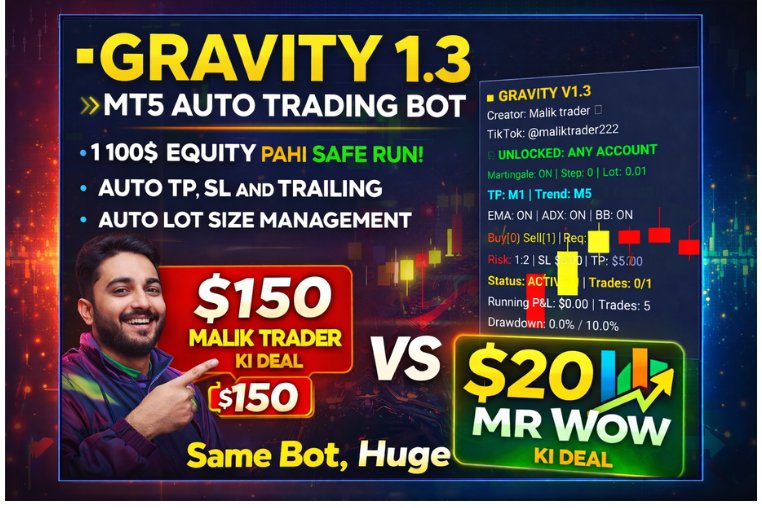
GRAVITY 1.3 EA
Gravity 1.3 EA is an advanced MT4/MT5 auto trading robot with smart risk management, trend detection, and consistent performance.
🎥 Installation Video
📖 Installation Instructions
What is GRAVITY 1.3 EA?
GRAVITY 1.3 EA is a sophisticated automated trading system designed for forex traders seeking consistent performance through advanced momentum and trend-following strategies. This Expert Advisor utilizes gravitational price action concepts combined with smart money management to identify high-probability trading opportunities across multiple currency pairs, making it an ideal solution for both beginner and experienced traders in Pakistan and the Gulf region.
Built with stability and consistent returns in mind, GRAVITY 1.3 EA incorporates advanced risk management features including trailing stops, partial profit-taking mechanisms, and session filters to optimize trading performance while protecting your capital during volatile market conditions.
Key Features
- Advanced Momentum Detection: Identifies strong price movements using proprietary gravitational algorithms that detect market momentum shifts before they become obvious to typical indicators.
- Multi-Pair Trading Capability: Trades major and cross pairs simultaneously, diversifying risk and maximizing profit opportunities across different market conditions.
- Smart Money Management: Features auto lot sizing based on account balance with built-in risk percentage controls to protect your equity during drawdowns.
- Session-Based Filtering: Automatically adjusts trading behavior based on London, New York, and Asian sessions to avoid low-liquidity periods and focus on high-volume trading hours.
- Trailing Stop Technology: Locks in profits automatically as trades move in your favor while giving winning positions room to grow during strong trends.
- News Filter Protection: Optionally pauses trading during major economic announcements to avoid unpredictable volatility and slippage that can damage account performance.
- Low Drawdown Design: Conservative position sizing and strategic entry points keep drawdowns minimal compared to aggressive grid or martingale systems.
- Prop Firm Compatible: Works within the trading rules of popular prop firms, making it suitable for traders looking to manage funded accounts professionally.
- VPS Optimized: Lightweight code ensures smooth 24/7 operation on any VPS without excessive resource consumption or connection issues.
- Customizable Dashboard: On-chart display shows current trades, profit targets, and risk metrics in real-time for complete transparency and control.
System Requirements
- Trading Platform: MetaTrader 4 (Build 1090 or higher) or MetaTrader 5 (latest version recommended)
- Operating System: Windows 7/8/10/11, Windows Server 2012 or higher, or VPS with Windows environment
- Minimum RAM: 2GB (4GB recommended for optimal performance)
- VPS Recommendation: Highly recommended for uninterrupted 24/7 trading with low latency connection to broker servers
- Broker Requirements: ECN or raw spread brokers preferred; must allow Expert Advisors and automated trading
- Internet Connection: Stable broadband connection with minimum 1 Mbps speed (if not using VPS)
- Minimum Account Balance: $500 for conservative settings, $1000+ recommended for optimal diversification
Installation Steps
- Download the EA Files: After purchase, download the GRAVITY 1.3 EA file package (typically a .ex4 or .ex5 file depending on your platform version) to a location you can easily access on your computer.
- Open MetaTrader Data Folder: Launch your MetaTrader platform, click on 'File' in the top menu, then select 'Open Data Folder' to access the installation directory for Expert Advisors.
- Copy EA to Experts Folder: Navigate to MQL4\Experts (for MT4) or MQL5\Experts (for MT5) folder, then paste the GRAVITY 1.3 EA file into this directory. Close the folder window when complete.
- Restart MetaTrader: Completely close and reopen your MetaTrader platform to allow the system to recognize and load the newly installed Expert Advisor into the Navigator panel.
- Enable Automated Trading: Click the 'AutoTrading' button in the toolbar (it should turn green) and ensure the platform settings allow EAs to trade by going to Tools > Options > Expert Advisors and checking 'Allow automated trading'.
- Attach EA to Chart: In the Navigator panel, expand the 'Expert Advisors' section, find GRAVITY 1.3 EA, and drag it onto your desired currency pair chart (H1 or H4 timeframe recommended).
- Configure Settings: When the settings window appears, review and adjust parameters like lot size, risk percentage, and trading pairs according to your account size and risk tolerance, then click 'OK'.
- Verify Operation: Check the top-right corner of your chart for a smiley face icon (not a sad face) which confirms the EA is running properly. Monitor the Experts tab in the Terminal window for any error messages.
Recommended Settings
- Currency Pairs: EURUSD, GBPUSD, USDJPY, AUDUSD, USDCAD (major pairs with tight spreads and good liquidity)
- Timeframe: H1 (1-hour) for balanced trade frequency, or H4 (4-hour) for more conservative swing trading approach
- Risk Per Trade: 1-2% of account balance for conservative trading, maximum 3% for moderate risk tolerance
- Lot Sizing: Enable auto lot sizing feature and set risk percentage to 1.5% for accounts between $1000-$5000
- Maximum Spread: Set to 2.0 pips for major pairs to avoid entering trades during poor market conditions
- Trading Sessions: Enable London and New York sessions for maximum volatility and liquidity, disable Asian session unless trading JPY pairs
- News Filter: Enable high-impact news filter to pause trading 30 minutes before and after major economic releases (NFP, interest rate decisions, GDP)
- Stop Loss: Use dynamic stop loss setting with trailing activation after 15-20 pips profit to protect gains
- Broker Type: Raw spread or ECN brokers with average spread below 1.5 pips on EURUSD for optimal performance
Frequently Asked Questions
What account balance do I need to start trading with GRAVITY 1.3 EA?
The minimum recommended balance is $500 for conservative single-pair trading, but we strongly recommend starting with at least $1000 to properly diversify across multiple currency pairs. With $1000 or more, the EA can spread risk effectively and handle normal market drawdowns without excessive pressure on your account. For Pakistani traders, this equals approximately PKR 280,000 which allows comfortable risk management at 1-2% per trade.
Does GRAVITY 1.3 EA work with prop firm accounts like FTMO or MyForexFunds?
Yes, GRAVITY 1.3 EA is designed to be prop firm friendly and complies with typical prop firm rules including maximum daily loss limits, consistency requirements, and no martingale or grid strategies. The EA uses controlled risk per trade (usually 1-2%), maintains reasonable drawdown levels, and doesn't employ aggressive scaling that violates most prop firm guidelines. However, always verify specific rules with your prop firm as requirements can vary between companies.
Can I run GRAVITY 1.3 EA on multiple currency pairs simultaneously?
Absolutely! GRAVITY 1.3 EA is specifically optimized for multi-pair trading and actually performs better when diversified across 3-5 major currency pairs. Simply attach the EA to separate charts for each pair you want to trade (EURUSD, GBPUSD, USDJPY, etc.). The EA manages risk independently on each pair while the overall account exposure remains controlled through the risk percentage settings. For best results, use the same timeframe across all pairs.
Do I need to keep my computer running 24/7 or should I use a VPS?
While GRAVITY 1.3 EA can technically run on your personal computer, we highly recommend using a VPS (Virtual Private Server) for serious trading. A VPS ensures your EA runs continuously without interruption from power outages, internet disconnections, or computer restarts that are common in Pakistan. VPS hosting costs around $15-30 monthly and provides stable, low-latency connection to broker servers, which is crucial for accurate trade execution and avoiding slippage on entries and exits.
How often does GRAVITY 1.3 EA place trades and what are realistic monthly returns?
Trade frequency depends on market conditions and your timeframe settings, but typically GRAVITY 1.3 EA opens 15-30 trades per month across all pairs on H1 timeframe, or 8-15 trades on H4 timeframe. Realistic monthly returns range from 5-12% with conservative settings (1-2% risk), though some months may be lower during ranging markets or higher during strong trending conditions. We always emphasize that forex trading carries risk, and past performance doesn't guarantee future results. Focus on consistent risk management rather than chasing unrealistic profit targets.
📋 Specifications
| Account Type | Standard, ECN, Raw Spread accounts |
| Auto Lot Sizing | Yes |
| Backtest Results Available | Yes |
| Basket Trading | No |
| Broker Type | Raw Spread |
| Compatible Brokers | ECN, Raw Spread, Standard brokers |
| Currency Pairs | EURUSD, GBPUSD, USDJPY, AUDUSD, USDCAD |
| Demo Available | Yes |
| Equity/Balance Required (min) | $500 minimum, $1000+ recommended |
| FIFO Rule Compatible | Yes |
| File Format | .ex4, .ex5 |
| File Size | 2.8 MB |
| Free Updates | Lifetime |
| Hedging Allowed | Yes |
| Leverage Required | 1:100 or higher |
| License Type | 1 Real + Unlimited Demo Accounts |
| Max Drawdown | 15-20% |
| Recommended Max Spread | 2.0 pips (major pairs) |
| Max Simultaneous Trades | 3-5 per pair |
| Monthly Return (avg) | 5-12% (average) |
| News Filter | Yes |
| Platform | MT4 & MT5 |
| Prop Firm Friendly | Yes |
| Recommended Broker | ICMarkets, FBS, XM, Tickmill |
| Recommended Lot Size | 0.01 per $1000 |
| Recovery Mode | No |
| Session Filter | Yes |
| Setup Difficulty | Beginner |
| Signal Notifications | Email, Push, MT4/MT5 alerts |
| Slippage Tolerance | 3 pips tolerance |
| Source Code Included | No |
| Stop Loss Type | Trailing |
| Strategy Type | Momentum & Trend Following |
| Support | Email & WhatsApp Support |
| Take Profit Type | Partial |
| Timeframe | H1, H4 (recommended) |
| Trade Copier Compatible | Yes |
| Trading Hours | London & New York Sessions (customizable) |
| Version | 1.3 |
| VPS Required | Recommended |