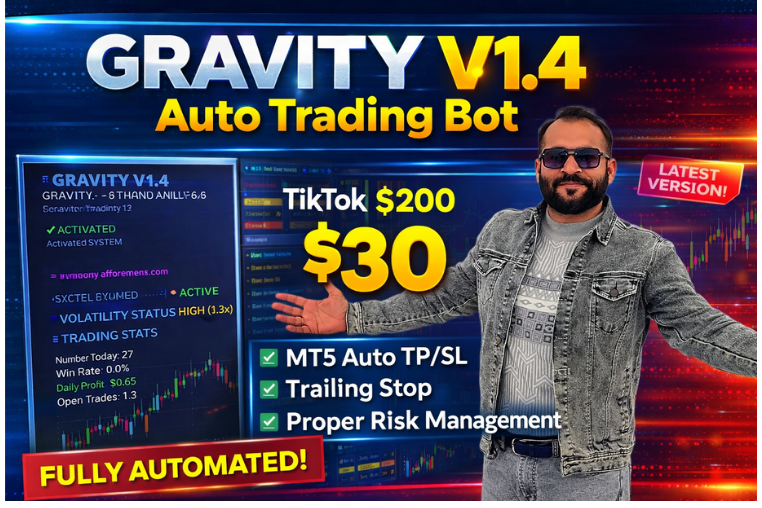
Gravity V 1.4 Auto
Advanced automated forex trading bot with smart trend detection, risk control, and fast execution designed for consistent and efficient trading performance.
🎥 Installation Video
📖 Installation Instructions
What is Gravity V 1.4 Auto?
Gravity V 1.4 Auto is a sophisticated automated trading expert advisor designed to capitalize on market momentum and gravitational price movements. This EA employs advanced algorithmic strategies to identify high-probability trading opportunities across multiple currency pairs, automatically executing trades based on momentum indicators and price action patterns. Built for both novice and experienced traders in Pakistan and the Gulf region, Gravity V 1.4 Auto offers a balanced approach to automated forex trading with comprehensive risk management features.
Key Features
- Momentum-Based Strategy: Utilizes gravitational pull concepts to identify strong market trends and momentum shifts, entering trades when price action confirms directional movement.
- Multi-Timeframe Analysis: Analyzes price patterns across multiple timeframes simultaneously to validate trading signals and filter out false entries.
- Advanced Risk Management: Features dynamic lot sizing, customizable stop-loss and take-profit levels, and maximum drawdown protection to preserve your trading capital.
- Smart Money Management: Automatically calculates optimal position sizes based on your account balance and risk tolerance, ensuring consistent risk per trade.
- Session Filtering: Allows you to restrict trading to specific market sessions (Asian, European, American) to avoid low-liquidity periods or focus on volatile sessions.
- News Event Protection: Built-in economic calendar filter that automatically pauses trading during high-impact news releases to avoid unpredictable volatility.
- Trailing Stop Mechanism: Locks in profits as trades move favorably by automatically adjusting stop-loss levels while maintaining distance from current price.
- Multi-Currency Compatibility: Optimized for major and minor forex pairs including EUR/USD, GBP/USD, USD/JPY, and gold (XAU/USD) for diversified trading opportunities.
- Real-Time Notifications: Sends push notifications, email alerts, and on-chart messages for trade entries, exits, and important system events.
- Low Maintenance Operation: Once configured, the EA runs autonomously 24/5, requiring minimal intervention while continuously monitoring markets for opportunities.
System Requirements
- Trading Platform: MetaTrader 4 (build 1280 or higher) or MetaTrader 5 (build 3200 or higher)
- Operating System: Windows 7/8/10/11, Windows VPS, or MT4/MT5 compatible Linux VPS
- VPS Hosting: Highly recommended for uninterrupted 24/5 trading - Pakistan-based traders can use local VPS providers or international services
- Broker Requirements: ECN or standard broker account with spreads under 2 pips on major pairs, supporting hedging (non-FIFO preferred)
- Minimum Account Balance: $500 for conservative settings, $1000 recommended for optimal performance
- Internet Connection: Stable broadband connection if running on personal computer (VPS eliminates this requirement)
- Processor & RAM: Minimum dual-core processor with 2GB RAM for smooth operation alongside other charts and indicators
Installation Steps
- Download the EA File: After purchase from MR WOW EA marketplace, download the Gravity V 1.4 Auto files (typically .ex4 for MT4 or .ex5 for MT5) to your computer. Keep the license file or activation key ready.
- Locate Your MT4/MT5 Data Folder: Open MetaTrader platform, click "File" menu, then select "Open Data Folder". This will open your platform's main directory where all expert advisors are stored.
- Copy EA to Experts Folder: Navigate to "MQL4" (for MT4) or "MQL5" (for MT5) folder, then open the "Experts" subfolder. Paste the downloaded Gravity V 1.4 Auto .ex4 or .ex5 file into this Experts folder.
- Restart MetaTrader Platform: Close and reopen your MT4/MT5 completely to ensure the platform recognizes the newly installed expert advisor. This refreshes the Navigator window.
- Enable Automated Trading: Click the "AutoTrading" button in the top toolbar (it should turn green). Also verify in "Tools" > "Options" > "Expert Advisors" that "Allow automated trading" and "Allow DLL imports" are both checked.
- Attach EA to Chart: Open a chart for your preferred currency pair (e.g., EUR/USD H1), locate Gravity V 1.4 Auto in the Navigator window under "Expert Advisors", and drag it onto the chart.
- Configure Settings: In the EA settings window that appears, navigate to the "Inputs" tab and configure your lot size, risk percentage, maximum trades, and other parameters according to your trading preferences and account size.
- Activate License: If required, enter your license key or account number in the appropriate field. Click "OK" to attach the EA. You should see a smiley face icon in the top-right corner of your chart, confirming successful activation.
Recommended Settings
- Currency Pairs: EUR/USD, GBP/USD, USD/JPY for conservative trading; add AUD/USD, NZD/USD, or XAU/USD for diversification (run separate charts for each pair)
- Timeframe: H1 (1-hour) for balanced trade frequency and accuracy; H4 for more conservative long-term positions; M15 for active scalping (higher risk)
- Lot Size: Start with 0.01 lots per $500 balance, or enable auto lot sizing at 1-2% risk per trade for automated position sizing
- Risk Level: Conservative: 1% risk per trade with maximum 3 simultaneous trades; Moderate: 2% risk with up to 5 trades; Aggressive: 3-5% risk (not recommended for beginners)
- Stop Loss: 40-60 pips for H1 timeframe, 80-120 pips for H4; enable trailing stop to lock profits after 20-30 pips in profit
- Take Profit: Target 1:1.5 to 1:2 risk-reward ratio (60-100 pips TP for 40-50 pip SL); consider partial profit taking at 1:1 ratio
- Trading Hours: For Pakistani traders, optimal sessions are European (3 PM to 11 PM PKT) and overlap with Asian closing (12 PM to 4 PM PKT); avoid trading 1 hour before and after major news
- Maximum Spread: Set maximum spread to 2.0 pips for major pairs, 3.0 pips for minor pairs to avoid trading during poor liquidity conditions
Frequently Asked Questions
Can I run Gravity V 1.4 Auto on a live account immediately?
While you can run it on live account immediately, we strongly recommend testing on a demo account for at least 1-2 weeks first. This allows you to understand how the EA behaves under different market conditions, verify your settings work correctly, and build confidence before risking real capital. Pakistani traders should test during their typical trading sessions to see actual performance during local active hours.
Do I need a VPS to run this EA effectively?
A VPS (Virtual Private Server) is highly recommended but not absolutely mandatory. If you can keep your computer and internet connection running 24/5 without interruptions, you can run it locally. However, VPS ensures the EA never misses trading opportunities due to power outages (common in Pakistan), internet disconnections, or computer restarts. Most traders achieve better results with VPS hosting, which costs around $15-30 monthly from providers like Forex VPS or local Pakistani data centers.
What account balance do I need to start trading with Gravity V 1.4 Auto?
The absolute minimum is $500, but we recommend starting with $1000 or more for comfortable operation. With $500, you should use very conservative settings (0.01 lot size, 1% risk, maximum 2 simultaneous trades) to maintain healthy margin levels. With $1000-$2000, you can use standard recommended settings. Larger accounts ($5000+) can diversify across multiple currency pairs simultaneously. Remember that forex trading carries risk, and you should only trade with money you can afford to lose.
Which brokers work best with Gravity V 1.4 Auto in Pakistan?
The EA works with most reputable international brokers that accept Pakistani clients. Look for ECN or STP brokers with tight spreads (under 1.5 pips on EUR/USD), fast execution speeds, and hedging allowed. Popular choices among Pakistani traders include HotForex, XM, FBS, and Exness. Avoid brokers with dealing desk execution or those that prohibit expert advisors. Ensure your chosen broker offers MetaTrader 4 or 5 platform and supports your preferred deposit method (Neteller, Skrill, or bank wire).
How often should I monitor the EA and can I adjust settings during active trades?
Check your EA at least once daily to review performance, verify trades are executing properly, and ensure no error messages appear. Review weekly performance every Friday to assess profitability and drawdown levels. You can adjust settings at any time, but changes typically only affect NEW trades - existing open positions continue with their original parameters. Avoid making frequent changes based on short-term results; give your settings at least 2-3 weeks to prove themselves. If you modify risk settings, ensure you understand the impact on position sizing and potential drawdown.
📋 Specifications
| Account Type | Standard, ECN, Pro |
| Auto Lot Sizing | Yes |
| Backtest Results Available | Yes |
| Broker Type | Raw Spread |
| Compatible Brokers | HotForex, XM, FBS, Exness, IC Markets |
| Currency Pairs | EUR/USD, GBP/USD, USD/JPY, AUD/USD, NZD/USD, XAU/USD |
| Demo Available | Yes |
| Equity/Balance Required (min) | $500 minimum, $1000 recommended |
| FIFO Rule Compatible | No |
| File Format | .ex4 (MT4), .ex5 (MT5) |
| Free Updates | Lifetime |
| Hedging Allowed | Yes |
| Leverage Required | 1:100 or higher |
| License Type | 1 Live Account + Unlimited |
| Max Drawdown | 15-25% |
| Recommended Max Spread | 2.0 pips (majors), 3.0 pips (minors) |
| Max Simultaneous Trades | 3-5 simultaneous |
| Monthly Return (avg) | 8-15% (avg) |
| News Filter | Yes |
| Platform | MT4 & MT5 |
| Prop Firm Friendly | Yes |
| Recommended Broker | ECN/STP brokers |
| Recommended Lot Size | 0.01 per $500 balance |
| Risk Level | Medium |
| Session Filter | Yes |
| Setup Difficulty | Intermediate |
| Signal Notifications | Push, Email, On-Chart Alerts |
| Slippage Tolerance | 3 pips tolerance |
| Stop Loss Type | Both |
| Strategy Type | Momentum & Trend Following |
| Support | Email & Telegram Support |
| Take Profit Type | Fixed |
| Timeframe | M15, H1, H4 (H1 recommended) |
| Trading Hours | 24/5 (customizable sessions) |
| Version | 1.4 |
| VPS Required | Recommended |