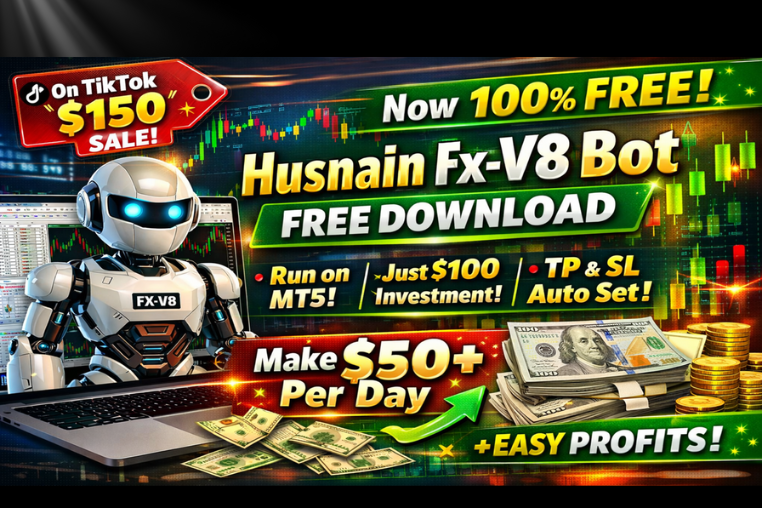
Hasnain Fx v-8
Discover the best free Forex robot with auto TP & SL for MT5. Trade smarter with automated Forex robot trading and simple algorithmic tools.
🎥 Installation Video
📖 Installation Instructions
What is Hasnain Fx v-8?
Hasnain Fx v-8 is a top-rated Expert Advisor designed specifically for Pakistani and Gulf region forex traders seeking consistent automated trading performance. This EA combines intelligent grid trading strategies with advanced risk management to capitalize on market movements across multiple currency pairs, making it suitable for both part-time traders and professionals looking for hands-free trading solutions.
Built with the unique trading conditions of Asian and Middle Eastern markets in mind, Hasnain Fx v-8 features session-based trading filters and news avoidance mechanisms that protect your capital during volatile periods while maximizing profit opportunities during favorable market conditions.
Key Features
- Advanced Grid Strategy: Utilizes intelligent grid placement with dynamic distance adjustments based on market volatility, ensuring optimal trade spacing without over-exposure.
- Multi-Currency Support: Works seamlessly across major and exotic pairs including EUR/USD, GBP/USD, USD/JPY, XAU/USD, and more, allowing portfolio diversification.
- Smart Recovery System: Integrated recovery mode helps manage drawdown periods intelligently, gradually recovering losses through calculated position sizing.
- Session-Based Trading: Filters trades based on London, New York, and Asian sessions, allowing you to target the most profitable trading hours for your strategy.
- Built-in News Filter: Automatically pauses trading during high-impact news events to protect your account from unpredictable spikes and slippage.
- Auto Lot Sizing: Calculates position sizes automatically based on your account balance and risk tolerance, ensuring consistent risk management as your account grows.
- Prop Firm Compatible: Designed to work within prop firm rules including daily drawdown limits, maximum loss thresholds, and trading time restrictions.
- Real-time Notifications: Sends trade alerts via mobile push notifications, email, and MetaTrader alerts so you stay informed wherever you are.
- Low Drawdown Design: Engineered to maintain controlled drawdown levels through conservative position sizing and strategic profit-taking mechanisms.
- VPS Optimized: Runs efficiently on low-resource VPS hosting, ensuring 24/7 operation without requiring a powerful dedicated server.
System Requirements
- Trading Platform: MetaTrader 4 (build 1320 or higher) and MetaTrader 5 (build 3450 or higher)
- Operating System: Windows 7/8/10/11, Windows Server 2012 or later, or VPS with Windows OS
- Minimum RAM: 2GB (4GB recommended for optimal performance)
- Internet Connection: Stable broadband connection with low latency to broker servers
- VPS Hosting: Highly recommended for 24/7 operation, especially for Pakistani traders facing electricity load-shedding
- Broker Requirements: ECN or STP broker with competitive spreads, preferably with servers in London or New York
- Account Type: Standard, ECN, or Raw Spread accounts accepted; minimum balance requirements apply
Installation Steps
- Download the EA File: After purchase, download the Hasnain Fx v-8 .ex4 or .ex5 file from your MR WOW EA marketplace account dashboard to your computer.
- Locate MT4/MT5 Data Folder: Open MetaTrader, click on "File" menu, then select "Open Data Folder" to access the platform's directory structure.
- Copy to Experts Folder: Navigate to MQL4\Experts (for MT4) or MQL5\Experts (for MT5) folder and paste the downloaded Hasnain Fx v-8 file into this directory.
- Restart MetaTrader: Close and reopen your MetaTrader platform completely to allow the system to recognize and load the new Expert Advisor.
- Enable AutoTrading: Click the "AutoTrading" button in the toolbar (it should turn green) and ensure "Allow DLL imports" and "Allow automated trading" are checked in Tools > Options > Expert Advisors.
- Attach EA to Chart: Open your desired currency pair chart, drag Hasnain Fx v-8 from the Navigator panel (Expert Advisors section) onto the chart window.
- Configure Settings: In the settings window that appears, input your preferred lot size, risk percentage, and activate any filters like news filter or session trading according to your trading plan.
- Verify Operation: Check the top-right corner of your chart for a smiley face icon and confirm the EA name appears, indicating successful activation and proper operation.
Recommended Settings
- Currency Pairs: Start with EUR/USD, GBP/USD, or XAU/USD on separate charts; these pairs offer good liquidity and predictable spread conditions suitable for grid strategies.
- Timeframe: M15 (15-minute) or H1 (1-hour) charts provide the optimal balance between trade frequency and signal quality for this EA's strategy.
- Initial Lot Size: For a 10K Cents account, start with 0.01 lots; for100K cents accounts use 0.05 lots; always maintain proper risk-to-capital ratios.
- Risk Settings: Set risk percentage between 1-2% per trade for conservative approach; maximum 3% for aggressive traders with higher risk tolerance.
- Grid Distance: Use 25-35 pips for major pairs like EUR/USD; increase to 40-50 pips for more volatile pairs like GBP/JPY or gold.
- Maximum Trades: Limit simultaneous trades to 5-8 for accounts under $5,000 to prevent over-exposure and maintain manageable drawdown levels.
- News Filter: Keep enabled for all high and medium impact news events, especially USD-related announcements like NFP, FOMC, and CPI releases.
- Trading Sessions: Focus on London (3:00 PM - 11:00 PM PKT) and New York (5:00 PM - 1:00 AM PKT) overlap for highest volume and best execution.
Frequently Asked Questions
Can I use Hasnain Fx v-8 with Pakistani brokers like XM, Exness, or HotForex?
Yes, Hasnain Fx v-8 is fully compatible with all major brokers serving Pakistani traders including XM Global, Exness, HotForex, Tickmill, and FXTM. The EA works best with ECN or Raw Spread accounts that offer tight spreads below 2 pips on major pairs. Ensure your broker allows grid trading and doesn't have restrictions on EA usage or maximum open positions.
What is the minimum capital required to run this EA safely?
We recommend a minimum account balance of $500 for conservative settings with 0.01 lot sizes. For optimal performance and to withstand normal market drawdowns, $1,000 to $2,000 starting capital is ideal. This allows the EA's recovery system to function properly during losing streaks while maintaining controlled risk exposure. Smaller accounts under $500 can be used but require extremely conservative settings.
Does Hasnain Fx v-8 work with prop firm challenges like FTMO or FundedNext?
Yes, this EA includes prop firm compatibility features. It respects daily loss limits, maximum drawdown thresholds, and can be configured to meet specific challenge requirements. However, always verify your prop firm's EA usage policy before deployment, as some firms require prior approval. The conservative trading approach and built-in risk controls make it suitable for passing evaluation phases when properly configured.
Do I need to keep my computer running 24/7 for the EA to work?
While not mandatory, we strongly recommend using a VPS (Virtual Private Server) for uninterrupted operation. Pakistani traders face frequent electricity outages and internet disruptions that can interrupt trading and cause missed opportunities or execution issues. A VPS ensures your EA runs continuously regardless of local power or internet problems. Many brokers offer free VPS services to active traders, or you can rent one for $10-20 monthly.
How often does Hasnain Fx v-8 receive updates and is technical support available?
The EA receives regular updates to adapt to changing market conditions and incorporate user feedback. Version 8 represents the latest evolution with enhanced risk management and filtering capabilities. Lifetime free updates are included with your purchase. Technical support is provided via WhatsApp, email, and through the MR WOW EA marketplace support portal, with typical response times under 24 hours for setup assistance and troubleshooting.
📋 Specifications
| Account Type | ECN, Standard, Raw Spread |
| Auto Lot Sizing | Yes |
| Backtest Results Available | Yes |
| Basket Trading | Yes |
| Broker Type | Raw Spread |
| Compatible Brokers | All ECN/STP brokers with standard MetaTrader |
| Currency Pairs | EUR/USD, GBP/USD, USD/JPY, XAU/USD, GBP/JPY |
| Demo Available | No |
| Equity/Balance Required (min) | 10K Cents minimum, 100K Cents recommended |
| FIFO Rule Compatible | No |
| File Format | .ex4, .ex5 |
| File Size | 842 KB |
| Free Updates | Lifetime |
| Grid Distance (pips) | 25-50 pips (adjustable) |
| Hedging Allowed | Yes |
| Leverage Required | 1:100 or higher |
| License Type | 1 Real Account + Unlimited Demos |
| Max Drawdown | 18-25% |
| Recommended Max Spread | 2.5 pips for major pairs |
| Max Simultaneous Trades | 5-10 (configurable) |
| Monthly Return (avg) | 8-15% |
| News Filter | Yes |
| Platform | MT4 & MT5 |
| Prop Firm Friendly | Yes |
| Recommended Broker | Exness, XM Global, HotForex |
| Recommended Lot Size | 0.01 per $1000 |
| Recovery Mode | Yes |
| Risk Level | Medium |
| Session Filter | Yes |
| Setup Difficulty | Beginner |
| Signal Notifications | Mobile Push, Email, MT Alerts |
| Slippage Tolerance | 3 pips maximum |
| Source Code Included | No |
| Stop Loss Type | Both |
| Strategy Type | Intelligent Grid Trading with Recovery |
| Support | WhatsApp, Email, Online Portal |
| Take Profit Type | Fixed |
| Timeframe | M15, H1 (Recommended) |
| Trade Copier Compatible | Yes |
| Trading Hours | London & New York Sessions (configurable) |
| Version | 8.0 |
| VPS Required | Recommended |