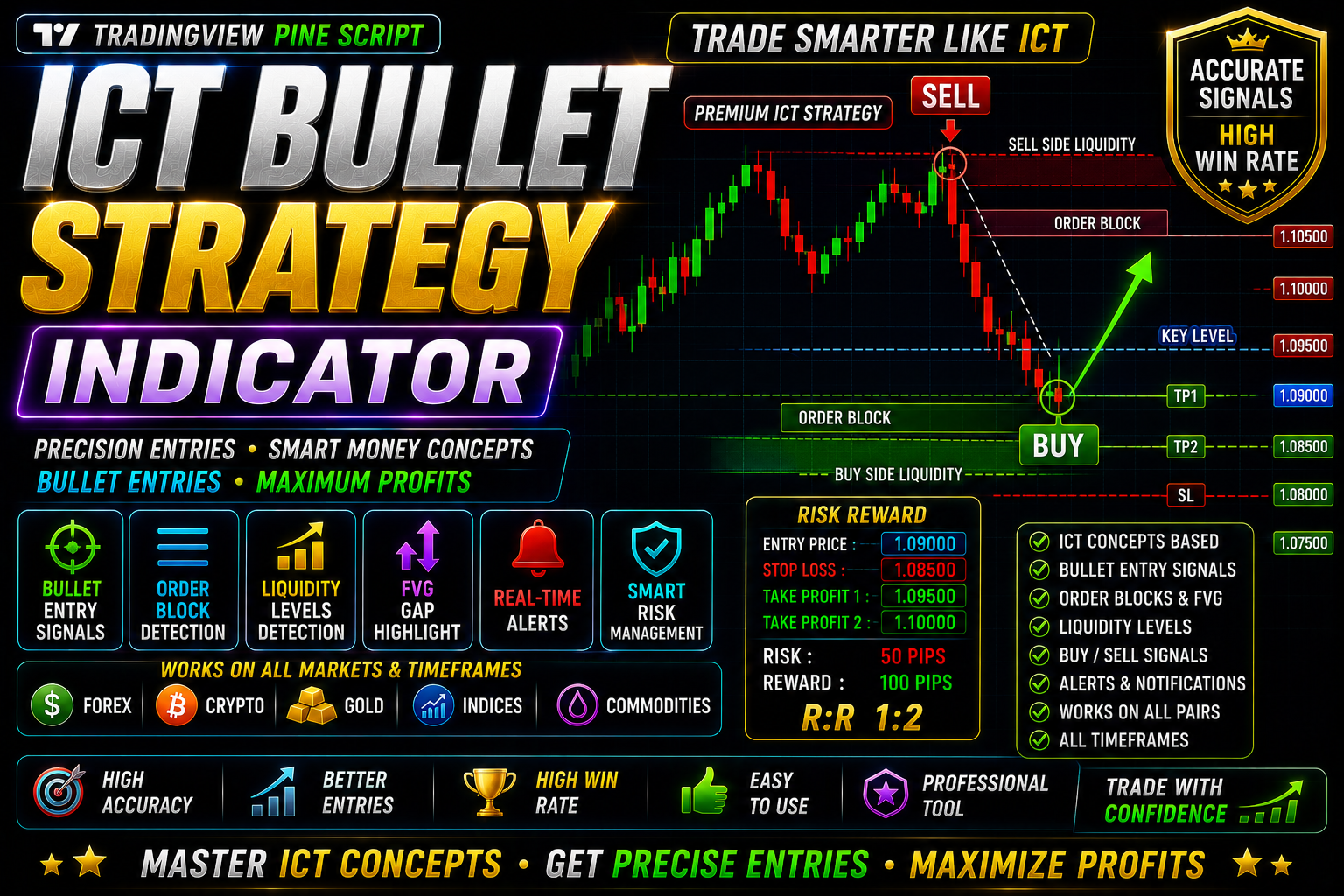
ICT Silver Bullet Strategy
The ICT Silver Bullet Strategy Free Download
🎥 Installation Video
📖 Installation Instructions
What is ICT Silver Bullet Strategy?
The ICT Silver Bullet Strategy is a premium TradingView indicator based on the Inner Circle Trader (ICT) methodology, specifically designed to identify high-probability "Silver Bullet" setups during specific trading sessions. This powerful tool automatically detects liquidity grabs, order blocks, and fair value gaps during the London and New York Silver Bullet windows (3:00-4:00 AM EST and 10:00-11:00 AM EST), helping traders pinpoint precision entry zones with institutional-level accuracy. The indicator combines price action concepts with smart money trading principles to filter out noise and highlight only the most reliable trading opportunities during these crucial one-hour windows.
Key Features
- Automatic Silver Bullet Window Detection: Highlights London (3:00-4:00 AM EST) and New York (10:00-11:00 AM EST) Silver Bullet sessions with visual zones on your chart.
- Order Block Identification: Automatically marks institutional order blocks where smart money is likely positioned, providing high-probability reversal and continuation zones.
- Fair Value Gap (FVG) Detection: Identifies imbalances in price action that often get filled, offering excellent entry opportunities during Silver Bullet windows.
- Liquidity Sweep Alerts: Detects when price sweeps liquidity above/below key levels before reversing, a hallmark of ICT methodology and institutional manipulation.
- Multi-Timeframe Analysis: Works across multiple timeframes (M1 to H4) allowing you to align lower timeframe entries with higher timeframe structure.
- Customizable Alert System: Set up push notifications, email alerts, and sound alerts for Silver Bullet setups so you never miss high-probability trades.
- Visual Entry/Exit Signals: Clear buy/sell arrows appear during Silver Bullet windows when all confluence factors align, removing guesswork from your trading decisions.
- Session Background Highlighting: Automatic color-coded background during Silver Bullet hours makes it easy to focus only on high-probability time windows.
- Smart Money Concepts Integration: Combines market structure breaks, displacement moves, and premium/discount zones for complete ICT-based analysis.
- Clean Chart Interface: Professional, non-cluttered visual design that displays only essential information without overwhelming your chart workspace.
System Requirements
- Active TradingView account (Free plan works, but Pro or Premium plan recommended for multiple indicators and advanced alerts)
- Any modern web browser (Chrome, Firefox, Safari, Edge)
- Internet connection for real-time data
- Works on desktop computers, laptops, tablets, and mobile devices
- No VPS or special hardware required
- Compatible with all TradingView chart types and drawing tools
Installation Steps
- Log in to your TradingView account at tradingview.com using your credentials.
- Open any chart (forex pair, index, or crypto) and click the "Pine Editor" tab at the bottom of the screen.
- Copy the Pine Script code that will be provided to you after purchase and paste it into the Pine Editor window.
- Click the "Save" button in the Pine Editor and give the script a memorable name like "ICT Silver Bullet Strategy".
- Click the "Add to Chart" button — the indicator will immediately appear on your active chart with default settings.
- Access indicator settings by hovering over the indicator name in the top-left corner of your chart and clicking the settings icon (gear symbol).
- Configure inputs such as preferred Silver Bullet session (London/New York/Both), timeframe preferences, signal sensitivity, and visual display options as needed.
- To enable alerts: right-click anywhere on the chart, select "Add Alert", then choose the ICT Silver Bullet Strategy from the condition dropdown menu and configure your preferred alert delivery method (notification, email, webhook).
Recommended Settings
- Timeframe: Use M5 or M15 charts for Silver Bullet entries, with H1 or H4 for higher timeframe bias confirmation.
- Session Selection: Enable both London and New York Silver Bullet windows initially, then focus on the session that aligns with your trading schedule.
- Order Block Period: Set to 10-20 bars for optimal order block detection on M5/M15 timeframes; increase for higher timeframes.
- FVG Minimum Size: Configure to at least 5-10 pips (50-100 points on 5-digit pricing) to filter out insignificant gaps and reduce false signals.
- Alert Settings: Enable "Once Per Bar Close" for alerts to avoid repainting issues and get confirmed signals only.
- Visual Elements: Keep order blocks, FVGs, and session backgrounds enabled initially; disable elements as you become familiar with the strategy.
- Currency Pairs: Works best on major pairs (EURUSD, GBPUSD, USDJPY) and gold (XAUUSD) which have high liquidity during Silver Bullet windows.
- Risk Management: Use the indicator's target zones for take profit levels, typically 1:2 or 1:3 risk-reward ratios aligned with next liquidity pool.
Frequently Asked Questions
Does the ICT Silver Bullet Strategy repaint or change signals after they appear?
No, the indicator is designed with non-repaint logic when using "End of Bar" signal confirmation mode. Signals are locked once the candle closes during the Silver Bullet window. However, if you enable "real-time" mode for faster alerts, minor adjustments may occur before bar close. We recommend using confirmed signals (after bar close) for actual trading decisions to ensure complete reliability.
Can I use this indicator on cryptocurrency and stock markets, or only forex?
While the ICT Silver Bullet Strategy is optimized for forex markets (where the London and New York sessions have the most significance), it can be adapted for use on major cryptocurrency pairs (BTC/USD, ETH/USD) and liquid stock indices (S&P 500, NASDAQ). The Silver Bullet time windows remain most effective on forex majors and gold, but the order block and FVG detection components work across all liquid markets available on TradingView.
Do I need prior knowledge of ICT concepts to use this indicator effectively?
Basic understanding of ICT methodology will significantly improve your results, but it's not mandatory to start using the indicator. The tool provides visual signals and clear entry zones that beginners can follow. However, we strongly recommend studying ICT's Silver Bullet concept, order blocks, and fair value gaps through free resources to understand why signals appear and how to manage trades properly. The indicator automates detection but trading success depends on proper execution and risk management.
Can I run multiple instances of this indicator on different pairs simultaneously?
Yes, with a TradingView Pro, Pro+ or Premium account, you can run the ICT Silver Bullet Strategy on multiple charts simultaneously. Free accounts have limitations on the number of indicators per chart and saved chart layouts. For serious traders monitoring multiple pairs during Silver Bullet windows, we recommend at least a TradingView Pro plan to run 4-5 charts with the indicator across different forex pairs and timeframes.
What is the typical win rate and how should I manage risk with this strategy?
Based on ICT methodology and backtesting on major forex pairs, traders typically achieve 60-75% win rates during proper Silver Bullet setups when combined with higher timeframe bias and solid risk management. However, individual results vary based on execution, pair selection, and market conditions. Always use proper position sizing (risk 1-2% per trade), place stop losses beyond the invalidation point (usually beyond the order block), and target minimum 1:2 risk-reward ratios. The indicator identifies opportunities, but disciplined risk management determines long-term profitability.
📋 Specifications
| Accuracy (%) | 65-75% |
| Alert Sound | Yes |
| Alerts | Push Notifications, Email, Sound, Webhook |
| Buffer Values (for EAs) | No |
| Currency Pairs | All Major Pairs (EUR/USD, GBP/USD, USD/JPY, XAU/USD, etc.), Indices, Crypto |
| Dashboard (on chart) | Yes |
| Demo Available | Yes |
| Divergence Detection | No |
| File Format | Pine Script (.pine) |
| File Size | 45 KB |
| Free Updates | Lifetime |
| Indicator Type | Price Action / Smart Money Concepts / Session-Based |
| License Type | Personal License (1 TradingView Account) |
| Multi-Timeframe (MTF) | Yes |
| Recommended Broker | Any ECN broker with tight spreads (Exness, IC Markets, FBS) |
| Repaint | No Repaint |
| Screener/Scanner (multi-pair) | No |
| Setup Difficulty | Intermediate |
| Signal Delay | End of Bar |
| Signal Type | Buy/Sell Arrows, Order Blocks, Fair Value Gaps, Liquidity Zones |
| Source Code Included | Yes |
| Support | Email & WhatsApp Support |
| Timeframe | M1, M5, M15, M30, H1, H4 |
| Version | 3.2 |