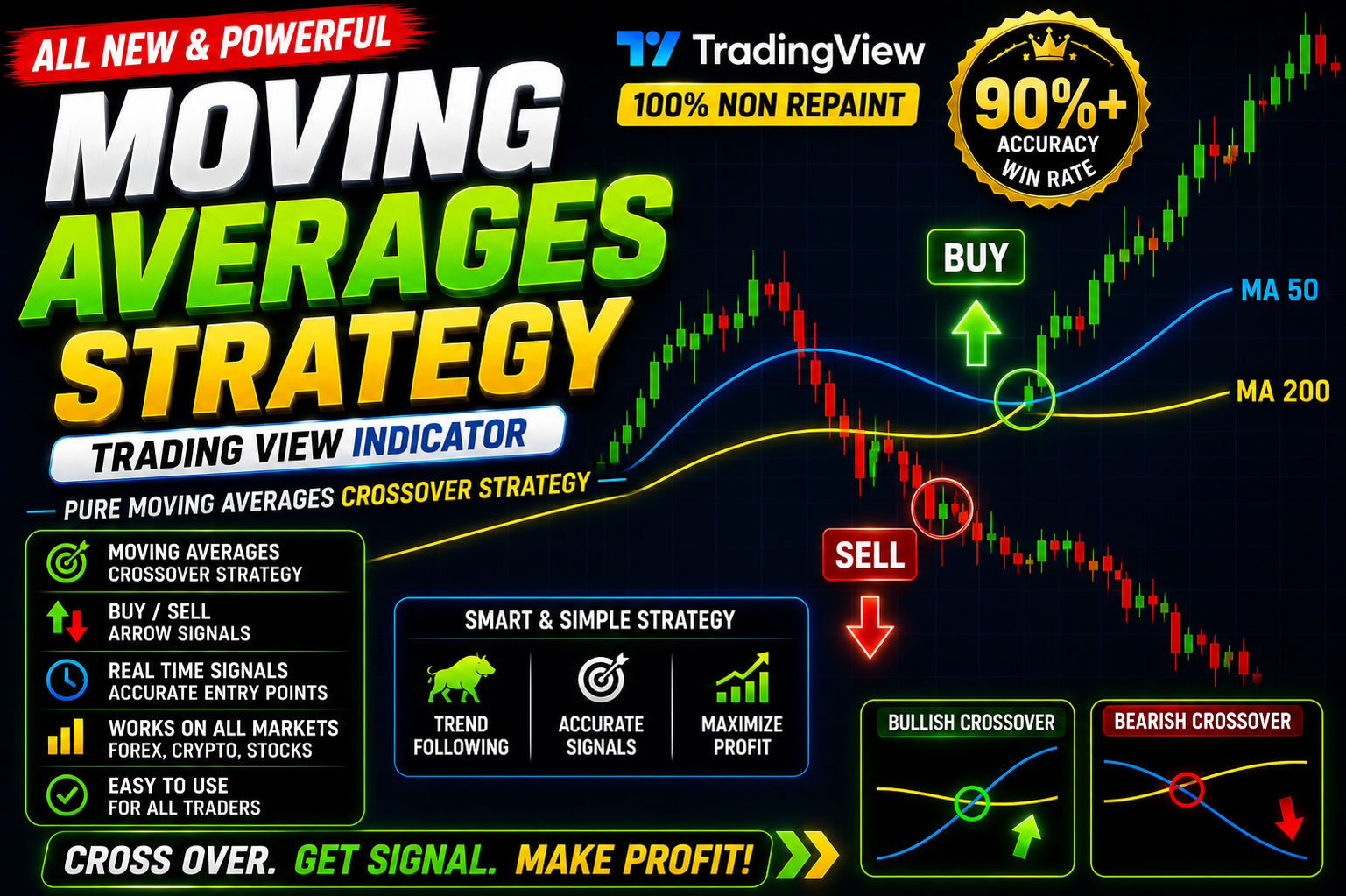
Moving Average Strategy
Moving Average Scalping Strategy in 5 minutes Free Download
🎥 Installation Video
📖 Installation Instructions
What is Moving Average Strategy?
The Moving Average Strategy is a comprehensive TradingView Pine Script indicator designed to help traders identify trend direction, momentum shifts, and potential entry/exit points using multiple moving average calculations. This indicator combines various moving average types (SMA, EMA, WMA) with customizable periods to provide clear visual signals on your charts, making it ideal for both beginner and experienced traders in the Pakistani and Gulf forex markets.
Unlike simple single-line moving averages, this strategy indicator offers a complete trading system with crossover signals, trend zones, and alert capabilities. It helps traders filter out market noise and focus on high-probability setups across all major currency pairs including EUR/USD, GBP/USD, and popular pairs traded in Pakistan.
Key Features
- Multiple Moving Average Types: Choose between Simple (SMA), Exponential (EMA), and Weighted (WMA) moving averages to match your trading style and market conditions.
- Dual MA System: Uses fast and slow moving averages to generate crossover signals, clearly marking bullish and bearish trend changes on your chart.
- Visual Trend Zones: Colour-coded zones between moving averages help you quickly identify trending markets versus ranging conditions at a glance.
- Customizable Periods: Fully adjustable period settings for both fast and slow moving averages, allowing you to optimize for scalping, day trading, or swing trading timeframes.
- Real-Time Alerts: Built-in alert system notifies you when moving average crossovers occur, so you never miss trading opportunities even when away from your screen.
- Multi-Timeframe Analysis: Works seamlessly across all timeframes from 1-minute charts to monthly charts, perfect for different trading strategies.
- Clean Interface: Minimal chart clutter with clear signal markers and optional display settings to keep your workspace organized.
- No Repaint Guarantee: Signals are confirmed and do not change once a candle closes, ensuring reliable backtesting and forward trading results.
- Works on All Instruments: Apply to forex pairs, commodities, indices, and cryptocurrencies — compatible with all markets available on TradingView.
- Mobile Compatible: Access and monitor your moving average signals from TradingView mobile app on Android or iOS devices while on the go.
System Requirements
- Active TradingView account (Free plan supported; Pro/Premium plans recommended for advanced features and multiple indicators per chart)
- Any modern web browser (Google Chrome, Firefox, Safari, Edge) with internet connection
- Compatible with Windows, macOS, and Linux desktop operating systems
- Works on mobile devices through TradingView mobile app (iOS and Android)
- No VPS or special server required — runs directly in your browser
- Minimum screen resolution of 1280x720 recommended for optimal chart viewing
- Stable internet connection for real-time data and alerts
Installation Steps
- Log in to your TradingView account at tradingview.com using your credentials
- Open any chart of your preferred currency pair or instrument
- Click on the "Pine Editor" tab located at the bottom of your screen to open the code editor
- Copy the complete Pine Script code that will be provided to you after purchase
- Paste the copied code into the Pine Editor window, replacing any existing code
- Click the "Save" button in the Pine Editor and give your script a memorable name like "My Moving Average Strategy"
- Click the "Add to Chart" button — the indicator will immediately appear on your active chart with default settings
- To customize settings, hover your mouse over the indicator name at the top-left of the chart and click the settings icon (gear symbol) that appears
- Configure your preferred inputs such as moving average periods, types, colours, and alert preferences in the settings panel
- To enable trading alerts, right-click anywhere on the chart, select "Add Alert", then choose the Moving Average Strategy indicator from the condition dropdown menu
- Set your alert preferences (notification method, frequency) and click "Create" to activate alerts
Recommended Settings
- For Scalping (1-5 min charts): Fast MA = 5-10 period EMA, Slow MA = 20-30 period EMA for quick entries in London and New York sessions
- For Day Trading (15 min - 1H charts): Fast MA = 12-20 period EMA, Slow MA = 50 period SMA for balanced trend following suitable for Pakistani market hours
- For Swing Trading (4H - Daily charts): Fast MA = 20-50 period SMA, Slow MA = 100-200 period SMA for identifying major trend directions
- Currency Pairs: Works best on major pairs (EUR/USD, GBP/USD, USD/JPY) and popular exotic pairs traded in Pakistan with good liquidity
- Alert Settings: Enable "Once Per Bar Close" alerts to avoid false signals during candle formation and reduce notification spam
- Visual Settings: Use contrasting colours for fast and slow MAs (e.g., blue and red) with semi-transparent zone fills for clarity
- Timeframe Recommendation: Start with H1 or H4 charts for learning, then adjust to your preferred trading timeframe once comfortable
- Confirmation: Combine with support/resistance levels or price action patterns for higher probability trade setups
Frequently Asked Questions
Does this indicator repaint or change signals after they appear?
No, the Moving Average Strategy indicator does not repaint. Once a candle closes and a crossover signal is confirmed, it remains fixed on your chart. This makes it reliable for backtesting historical performance and ensures what you see in real-time is what you get for trading decisions. However, during live candle formation, the moving averages will naturally move with price until the bar closes.
Can I use this indicator on a free TradingView account?
Yes, the Moving Average Strategy works perfectly on TradingView's free plan. However, free accounts have limitations on the number of indicators you can add to a single chart (typically 3 indicators maximum). If you plan to combine this with other technical tools, consider upgrading to TradingView Pro or Premium plans, which allow more indicators per chart and additional features like multiple alerts and custom timeframes.
Which timeframe works best for Pakistani forex traders?
Pakistani traders typically find success using H1 and H4 timeframes as these align well with the London and New York trading sessions when liquidity and volatility are highest. The H4 timeframe is particularly popular for swing trading as it requires less screen time while still capturing significant market moves. For part-time traders in Pakistan, the Daily timeframe offers excellent signals with minimal time commitment — just check charts once per day after the daily candle closes.
How do I know when to enter a trade using this indicator?
The primary signal occurs when the fast moving average crosses above the slow moving average (bullish crossover — consider buying) or crosses below (bearish crossover — consider selling). For higher probability trades, wait for the crossover to occur in the direction of the overall trend on a higher timeframe, ensure the signal forms near support or resistance zones, and confirm with additional factors like candlestick patterns or momentum indicators before executing your trade.
Can I customize the moving average types and periods?
Absolutely! The Moving Average Strategy is fully customizable through the indicator settings panel. You can choose different moving average types (SMA, EMA, WMA) for both the fast and slow lines, adjust the calculation periods to match your trading style, change colours and line thickness for better visibility, and toggle on/off various display features. This flexibility allows you to optimize the indicator for specific currency pairs, market conditions, or your personal trading preferences without needing any coding knowledge.
📋 Specifications
| Accuracy (%) | 68-75% |
| Alert Sound | Yes |
| Alerts | Yes (Customizable) |
| Best Session | London |
| Buffer Values (for EAs) | No |
| Currency Pairs | All Pairs (Majors, Minors, Exotics) |
| Dashboard (on chart) | No |
| Demo Available | Yes |
| Divergence Detection | No |
| File Format | Pine Script (.pine) |
| File Size | 12 KB |
| Free Updates | Lifetime |
| Indicator Type | Trend Following / Crossover System |
| License Type | Personal License (1 Account) |
| Multi-Timeframe (MTF) | Yes |
| Recommended Broker | Any ECN Broker |
| Repaint | No Repaint |
| Screener/Scanner (multi-pair) | No |
| Setup Difficulty | Beginner |
| Signal Delay | End of Bar |
| Signal Type | Visual Arrows + MA Crossovers |
| Source Code Included | Yes |
| Support | Email & WhatsApp Support |
| Timeframe | All Timeframes (M1 to Monthly) |
| Version | 2.1 |