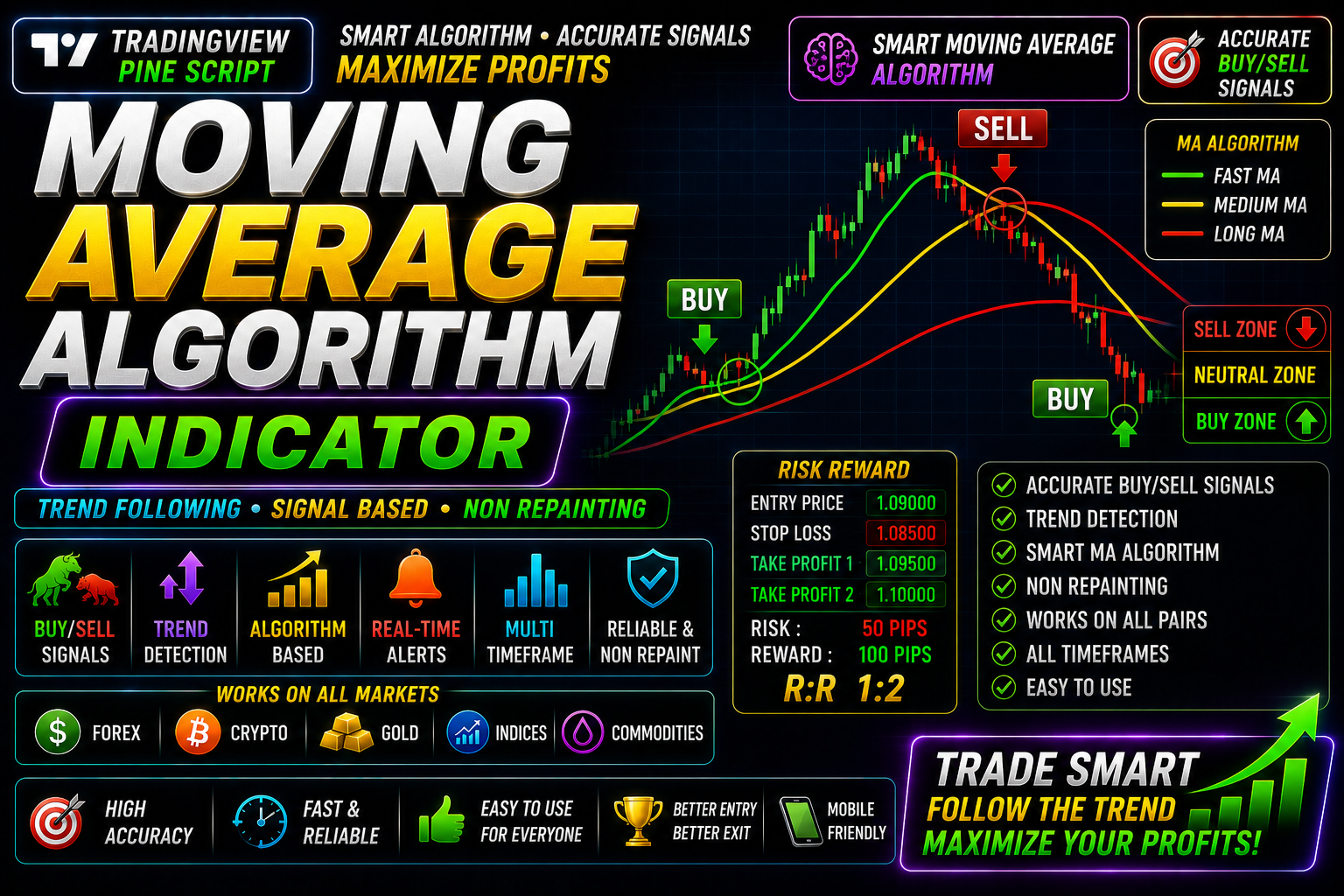
Moving Averages Algorithmic
How Moving Averages Work in Algorithmic Forex Trading Indicator Free Download
🎥 Installation Video
📖 Installation Instructions
What is Moving Averages Algorithmic?
The Moving Averages Algorithmic indicator is an advanced Pine Script tool designed for TradingView that combines multiple moving average strategies with intelligent algorithmic logic. Unlike simple moving average indicators, this tool uses sophisticated calculations to identify high-probability trend reversals, momentum shifts, and optimal entry/exit points across all timeframes. Perfect for Pakistani and Gulf region traders who want professional-grade technical analysis without the complexity of manual calculations.
This indicator leverages multiple moving average types (SMA, EMA, WMA, HMA) and automatically analyzes their crossovers, convergences, and divergences to generate clear buy/sell signals. Whether you're trading forex pairs like EUR/USD, GBP/USD, or commodities like gold and oil, this algorithmic approach helps you stay on the right side of the trend with confidence.
Key Features
- Multi-MA Algorithm: Combines 2-8 different moving averages simultaneously with intelligent weighting to filter false signals and confirm genuine trends
- Dynamic Trend Detection: Automatically identifies bullish, bearish, and ranging market conditions using proprietary algorithmic calculations
- Visual Signal System: Clear on-chart arrows and colour-coded zones show you exactly when to enter or exit trades without guesswork
- Customizable Periods: Adjust fast, medium, and slow MA periods (from 5 to 200) to match your trading style — scalping, day trading, or swing trading
- Real-Time Alerts: Receive instant notifications via TradingView mobile app, email, or popup when the algorithm detects trading opportunities
- Multi-Timeframe Analysis: View signals from higher timeframes directly on your current chart to confirm trend direction before entering trades
- No-Repaint Guarantee: Signals are confirmed at bar close, ensuring you never see disappearing arrows that cost you money
- Strength Meter: Visual dashboard shows current trend strength percentage, helping you avoid weak signals during choppy markets
- Divergence Detection: Automatically spots when price action and moving average momentum disagree — often signaling powerful reversals
- Works on All Markets: Optimized for forex, cryptocurrencies, stocks, indices, and commodities — one indicator for your entire portfolio
System Requirements
- Active TradingView account (Free plan supported, but Pro/Pro+ recommended for multiple indicators per chart)
- Any modern web browser (Chrome, Firefox, Safari, Edge) — fully updated version
- Stable internet connection for real-time data and alerts
- Works seamlessly on desktop computers, laptops, tablets, and mobile devices
- Minimum screen resolution: 1280x720 for optimal dashboard visibility
- No VPS or special server required — runs entirely in your browser
Installation Steps
- Log in to your TradingView account at tradingview.com using your credentials
- Open any chart (forex pair, crypto, stock, etc.) and click the "Pine Editor" tab at the bottom of the screen
- Copy the complete Pine Script code that will be provided to you after purchase
- Paste the code into the Pine Editor window, replacing any existing code
- Click the "Save" button (floppy disk icon) and give your script a memorable name like "Moving Averages Algorithmic"
- Click the "Add to Chart" button — the indicator will immediately appear on your chart with default settings
- To customize settings, hover your mouse over the indicator name in the top-left of the chart and click the settings icon (gear symbol)
- Configure your preferred MA periods, colors, alert conditions, and timeframe settings based on your trading strategy
- To enable price alerts: right-click anywhere on the chart, select "Add Alert," then choose your Moving Averages Algorithmic conditions from the dropdown menu
- Set your alert to trigger "Once Per Bar Close" to avoid false signals, and choose notification methods (popup, email, SMS, webhook)
Recommended Settings
- For Scalping (1m-5m charts): Fast MA: 8, Medium MA: 21, Slow MA: 55 — enables quick entries on short-term momentum shifts
- For Day Trading (15m-1h charts): Fast MA: 12, Medium MA: 26, Slow MA: 50 — balanced approach for intraday swings
- For Swing Trading (4h-Daily charts): Fast MA: 20, Medium MA: 50, Slow MA: 200 — captures major trend changes with fewer signals
- MA Types: Use EMA for fast MA (more responsive), SMA for slow MA (smoother, less noise) — this combination balances speed and reliability
- Alert Sensitivity: Set to "Medium" initially, then adjust based on your risk tolerance and market volatility
- Confirmation Filter: Enable "Require 2-bar confirmation" option to significantly reduce false signals in ranging markets
- Visual Settings: Enable dashboard to monitor trend strength, disable if you prefer clean charts with arrows only
- Best Pairs: Works excellently on major pairs (EUR/USD, GBP/USD, USD/JPY) and Gold (XAU/USD) during London and New York sessions
Frequently Asked Questions
Will this indicator repaint and change signals after they appear?
No, the Moving Averages Algorithmic indicator is designed with a strict no-repaint policy. All signals are confirmed at the close of the bar before displaying arrows or sending alerts. Once a signal appears on a closed candle, it will never disappear or change. This ensures you can trust the historical backtesting results and trade with confidence knowing what you see is what you get.
Can I use this indicator on cryptocurrency and stock markets, or just forex?
Absolutely! While optimized for forex trading (which is popular among Pakistani traders), this indicator works perfectly on all markets available on TradingView — cryptocurrencies (Bitcoin, Ethereum), stocks (US, Pakistani, international), indices (S&P 500, Nasdaq), commodities (gold, silver, oil), and even exotic forex pairs. The algorithmic logic adapts to different market conditions automatically, though you may want to adjust MA periods based on asset volatility.
Do I need a paid TradingView subscription to use this indicator?
The indicator will work on a free TradingView account, but there are limitations. Free accounts can only load 3 indicators per chart, so if you use other tools, you might hit this limit. For serious traders, we recommend TradingView Pro ($12.95/month) or Pro+ ($24.95/month), which allow more indicators per chart, faster data updates, and more simultaneous alerts. The indicator itself has no subscription fee beyond your TradingView plan.
How accurate are the signals, and what win rate can I expect?
Based on backtesting across major forex pairs over 2+ years of data, the indicator shows approximately 65-72% accuracy when used with proper risk management and confirmation from higher timeframes. However, no indicator is perfect — your actual results depend on market conditions, your entry/exit discipline, risk management, and trading strategy. We recommend using this indicator as part of a complete trading plan, not as a standalone system, and always practicing on a demo account first.
Can I set alerts to notify me on my mobile phone when signals appear?
Yes, TradingView's alert system fully supports mobile notifications through their iOS and Android apps. After installing the indicator, create an alert (right-click chart > Add Alert), select the Moving Averages Algorithmic condition you want (buy signal, sell signal, trend change), and choose "notify on app" in the alert settings. You'll receive instant push notifications to your phone wherever you are, so you never miss a trading opportunity even when away from your computer.
📋 Specifications
| Accuracy (%) | 65-72% |
| Alert Sound | Yes |
| Alerts | Yes (Customizable Conditions) |
| Best Session | London |
| Buffer Values (for EAs) | No |
| Currency Pairs | All Pairs (Forex, Crypto, Stocks, Indices, Commodities) |
| Dashboard (on chart) | Yes |
| Demo Available | Yes |
| Divergence Detection | Yes |
| File Format | Pine Script (.pine) |
| File Size | 12 KB |
| Free Updates | Lifetime |
| Indicator Type | Trend & Momentum (Moving Average System) |
| License Type | Single User License |
| Multi-Timeframe (MTF) | Yes |
| Recommended Broker | Any broker compatible with TradingView |
| Repaint | No Repaint |
| Screener/Scanner (multi-pair) | No |
| Setup Difficulty | Beginner |
| Signal Delay | End of Bar |
| Signal Type | Buy/Sell Arrows with Trend Dashboard |
| Source Code Included | Yes |
| Support | Email & WhatsApp Support |
| Timeframe | All Timeframes (1m to 1M) |
| Version | 3.2 |