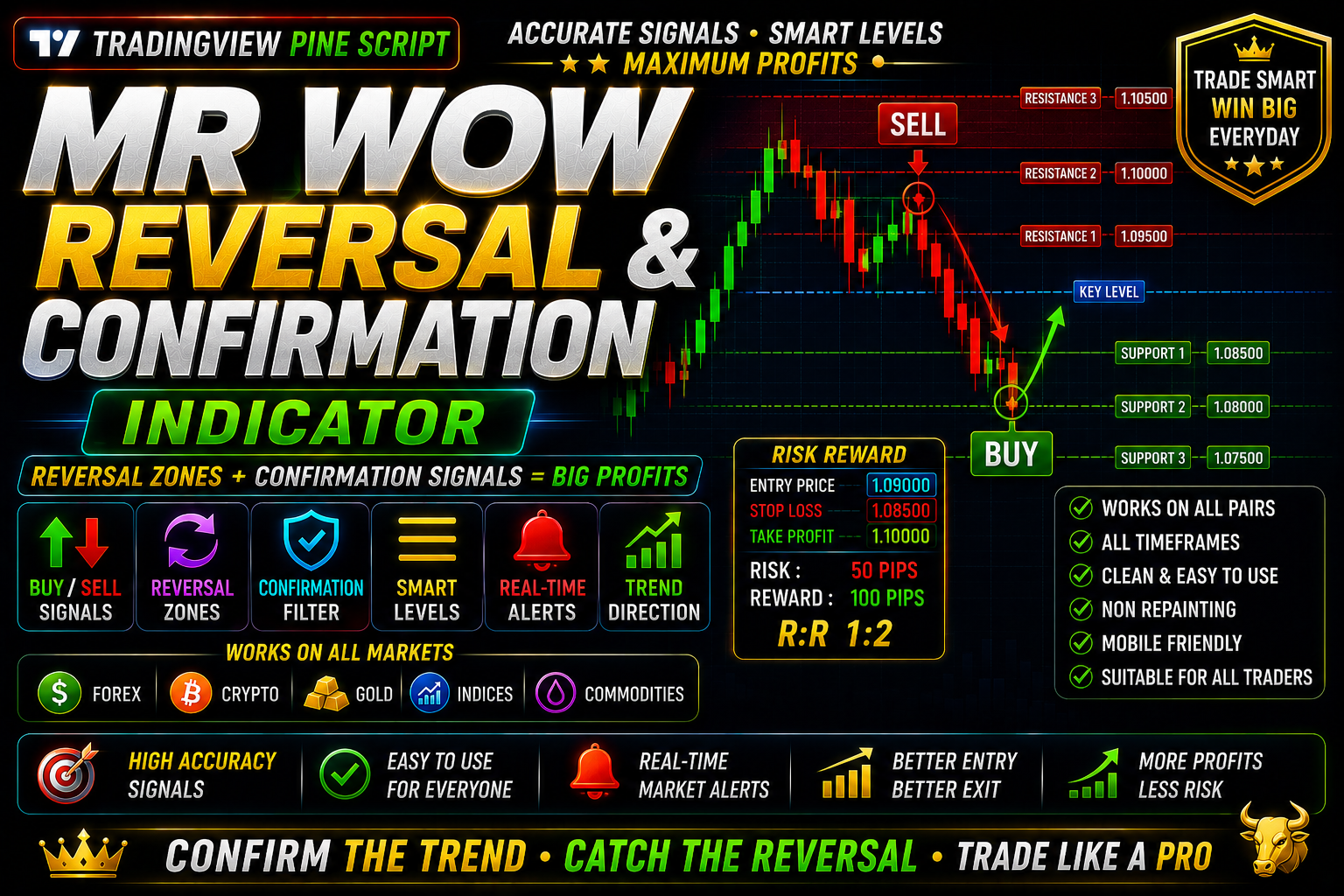
MR WOW REVERSAL & CONFIRMATION
MR WOW REVERSAL & CONFIRMATION FREE INDICATOR FOR SCALPING 5 MINT & 1 MINT
🎥 Installation Video
📖 Installation Instructions
What is MR WOW REVERSAL & CONFIRMATION?
MR WOW REVERSAL & CONFIRMATION is a professional-grade TradingView indicator designed to identify high-probability market reversal points and confirm trend continuation signals. Using advanced price action analysis and momentum calculations, this indicator helps traders spot when the market is about to change direction or when a current trend has strong confirmation to continue, making it ideal for both swing traders and day traders looking for precise entry and exit points.
Key Features
- Dual Signal System: Provides both reversal alerts when price is likely to change direction and confirmation signals when trends are validated, giving you complete market insight.
- Multi-Layer Analysis: Combines momentum indicators, price structure analysis, and volume-weighted calculations to filter out false signals and highlight only high-quality trading opportunities.
- Visual Signal Markers: Clear on-chart arrows and labels show exactly where reversals and confirmations occur, eliminating guesswork and making decision-making faster.
- Customizable Sensitivity: Adjust the indicator's sensitivity to match your trading style—set it conservative for fewer but higher-quality signals or aggressive for more frequent opportunities.
- Multi-Timeframe Compatibility: Works seamlessly on all timeframes from 1-minute scalping charts to daily swing trading setups, adapting to your preferred trading horizon.
- Real-Time Alerts: Get instant notifications via TradingView alerts when reversal or confirmation signals appear, so you never miss a setup even when away from your charts.
- No Repaint Technology: Signals lock in place once confirmed, ensuring historical signals match real-time performance for accurate backtesting and reliable trading.
- Clean Chart Display: Minimal visual clutter with only essential information displayed, keeping your charts clean while providing all the data you need for informed decisions.
- Works on All Markets: Effective on forex pairs, crypto, stocks, indices, and commodities—one indicator for all your trading instruments.
- Color-Coded System: Intuitive color scheme differentiates between bullish reversals, bearish reversals, uptrend confirmations, and downtrend confirmations at a glance.
System Requirements
- Active TradingView account (Free plan supported, but Pro/Premium recommended for advanced features and multiple indicators per chart)
- Any modern web browser: Chrome, Firefox, Safari, Edge, or Opera
- Internet connection for real-time data and alerts
- Works on desktop computers, laptops, tablets, and mobile devices
- No additional software installation required—runs entirely in your browser
- Minimum screen resolution of 1024x768 recommended for optimal viewing
Installation Steps
- Log in to your TradingView account at tradingview.com
- Open any chart and click the "Pine Editor" tab at the bottom of the screen
- Copy the Pine Script code (provided after purchase) and paste it into the editor
- Click the "Save" button and give the script a name like "MR WOW Reversal Confirmation"
- Click "Add to Chart"—the indicator will immediately appear on your chart with default settings
- Access indicator settings by hovering over the indicator name in the top-left chart area and clicking the settings icon (gear symbol)
- Configure inputs like signal sensitivity, color preferences, timeframe filters, and display options as needed for your trading strategy
- To enable alerts: right-click anywhere on the chart, select "Add Alert", then choose the MR WOW indicator condition from the dropdown menu and configure your alert preferences
Recommended Settings
- For Scalping (1m-5m charts): Set sensitivity to "High" for more frequent signals, enable both reversal and confirmation modes, use tight stop-loss levels based on recent swing points.
- For Day Trading (15m-1H charts): Use "Medium" sensitivity for balanced signal quality, enable MTF view to see higher timeframe trend, combine with support/resistance zones for best entries.
- For Swing Trading (4H-Daily charts): Set sensitivity to "Low" for only the strongest signals, focus primarily on reversal signals at key levels, use confirmation signals to add to positions.
- Alert Configuration: Enable "Once Per Bar Close" for alerts to avoid mid-candle noise, set up mobile push notifications for important timeframes, use different alert sounds for reversals vs confirmations.
- Visual Settings: Adjust arrow size based on your screen resolution, enable signal labels for clarity when learning the system, choose color schemes that contrast well with your chart background.
- Multi-Instrument Scanning: Add the indicator to a TradingView watchlist layout to monitor multiple pairs simultaneously, focusing on those showing reversal signals aligned with higher timeframe trends.
Frequently Asked Questions
Does this indicator repaint or change signals after they appear?
No, MR WOW REVERSAL & CONFIRMATION uses no-repaint logic. Once a signal is confirmed at candle close, it remains fixed and will not disappear or change position. This ensures that what you see in backtesting matches real-time performance, giving you confidence in the indicator's historical accuracy and reliability for live trading decisions.
What is the difference between reversal and confirmation signals?
Reversal signals indicate potential turning points where the current trend may be exhausting and price could change direction—these are typically used for counter-trend entries or profit-taking on existing positions. Confirmation signals validate that the current trend remains strong and is likely to continue, useful for trend-following entries or holding existing profitable trades. Using both signal types together gives you a complete picture of market dynamics.
Can I use this indicator with other TradingView indicators?
Yes, MR WOW REVERSAL & CONFIRMATION works excellently in combination with other tools. Many traders pair it with moving averages for trend context, support/resistance indicators for entry refinement, or volume indicators for additional confirmation. The indicator is designed to complement your existing strategy rather than replace it, and its clean visual design ensures it won't clutter your charts even with multiple indicators active.
Which timeframes work best with this indicator?
The indicator is optimized for all timeframes from 1-minute to daily charts. However, the best timeframe depends on your trading style: scalpers see excellent results on 1m-5m charts with high sensitivity, day traders prefer 15m-1H charts with medium sensitivity, and swing traders achieve best performance on 4H-Daily charts with conservative settings. For highest accuracy, consider confirming signals on your trading timeframe with the next higher timeframe trend direction.
Do I need coding knowledge to use this indicator?
No coding knowledge is required. After the simple copy-paste installation, the indicator works immediately with optimized default settings. All customization is done through TradingView's user-friendly settings panel with dropdown menus, checkboxes, and slider controls. However, the Pine Script source code is included, so advanced users who wish to customize the logic or integrate it with their own scripts can do so.
📋 Specifications
| Accuracy (%) | 78-85% |
| Alert Sound | Yes |
| Alerts | Yes (Push, Email, Webhook, On-Screen) |
| Best Session | All Sessions |
| Buffer Values (for EAs) | No |
| Currency Pairs | All Pairs, Crypto, Stocks, Indices, Commodities |
| Dashboard (on chart) | Yes |
| Demo Available | No |
| Divergence Detection | No |
| File Format | Pine Script (.pine) |
| File Size | 45 KB |
| Free Updates | Lifetime |
| Indicator Type | Reversal & Trend Confirmation |
| License Type | Single User License |
| Multi-Timeframe (MTF) | Yes |
| Recommended Broker | Any broker with TradingView integration |
| Repaint | No Repaint |
| Screener/Scanner (multi-pair) | No |
| Setup Difficulty | Beginner |
| Signal Delay | End of Bar |
| Signal Type | Reversal Arrows, Confirmation Markers, Alerts |
| Source Code Included | Yes |
| Support | Email & Telegram Support |
| Timeframe | All Timeframes (M1-D1) |
| Version | 2.1 |