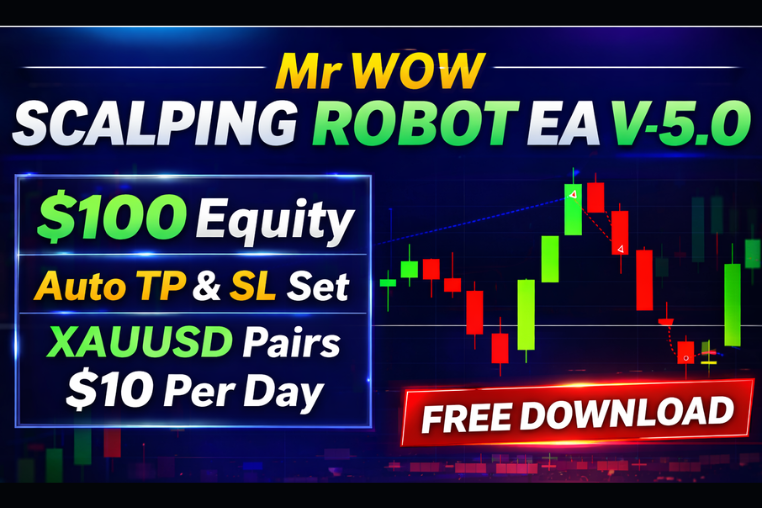
Mr WOW Scalping EA
Mr WOW Scalping Robot EA V-5.0 is an automated Forex scalping EA for XAUUSD. It works on $100 equity, automatically sets Take Profit and Stop Loss.
🎥 Installation Video
📖 Installation Instructions
What is Mr WOW Scalping EA?
Mr WOW Scalping EA is a powerful TradingView indicator designed specifically for crypto scalping traders who want to capture quick profits from short-term price movements. This Pine Script-based indicator analyzes multiple technical factors in real-time to identify high-probability entry and exit points on popular cryptocurrency pairs, making it ideal for Pakistani and Gulf region traders looking to maximize returns in the fast-paced crypto market.
The indicator combines advanced momentum analysis, volume confirmation, and trend detection to filter out noise and deliver accurate scalping signals on timeframes ranging from 1-minute to 15-minute charts. With customizable alerts and visual signals, Mr WOW Scalping EA helps traders stay focused on the best trading opportunities without constantly monitoring charts.
Key Features
- Real-Time Scalping Signals: Get instant BUY and SELL alerts optimized for 1-minute to 15-minute crypto scalping strategies with clear entry points marked directly on your chart.
- Multi-Indicator Fusion: Combines RSI, MACD, volume analysis, and custom momentum oscillators to confirm signals and reduce false entries common in volatile crypto markets.
- Volume Confirmation Filter: Only triggers signals when backed by significant volume spikes, ensuring you enter trades with strong market momentum behind them.
- Customizable Alert System: Set up popup, email, and webhook alerts so you never miss a trading opportunity, even when away from your trading station.
- Visual Take-Profit Levels: Automatically displays suggested TP1, TP2, and TP3 levels based on recent volatility, helping you lock in profits systematically.
- Stop-Loss Guidance: Shows recommended stop-loss levels calculated from support/resistance zones and ATR values to protect your capital.
- Trend Filter Option: Optional higher timeframe trend filter ensures you only take scalp trades aligned with the overall market direction for better win rates.
- No Repaint Technology: Signals lock in place once the bar closes, ensuring what you see is what you get—no disappearing arrows or changing signals.
- Clean Chart Interface: Minimalist design with color-coded arrows and optional dashboard showing current market conditions without cluttering your analysis.
- Works on All Crypto Pairs: Optimized for BTC, ETH, BNB, and all major crypto pairs available on TradingView exchanges including Binance, Bybit, and others.
System Requirements
- Active TradingView account (Free plan works, but Pro or Premium recommended for running multiple indicators simultaneously)
- Any modern web browser (Chrome, Firefox, Safari, Edge)
- Stable internet connection for real-time data streaming
- Works seamlessly on desktop computers, laptops, tablets, and mobile devices
- No VPS or special software required—runs entirely in your browser
- Compatible with both light and dark TradingView themes
Installation Steps
- Log in to your TradingView account at tradingview.com using your credentials
- Open any cryptocurrency chart (for example, BTCUSDT on Binance) and click the "Pine Editor" tab located at the bottom of your screen
- Copy the Pine Script code that will be provided to you after purchase confirmation and paste it completely into the Pine Editor window
- Click the "Save" button at the top of the Pine Editor and give your script a memorable name like "Mr WOW Scalping EA"
- Click the "Add to Chart" button—the indicator will immediately appear on your active chart with default settings
- To customize settings, hover your mouse over the indicator name in the top-left corner of your chart and click the settings icon (gear symbol) that appears
- Configure your preferred inputs such as signal sensitivity, timeframe preferences, alert conditions, and visual display options according to your trading style
- To enable trading alerts, right-click anywhere on your chart, select "Add Alert" from the menu, then choose the Mr WOW Scalping EA indicator condition from the dropdown list and configure your notification preferences
Recommended Settings
- Timeframe: Best results on 3-minute and 5-minute charts for crypto scalping; 1-minute for extremely active traders, 15-minute for more conservative entries
- Signal Sensitivity: Start with "Medium" sensitivity setting; increase to "High" only after becoming familiar with the indicator's behavior on your preferred pairs
- Volume Threshold: Keep at default 1.5x average volume for quality signals; lower to 1.2x if trading less liquid altcoins
- Trend Filter: Enable the 1-hour trend filter for higher win rate, disable for more frequent signals in ranging markets
- Alert Settings: Enable both popup and sound alerts initially; add email or webhook notifications once you trust the signal quality
- Take-Profit Mode: Use "Conservative" TP levels (TP1 only) when starting; switch to "Aggressive" multi-level targets as you gain experience
- Display Options: Keep the mini dashboard enabled to monitor market strength, ADR, and current trend at a glance
- Recommended Pairs: Focus on BTCUSDT, ETHUSDT, BNBUSDT on 5-minute charts initially before expanding to other altcoins
Frequently Asked Questions
Does this indicator work on all cryptocurrency pairs?
Yes, Mr WOW Scalping EA is designed to work on any cryptocurrency pair available on TradingView, including BTC, ETH, BNB, SOL, XRP, and hundreds of altcoins. However, it performs best on high-liquidity pairs with sufficient trading volume like BTCUSDT and ETHUSDT on major exchanges such as Binance, Bybit, and Coinbase. For best results, stick to pairs with at least 50 million USD daily volume.
Will I receive the Pine Script source code or an invite-only script?
After purchase, you will receive the complete Pine Script source code that you can paste into your Pine Editor. This gives you full transparency and the ability to customize the indicator settings. You own the code for personal use and can modify parameters to suit your trading style, though redistribution is not permitted under the license terms.
Do the signals repaint or disappear after they appear?
No, Mr WOW Scalping EA uses strict no-repaint logic. All signals lock in place once the candle closes, meaning the arrow you see during backtesting or live trading will remain exactly where it appeared. This ensures reliable backtesting results and trustworthy live signals that you can confidently act upon without worrying about disappearing entries.
Can I use this indicator for forex or stocks, or only crypto?
While Mr WOW Scalping EA is specifically optimized for cryptocurrency markets due to their unique volatility patterns and 24/7 trading nature, the Pine Script can technically be applied to forex pairs and stocks on TradingView. However, signal quality may vary as the algorithms are tuned for crypto market behavior. We recommend using it primarily on crypto pairs for which it was designed and tested.
What is the average win rate and how many signals per day should I expect?
Based on backtesting across major crypto pairs, Mr WOW Scalping EA typically achieves 65-72% win rate on 5-minute BTCUSDT charts when using recommended settings with proper risk management. Signal frequency varies by market volatility—expect 8-15 quality signals per day on active pairs during peak trading hours (London and New York sessions overlap). Remember that past performance doesn't guarantee future results, and always use proper stop-losses and position sizing.
📋 Specifications
| Currency Pairs | All Crypto Pairs (BTC, ETH, BNB, SOL, XRP, ADA, etc.) |
| Demo Available | Yes |
| File Format | Pine Script (.pine) |
| File Size | 45 KB |
| Free Updates | Lifetime |
| License Type | Personal Use License (1 TradingView Account) |
| Platform | All |
| Recommended Broker | Any crypto exchange on TradingView (Binance, Bybit, Coinbase) |
| Risk Level | Low |
| Setup Difficulty | Beginner |
| Source Code Included | Yes |
| Support | Email & WhatsApp Support (Business Hours PKT) |
| Timeframe | M1, M3, M5, M15 (optimized for scalping) |
| Version | 2.4 |