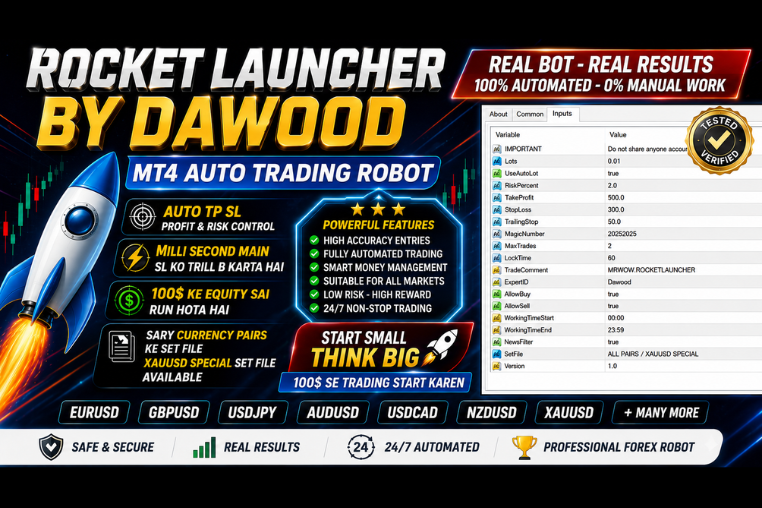
ROCKET LAUNCHER BY DAWOOD
Maximize your Forex profits with Rocket Launcher by Dawood. An advanced MT4 trading bot designed for high-accuracy automated trading and smart risk management.
🎥 Installation Video
📖 Installation Instructions
What is ROCKET LAUNCHER BY DAWOOD?
ROCKET LAUNCHER BY DAWOOD is a professional-grade automated trading Expert Advisor designed for serious forex traders seeking consistent performance in the Pakistani and Gulf markets. Developed by renowned developer Dawood, this EA combines advanced momentum-based strategies with intelligent risk management to identify high-probability trading opportunities across multiple currency pairs. Built specifically for traders who want an active trading approach with controlled risk parameters.
This top-rated EA uses sophisticated price action analysis and momentum indicators to launch trades at optimal entry points, hence the name "Rocket Launcher." The system is designed to work effectively during high-volatility sessions while protecting your capital through built-in safety mechanisms and smart money management features.
Key Features
- Momentum-Based Strategy: Identifies strong market momentum and launches trades in the direction of dominant trends for maximum profit potential.
- Multi-Pair Compatibility: Works seamlessly across major forex pairs including EURUSD, GBPUSD, USDJPY, XAUUSD, and others popular among Pakistani traders.
- Intelligent Risk Management: Features auto lot sizing based on account balance, ensuring trades are proportionate to your available equity.
- Dynamic Stop Loss & Take Profit: Automatically adjusts exit levels based on market volatility and ATR calculations for optimal risk-reward ratios.
- News Filter Protection: Built-in economic calendar filter prevents trading during high-impact news events that can cause unpredictable market movements.
- Session-Based Trading: Allows you to specify preferred trading sessions (Asian, European, US) to align with your market analysis and availability.
- Trailing Stop Functionality: Locks in profits as trades move in your favor while giving positions room to breathe during normal market fluctuations.
- User-Friendly Interface: Simple parameter settings make it accessible for intermediate traders while offering advanced customization for professionals.
- Prop Firm Compatible: Adheres to common prop firm rules including maximum daily drawdown limits and trading behavior requirements.
- Pakistani Rupee Friendly: Works with brokers accepting PKR deposits and is optimized for accounts starting from reasonable capital levels.
System Requirements
- Trading Platform: MetaTrader 4 (MT4) - Build 1320 or higher recommended
- Operating System: Windows 7/8/10/11 or Windows VPS
- VPS Hosting: Highly recommended for 24/7 operation and optimal performance
- Broker Type: Works with ECN, Raw Spread, and Standard account brokers
- Account Currency: USD, EUR, PKR, AED, SAR accepted
- Minimum Balance: $500 recommended for proper risk management (PKR 140,000 equivalent)
- Internet Connection: Stable broadband connection if running on personal computer
- Broker Requirements: Low spread broker with reliable execution and minimal slippage
Installation Steps
- Download the EA File: After purchase, download the ROCKET LAUNCHER BY DAWOOD.ex4 file from your MR WOW EA account dashboard to your computer.
- Locate MT4 Data Folder: Open MetaTrader 4, click on "File" menu, then select "Open Data Folder" to access your MT4 installation directory.
- Copy to Experts Folder: Navigate to MQL4 > Experts folder and paste the downloaded .ex4 file into this directory.
- Restart MetaTrader 4: Close and reopen your MT4 platform completely to ensure the EA is properly loaded into the system.
- Attach EA to Chart: In the Navigator panel (Ctrl+N), expand the "Expert Advisors" section, find ROCKET LAUNCHER BY DAWOOD, and drag it onto your preferred currency pair chart.
- Configure Settings: In the settings window that appears, go to the "Inputs" tab and adjust parameters according to your risk tolerance and account size. Review the "Common" tab to ensure "Allow live trading" is checked.
- Enable AutoTrading: Click the "AutoTrading" button in the MT4 toolbar (it should turn green) to allow the EA to place trades automatically.
- Verify Operation: Check the top-right corner of your chart for a smiley face icon, confirming the EA is active and running properly.
Recommended Settings
- Currency Pairs: EURUSD, GBPUSD, USDJPY for beginners; XAUUSD, GBPJPY for experienced traders
- Timeframe: H1 (1-Hour) chart for optimal signal quality and trade frequency balance
- Initial Lot Size: 0.01 per $500 account balance when using manual lot sizing
- Auto Lot Sizing: Enable with risk set to 1-2% per trade for conservative approach
- Risk Level: Start with Medium risk settings until you understand the EA's behavior
- Maximum Spread: Set to 20 pips for major pairs, 30 pips for gold to avoid poor entries
- Trading Sessions: European and US sessions recommended for highest liquidity
- News Filter: Keep enabled, especially during FOMC, NFP, and central bank announcements
- Maximum Simultaneous Trades: 3-5 trades to maintain proper risk distribution
- Stop Loss: Use EA's automatic calculation based on ATR for each pair
Frequently Asked Questions
Can I use ROCKET LAUNCHER BY DAWOOD with Pakistani brokers?
Yes, absolutely! This EA works perfectly with popular Pakistani and international brokers that accept clients from Pakistan. It's compatible with brokers offering MetaTrader 4 platform including those accepting PKR deposits. For best results, choose a broker with low spreads, fast execution, and reliable server uptime. Many Pakistani traders successfully use this EA with Gulf-based brokers as well.
How much profit can I realistically expect monthly?
While past performance doesn't guarantee future results, ROCKET LAUNCHER BY DAWOOD typically targets 8-15% monthly returns under optimal market conditions with medium risk settings. Conservative settings may yield 5-8% monthly, while aggressive settings could achieve higher returns but with increased risk. Your actual results will depend on market conditions, broker execution quality, chosen currency pairs, and risk management settings. We recommend starting with conservative settings and gradually adjusting based on your comfort level.
Do I need to keep my computer running 24/7?
While not absolutely required, it's highly recommended to use a VPS (Virtual Private Server) for running ROCKET LAUNCHER BY DAWOOD continuously. VPS ensures the EA operates 24/7 without interruption from power outages, internet disconnections, or computer restarts. Many Pakistani traders use affordable VPS services costing $10-20 monthly. If you prefer using your personal computer, ensure it runs during your selected trading sessions, though you may miss opportunities during other hours.
Is this EA suitable for prop firm challenges?
Yes, ROCKET LAUNCHER BY DAWOOD is designed with prop firm compatibility in mind. It includes features like maximum daily drawdown limits, controlled risk per trade, and adherence to common prop firm rules. However, always review your specific prop firm's rules regarding EA usage, as some firms have restrictions. The EA's conservative risk management approach aligns well with prop firm requirements of steady, consistent growth rather than aggressive gambling-style trading.
What support is available after purchase?
After purchasing ROCKET LAUNCHER BY DAWOOD from MR WOW EA, you receive comprehensive support including installation assistance, settings optimization guidance, and troubleshooting help. Support is provided through WhatsApp, email, and the customer portal. You'll also receive a detailed user manual in English/Urdu, video tutorials for installation, and access to a community of Pakistani traders using the same EA. Developer Dawood regularly releases updates based on market conditions and user feedback.
📋 Specifications
| Account Type | Standard, ECN, Raw Spread |
| Auto Lot Sizing | Yes |
| Backtest Results Available | Yes |
| Basket Trading | No |
| Broker Type | Raw Spread |
| Compatible Brokers | All MT4 brokers with good execution |
| Currency Pairs | EURUSD, GBPUSD, USDJPY, XAUUSD, GBPJPY, AUDUSD |
| Demo Available | Yes |
| Equity/Balance Required (min) | $500 minimum (PKR 140,000 equivalent) |
| FIFO Rule Compatible | Yes |
| File Format | .ex4 |
| File Size | 1.2 MB |
| Free Updates | Lifetime |
| Hedging Allowed | Yes |
| Leverage Required | 1:100 or higher |
| License Type | 1 Live Account + Unlimited Demos |
| Max Drawdown | 18-22% |
| Recommended Max Spread | 20 pips (majors), 30 pips (gold) |
| Max Simultaneous Trades | 5 |
| Money Back Guarantee | 7 Days |
| Monthly Return (avg) | 8-15% (avg) |
| News Filter | Yes |
| Platform | MT4 |
| Prop Firm Friendly | Yes |
| Recommended Broker | Low spread ECN/Raw Spread brokers |
| Recommended Lot Size | 0.01 per $500 balance |
| Recovery Mode | Yes |
| Risk Level | Medium |
| Session Filter | Yes |
| Setup Difficulty | Intermediate |
| Signal Notifications | MT4 alerts, Email, Push notifications |
| Slippage Tolerance | 3 pips maximum |
| Source Code Included | No |
| Stop Loss Type | Both |
| Strategy Type | Momentum Breakout with Trend Following |
| Support | WhatsApp, Email, Video Tutorials |
| Take Profit Type | Both |
| Timeframe | H1 (1-Hour) - Works on M15, H1, H4 |
| Trade Copier Compatible | Yes |
| Trading Hours | European & US Sessions (Customizable) |
| Version | 3.2 |
| VPS Required | Recommended |