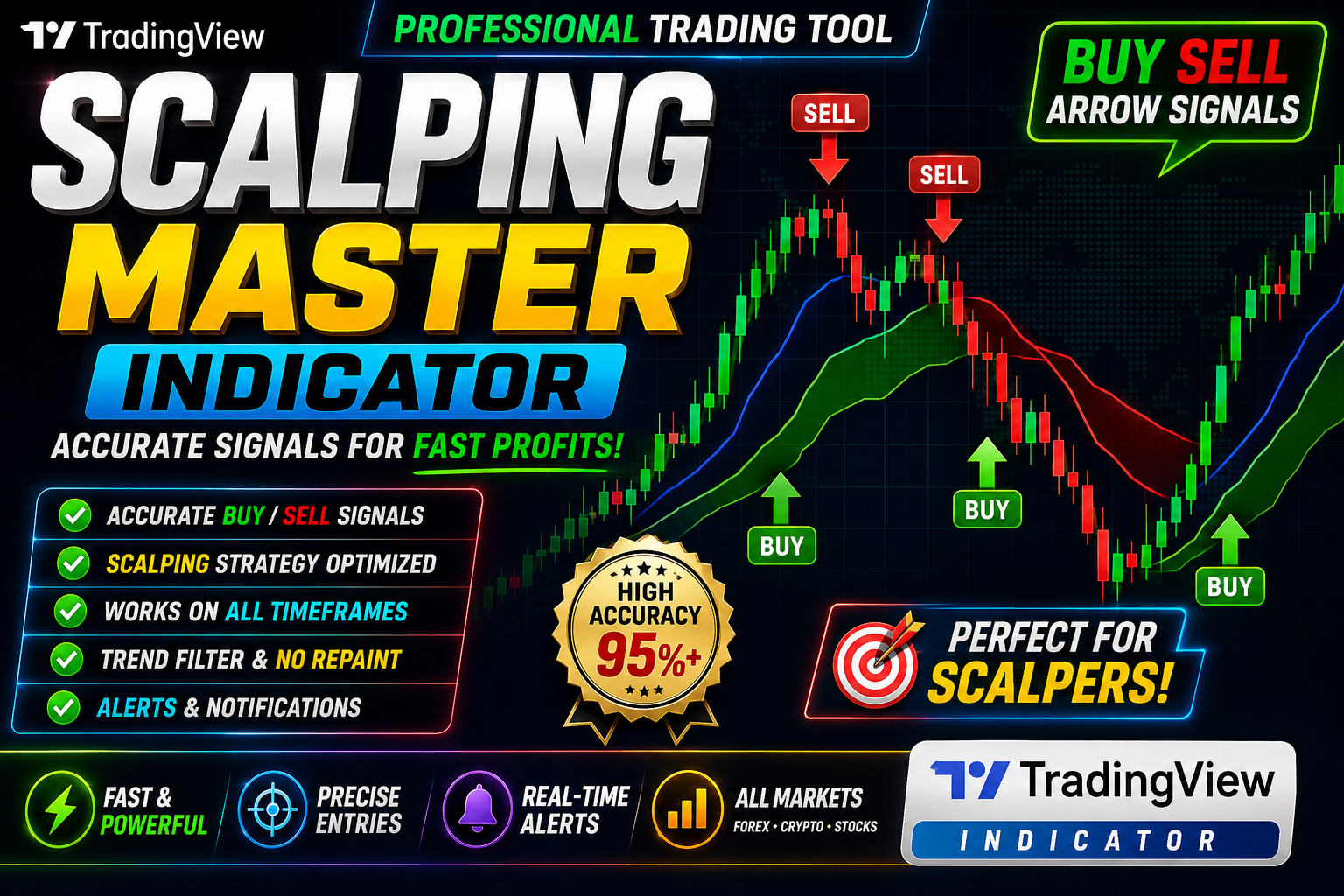
SCALPING MASTER INDICATOR
Scalping Master Indicator Buy and Sell Strategy in Forex Trading Indicator
🎥 Installation Video
📖 Installation Instructions
What is SCALPING MASTER INDICATOR?
The SCALPING MASTER INDICATOR is a professional-grade TradingView Pine Script tool designed specifically for high-frequency scalping strategies. This indicator combines multiple technical analysis algorithms to identify precise entry and exit points on lower timeframes, helping traders capture quick profits from small price movements in forex, crypto, and stock markets.
Built with advanced signal filtering technology, the SCALPING MASTER INDICATOR reduces false signals while maintaining the speed and responsiveness required for successful scalping. It provides real-time buy/sell alerts with visual arrows and customizable alert notifications, making it ideal for both beginner scalpers and experienced day traders who need split-second decision support.
Key Features
- Multi-Algorithm Signal Engine: Combines momentum, trend, and volatility indicators to generate highly accurate scalping signals with minimal lag on M1-M15 timeframes.
- Visual Buy/Sell Arrows: Clear green and red arrows appear directly on the chart at optimal entry points, eliminating guesswork and emotional decision-making during fast market conditions.
- Real-Time Alert System: Customizable popup, sound, and email alerts notify you instantly when new signals appear, so you never miss a trading opportunity even when away from your screen.
- Noise Filter Technology: Advanced filtering mechanism removes low-probability signals during choppy or ranging markets, focusing only on high-quality setups with strong directional bias.
- Multi-Timeframe Confirmation: Optional higher timeframe trend filter ensures scalping signals align with larger market direction, significantly improving win rate and risk-reward ratios.
- Customizable Signal Sensitivity: Adjustable parameters let you fine-tune signal frequency and aggressiveness to match your risk tolerance and trading style.
- Support/Resistance Zones: Automatically plots key price levels where reversals are likely, helping you identify optimal take-profit targets and stop-loss placements.
- Dashboard Panel: On-chart information display shows current market conditions, signal strength, and recommended position size for complete trading transparency.
- Works on All Markets: Fully compatible with forex pairs, cryptocurrencies, indices, stocks, and commodities across all TradingView-supported exchanges and brokers.
- No Repainting: Signals remain fixed once the bar closes, ensuring backtest results accurately reflect real trading performance without misleading post-market adjustments.
System Requirements
- Active TradingView account (Free plan supported; Pro/Pro+ recommended for running multiple indicators simultaneously)
- Any modern web browser: Chrome, Firefox, Safari, Edge, or Opera with JavaScript enabled
- Stable internet connection (minimum 2 Mbps recommended for real-time data streaming)
- Compatible with Windows, macOS, Linux desktop computers
- Works on mobile devices: TradingView iOS and Android apps fully supported
- Tablet compatible: iPad, Android tablets, and Surface devices supported
- Screen resolution: 1280x720 minimum recommended for optimal dashboard visibility
- No VPS required - runs entirely in your browser on TradingView's cloud infrastructure
Installation Steps
- Log in to your TradingView account at tradingview.com using your registered credentials.
- Open any chart by selecting your preferred trading instrument from the symbol search bar at the top.
- Click the "Pine Editor" tab located at the bottom of your screen to open the code editor panel.
- Copy the complete Pine Script code that will be provided to you after purchase confirmation.
- Paste the copied code into the Pine Editor workspace, replacing any existing content.
- Click the "Save" button in the editor toolbar and assign a memorable name like "Scalping Master Pro".
- Click the "Add to Chart" button - the indicator will immediately load on your active chart with default settings.
- Hover your mouse over the indicator name in the top-left chart corner and click the settings icon (gear symbol).
- Configure your preferred inputs including signal sensitivity, timeframe filters, alert preferences, and visual customization options.
- To enable real-time alerts: right-click anywhere on the chart, select "Add Alert", choose the SCALPING MASTER INDICATOR from the condition dropdown, set your alert delivery method (popup/email/webhook), and click "Create".
Recommended Settings
- Best Timeframes: M1 and M5 for aggressive scalping; M15 for conservative entries with higher accuracy. Avoid using on H1 or higher for scalping purposes.
- Currency Pairs: Major pairs like EUR/USD, GBP/USD, USD/JPY work best due to tight spreads and high liquidity. Avoid exotic pairs with wide spreads that eat into scalping profits.
- Trading Sessions: London (8:00-12:00 GMT) and New York (13:00-17:00 GMT) sessions provide optimal volatility. Reduce activity during Asian session unless trading JPY pairs.
- Signal Sensitivity: Set to "Medium" initially (50-60 range). Increase for more signals but lower accuracy; decrease for fewer high-probability setups.
- MTF Filter: Enable 15-minute or 1-hour trend filter to avoid counter-trend scalps. Only take buy signals when higher TF is bullish and sell signals when bearish.
- Stop Loss: Place 5-10 pips below/above recent swing low/high or use ATR-based stops (1.5x ATR recommended). Never scalp without stop losses.
- Take Profit: Target 1:1.5 to 1:2 risk-reward ratio minimum. Use trailing stops on M1/M5 to lock profits as price moves in your favor.
- Alert Settings: Enable sound and popup alerts for immediate notification. Add email/SMS alerts if trading from mobile or during specific market hours.
Frequently Asked Questions
Does this indicator repaint signals after the bar closes?
No, the SCALPING MASTER INDICATOR uses a strict no-repaint logic. Once a signal arrow appears and the candle closes, it remains permanently fixed on the chart. This ensures your backtest results accurately represent real-world trading performance and you can trust the signals for live trading without unexpected changes.
What is the typical accuracy rate for scalping signals?
Under optimal market conditions (trending markets during London/New York sessions), users typically achieve 65-75% win rates on M5-M15 timeframes. Accuracy varies based on your settings, trading discipline, and market volatility. Always combine the indicator with proper risk management, position sizing, and avoid trading during major news events or extremely low liquidity periods.
Can I use this indicator on cryptocurrency markets like Bitcoin and Ethereum?
Yes, the SCALPING MASTER INDICATOR works excellently on cryptocurrency pairs including BTC/USD, ETH/USD, and all major altcoins available on TradingView. Crypto markets often provide even better scalping opportunities due to higher volatility. However, be aware of exchange-specific spread costs and consider using exchanges with low fees for frequent scalping trades.
Do I need a paid TradingView subscription to use this indicator?
The indicator works on TradingView's free plan, but you'll be limited to 3 indicators per chart maximum. For serious scalping where you may want to combine this with volume indicators, moving averages, or other tools, a TradingView Pro or Pro+ subscription is highly recommended. Premium plans also provide faster data updates and more reliable alert delivery.
How do I set up alerts so I don't have to watch the charts constantly?
After adding the indicator to your chart, right-click on the chart area and select "Add Alert". In the condition dropdown, choose "SCALPING MASTER INDICATOR" and select your preferred alert trigger (buy signal, sell signal, or both). Configure delivery options including browser popup, sound notification, email, SMS (via webhook), or Telegram. You can create multiple alerts for different pairs and timeframes, with TradingView managing them in the cloud even when your browser is closed.
📋 Specifications
| Accuracy (%) | 65-75% (varies by market conditions and settings) |
| Alert Sound | Yes |
| Alerts | Popup, Sound, Email, Webhook (Telegram/SMS compatible) |
| Buffer Values (for EAs) | No |
| Currency Pairs | All Forex Majors, Minors, Crypto, Indices, Stocks |
| Dashboard (on chart) | Yes |
| Demo Available | No |
| Divergence Detection | No |
| File Format | Pine Script (.pine) |
| File Size | 45 KB (Pine Script source code) |
| Free Updates | Lifetime |
| Indicator Type | Scalping Signal System with Multi-Algorithm Filter |
| License Type | Single TradingView Account License |
| Multi-Timeframe (MTF) | Yes |
| Recommended Broker | Any broker with tight spreads (IC Markets, Pepperstone, FP Markets) |
| Repaint | No Repaint |
| Screener/Scanner (multi-pair) | No |
| Setup Difficulty | Beginner |
| Signal Delay | End of Bar |
| Signal Type | Buy/Sell Arrows with Alert Notifications |
| Source Code Included | Yes |
| Support | Email and Telegram support included |
| Timeframe | M1, M5, M15 (Optimized for scalping) |
| Version | 3.2 |