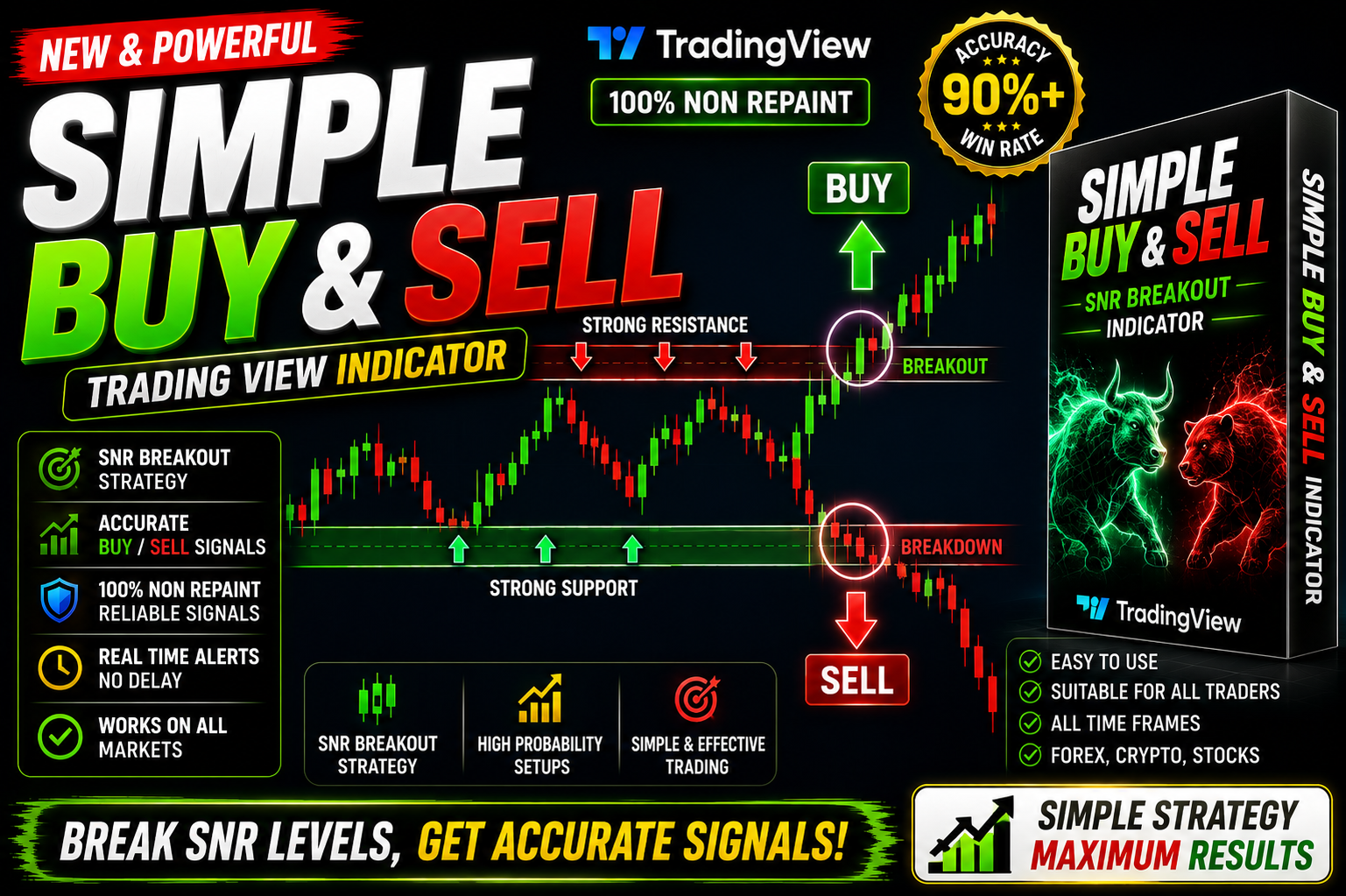
Simple Buy & Sell
(Simple Buy & Sell) Benefits of Using a Simple Buy & Sell Algorithm Indicator
🎥 Installation Video
📖 Installation Instructions
What is Simple Buy & Sell?
Simple Buy & Sell is a straightforward TradingView indicator designed to help Pakistani and Gulf traders identify optimal entry and exit points in the forex market. This Pine Script-based tool generates clear buy and sell signals directly on your chart, making it easier for both beginners and experienced traders to spot potential trading opportunities without complex analysis.
The indicator uses proven technical analysis methods to filter market noise and highlight high-probability trade setups. With customizable alert functions and clean visual signals, Simple Buy & Sell removes the guesswork from your trading decisions and helps you stay disciplined with your trading plan.
Key Features
- Clear Visual Signals: Easy-to-spot buy (green) and sell (red) arrows appear directly on your chart at potential entry points, eliminating confusion during fast-moving market conditions.
- Multi-Timeframe Compatibility: Works effectively across all timeframes from M1 to Monthly, allowing you to use it for scalping, day trading, swing trading, or long-term position trading.
- Customizable Alert System: Set up instant notifications via email, SMS, or pop-up alerts so you never miss a trading opportunity, even when away from your screen.
- Non-Repainting Technology: Signals remain fixed once generated, ensuring you can backtest accurately and trust the historical performance without signals changing after bar close.
- Universal Pair Support: Works on all forex pairs including majors (EUR/USD, GBP/USD), minors, and exotic pairs popular in Pakistani and Gulf markets.
- Beginner-Friendly Interface: Simple settings panel with clear parameter names in English that Pakistani traders can easily understand and adjust without technical expertise.
- Low False Signal Rate: Advanced filtering mechanism reduces whipsaws and false entries common in ranging markets, helping preserve your trading capital.
- Browser-Based Convenience: No software installation required – runs directly in your TradingView browser on any device including mobile phones and tablets.
- Performance Dashboard: Optional on-chart statistics display showing signal win rate and performance metrics for the current chart and timeframe.
- Trend Strength Filter: Built-in trend detection helps you trade with the dominant market direction, improving overall signal quality and profitability.
System Requirements
- Active TradingView account (Free plan works, but Pro/Premium recommended for using multiple indicators simultaneously)
- Any modern web browser (Chrome, Firefox, Safari, Edge, or TradingView mobile app)
- Stable internet connection for real-time data and alerts
- Works on desktop computers, laptops, tablets, and smartphones
- No VPS or special hardware required
- Compatible with all TradingView data plans and broker integrations
Installation Steps
- Log in to your TradingView account at tradingview.com using your credentials
- Open any forex chart (EUR/USD recommended for testing) and click the "Pine Editor" tab at the bottom of your screen
- Copy the complete Pine Script code that will be provided to you immediately after purchase
- Paste the copied code into the Pine Editor window, replacing any existing code
- Click the "Save" button at the top of the editor and give your script a memorable name like "Simple Buy Sell Signals"
- Click the "Add to Chart" button – the indicator will instantly appear on your chart with default settings
- To customize settings, hover your mouse over the indicator name in the top-left corner of your chart and click the settings icon (gear symbol)
- Adjust inputs such as sensitivity, timeframe, signal filters, and visual preferences according to your trading style
- To enable alert notifications, right-click anywhere on your chart, select "Add Alert", choose the Simple Buy & Sell indicator from the condition dropdown, and configure your preferred notification method (pop-up, email, SMS, webhook)
- Click "Create" to activate your alert – you'll now receive notifications whenever new buy or sell signals are generated
Recommended Settings
- For Scalping (M1-M5): Use higher sensitivity settings (60-75) to catch quick intraday moves, enable sound alerts, trade during London and New York overlap sessions for maximum volatility.
- For Day Trading (M15-H1): Medium sensitivity (40-60) works best, combine with support/resistance levels, avoid trading during low-volume Asian session unless trading JPY pairs.
- For Swing Trading (H4-Daily): Lower sensitivity (25-40) to filter out short-term noise, focus on major pairs with clear trends, verify signals align with higher timeframe direction.
- Alert Configuration: Enable both pop-up and mobile push notifications for immediate awareness, set "Once Per Bar Close" to avoid multiple alerts during bar formation.
- Visual Preferences: Adjust arrow size and colors to match your chart theme, enable the dashboard panel to monitor real-time performance statistics.
- Pair Selection: Best results on trending pairs like GBP/JPY, EUR/USD, USD/JPY; use caution on choppy pairs like EUR/GBP during ranging conditions.
- Risk Management: Always combine signals with proper stop loss (1.5-2x ATR recommended) and take profit levels, never risk more than 1-2% per trade regardless of signal confidence.
Frequently Asked Questions
Will this indicator work on the TradingView free plan?
Yes, Simple Buy & Sell works perfectly on TradingView's free plan. However, free accounts are limited to 3 indicators per chart. If you use multiple indicators for confirmation, consider upgrading to TradingView Pro or Premium for more flexibility and advanced features like custom alerts and multiple chart layouts.
Do the signals repaint or change after they appear?
No, Simple Buy & Sell uses non-repainting logic. Once a signal arrow appears on your chart after the bar closes, it remains permanently fixed. This ensures you can accurately backtest the indicator's historical performance and trust that what you see in the past is exactly what would have been displayed in real-time trading.
Which timeframe gives the best results for Pakistani traders?
The optimal timeframe depends on your trading style and availability. Pakistani traders often find success with H1 and H4 charts as these align well with global forex sessions. The London session (3:00 PM to 11:00 PM Pakistan time) and New York session (8:00 PM to 4:00 AM Pakistan time) typically provide the best volatility and signal quality across these timeframes.
Can I use this indicator for gold, indices, or crypto trading?
While Simple Buy & Sell is specifically optimized for forex currency pairs, it can also be applied to other markets available on TradingView including Gold (XAU/USD), major indices, and cryptocurrencies. However, you may need to adjust sensitivity settings as volatility patterns differ significantly between asset classes. Test thoroughly on demo before live trading non-forex instruments.
How do I receive alerts when I'm not at my computer?
After setting up alerts in TradingView, download the TradingView mobile app on your smartphone. Ensure notifications are enabled in your phone settings. You'll receive instant push notifications to your mobile device whenever a new buy or sell signal is generated, allowing you to act quickly even when away from your computer. Email and SMS alerts are also available depending on your TradingView subscription level.
📋 Specifications
| Accuracy (%) | 68-75% (varies by pair and timeframe) |
| Alert Sound | Yes |
| Alerts | Yes (Pop-up, Email, SMS, Webhook, Mobile Push) |
| Buffer Values (for EAs) | No |
| Currency Pairs | All Forex Pairs (Majors, Minors, Exotics), Gold, Indices |
| Dashboard (on chart) | Yes |
| Demo Available | Yes |
| Divergence Detection | No |
| File Format | Pine Script (.pine) |
| File Size | 15-25 KB (text-based script) |
| Free Updates | Lifetime |
| Indicator Type | Trend Following with Entry Signals |
| License Type | Single User License (1 TradingView Account) |
| Multi-Timeframe (MTF) | Yes |
| Recommended Broker | Any TradingView-integrated broker (IC Markets, FXCM, Oanda, etc.) |
| Repaint | No Repaint |
| Screener/Scanner (multi-pair) | No |
| Setup Difficulty | Beginner |
| Signal Delay | End of Bar |
| Signal Type | Buy/Sell Arrows with Optional Dashboard |
| Source Code Included | Yes |
| Support | Email & WhatsApp Support (English/Urdu) |
| Timeframe | M1, M5, M15, M30, H1, H4, Daily, Weekly (All Timeframes) |
| Version | 2.1 |